
In the previous section python-tuple, you had seen what is a tuple? why are we using tuple?
In this section, you are going to see how can you access, update and unpack the secure data with help of a tuple item.
Although, you can’t manipulate the data in the tuple. but you can change the data by converting tuple to list and again list to a tuple.
There are three-part of this blog:-
∆ Python-Access Tuple
  Items
∆ Python-Update Tuples
∆ Python-Unpack Tuples
∆ Python – Access Tuple Items

Image credit: afb.org
In this section, you are going to see how you can access items in the tuple?
The benefit of accessing tuple items are you can get some part of the tuple easily accessible without manipulating tuple.
The points which you will cover:-
• Access tuple items
• Indexing
• Negative Indexing
• Range of Indexes
• Range of Negative
  Indexes
• Check if the item
  exists
1. Access tuple items
You have come to a question how can you access the tuple item?
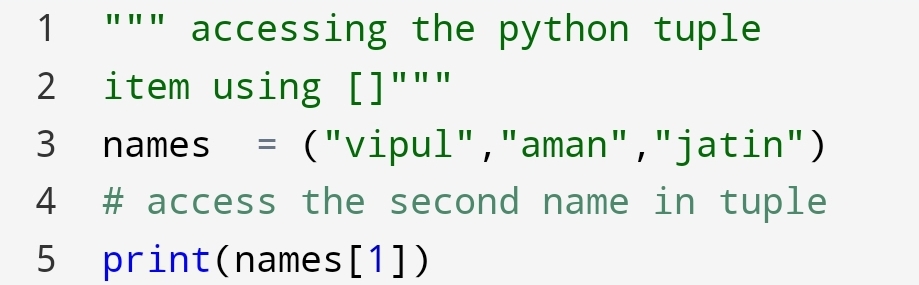
You can access the tuple item with [](square brackets).
Here, see how can you do?
Example:-

2.Negative Indexing
Suppose there are thousands of names in the tuple. You want a name from the last of the tuple.
How will you do?
You can do it with indexing. but you have to find which position. And the position is in last of the tuple.
So, it will take a lot of time to count the position.
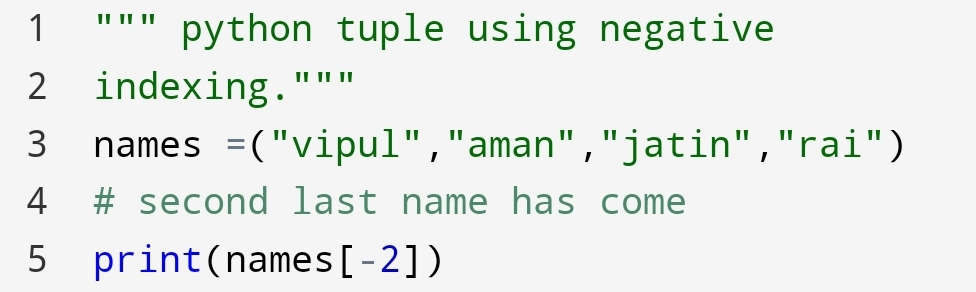
Instead, you can do negative indexing.
Let’s see how can you do!
Example:-

Second last name
You can see that output is the second last name in the tuple.
3.Range of Indexes
In a tuple suppose you want an item of a particular range. So, how will you do?
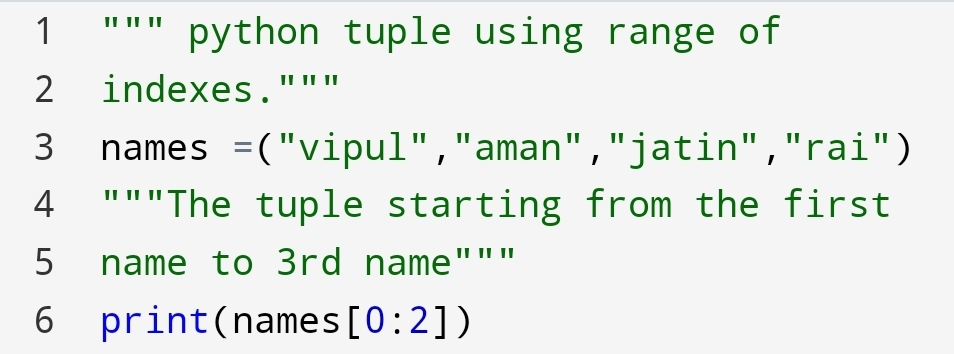
You can use the syntax [start:last].
Remember, the last item will be last-1. The last item not included.
Finally, see it!
Example:-
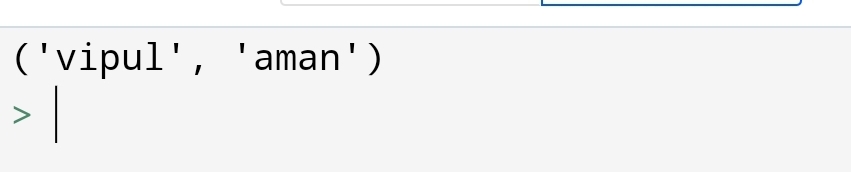
Two names have come.
The output is two names of a tuple in python. The last number 2 is not included.
The name of 0 and 1 position name have come.
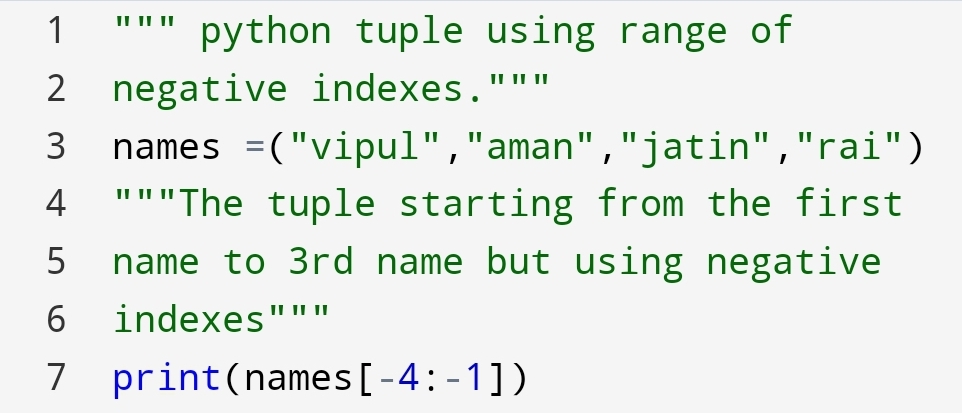
4. Range of negative indexes
It’s similar to a range of indexes. Here, you will use negative numbers to get the items.
You can code it as:-
Example:-

You got 3 names
° The next and last of this section is to check if the item exists!
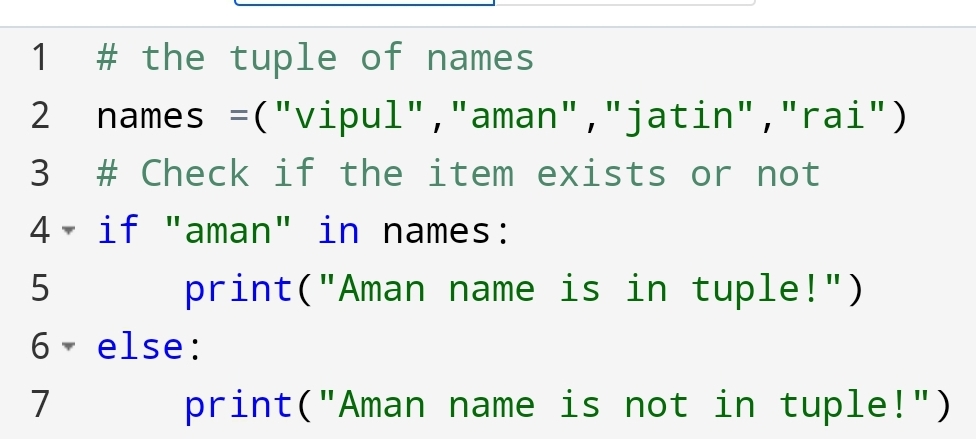
4. Check if the item exists
Instantly you have to check your friend name on the list. So the old approach is to check every name in the tuple.
But if there are thousands of names in the tuple. How will you check your friend name?
You can do it with the following code:-
Example:-

Output:-
In this section, you have seen how can we access tuple items.
The next section is about how to update the python tuple!
∆ Python – Update tuples

Image credit:deviantart.com
In the previous blog python-tuple, you had seen that you can’t add, remove and change the value in tuple.
But suppose you have to do this method. then what you will do?
You have created the tuple data. You have to do these operations what’s the way?
Don’t worry there are some ways you can do it!
Let’s see how can you do?
In this section, you are going to see:-
1)Change Tuple Values
2)Add items
3)Remove items
1) Change Tuple Values
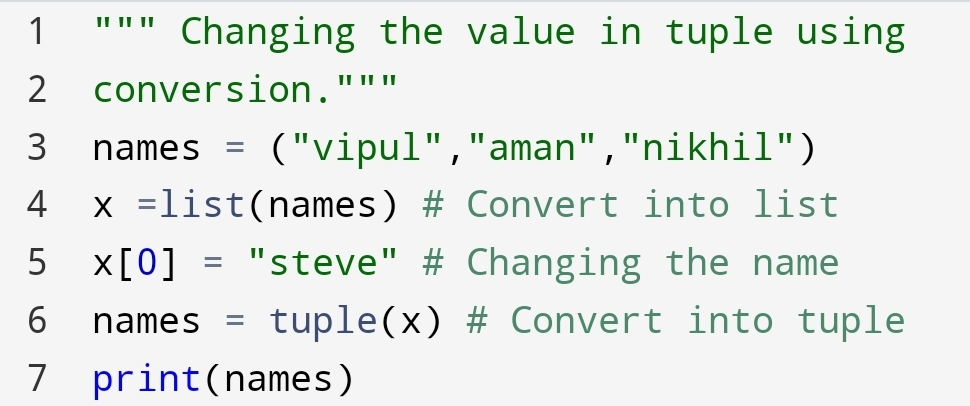
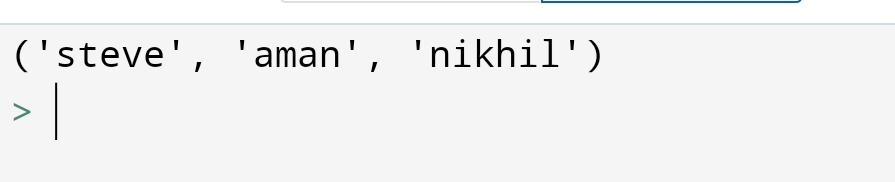
Although, you can’t change the value in tuple. There are some ways you can do it. It’s the conversion.
First, you will convert tuple into list. then do work on them. Thereafter, convert into a tuple again.
Let’s see how can you do?
Example:-
Output:-
Second, you are going to see how to add the items in a tuple!
2. Add items
Normally, there are no method for add the items in tuple. But again you can do it with two method.
•Convert into the list
•Add tuple to tuple
• Convert into the list
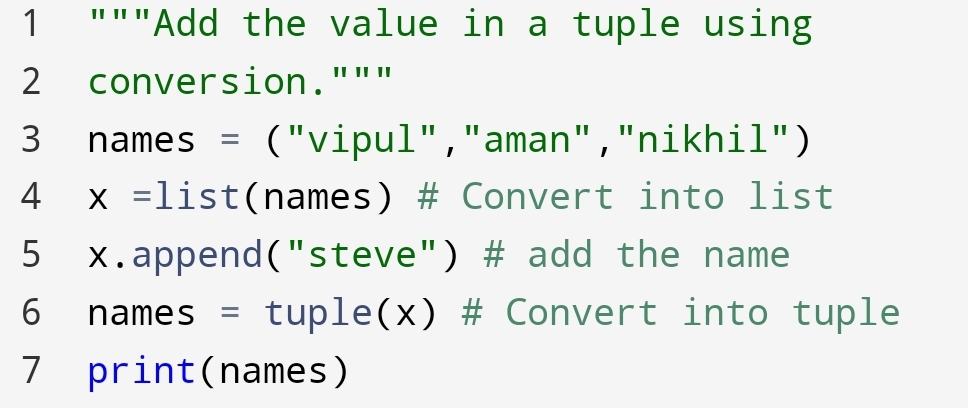
You can add the item in the tuple converting tuple to list and again into tuple.
Let’s see how can you do?
Example:-

Output:-
In the output, you can see that “Steve” has added to the names tuple.
• Add tuple to tuple
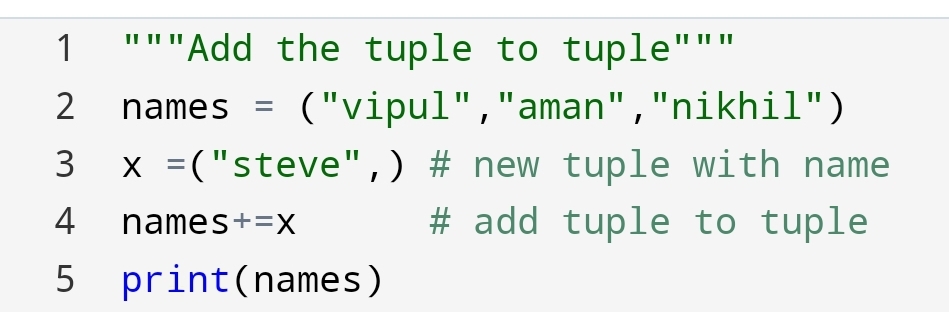
The second approach to add a tuple to the tuple. let’s see how can you do?
Example:-

Output:-
Here, you had seen how we had added the two tuples to create a new one.
Lastly, In updating a tuple you are going to see, ‘How to remove items in a tuple?’
3. Remove items
You can remove items from again same as convert to list, changes then again convert into a tuple.
Here’s the code for removing item in tuple:-

Example:-
Output:-
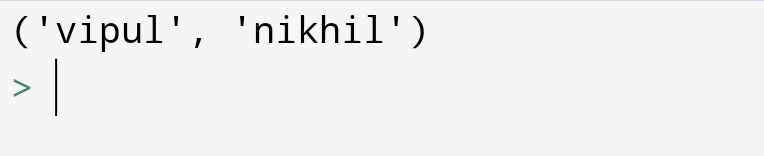
Here, we had removed the name “aman”.
∆ Python – Unpack Tuples

Image credit: letsunpackthatpod.podbean.com/
Suppose you have to display the individual item without indexing how can you display it?
You can display it with the help of unpacking a tuple.
1.Unpacking a tuple
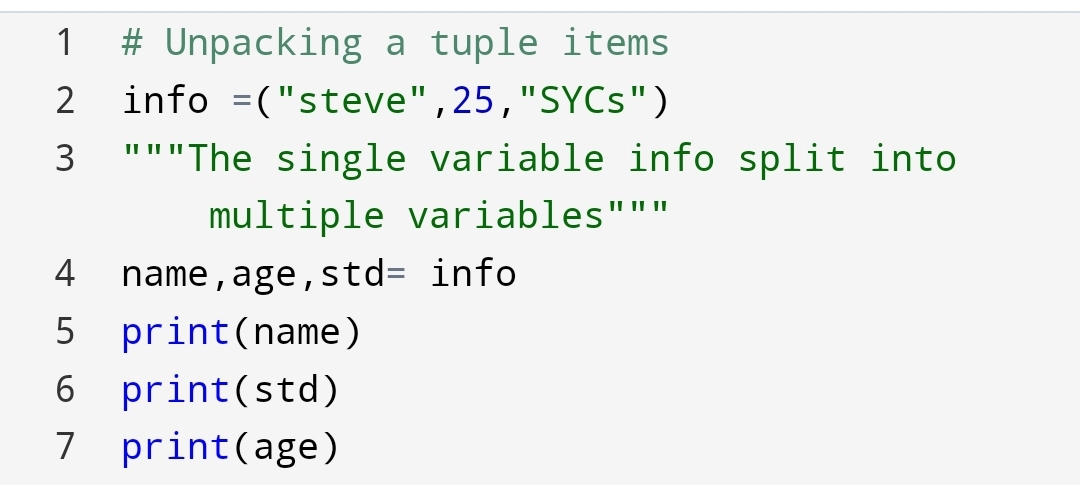
In this part, you will see how to split the values into a single variable.
Unpacking of python tuple means assign left-hand side variables to the right-hand side single variable.
Let’s see how can you do!
Example:-
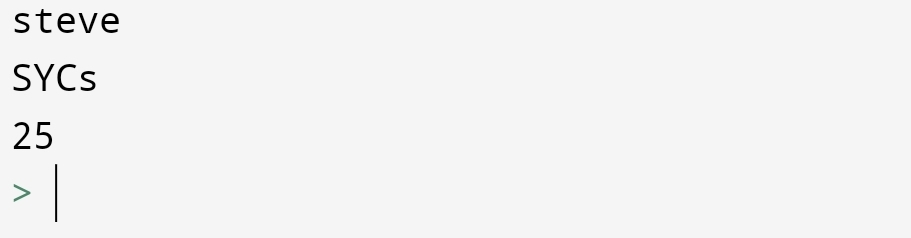
Output:-
Q. Why are we using unpacking in python tuple?
Ans:- Unpacking giving the ability to assign multiple variables at one line. You don’t need to assign multiple variables separately.
2. Using an asterisk (*) sign
Why we use an asterisk sign in unpacking?
Suppose there are multiple values to assign to one variable.
For example, the information of student: the age and std are same but the name is different.
How will you show it?
You can show it with the help of an asterisk(*) sign.
Let’s do it!
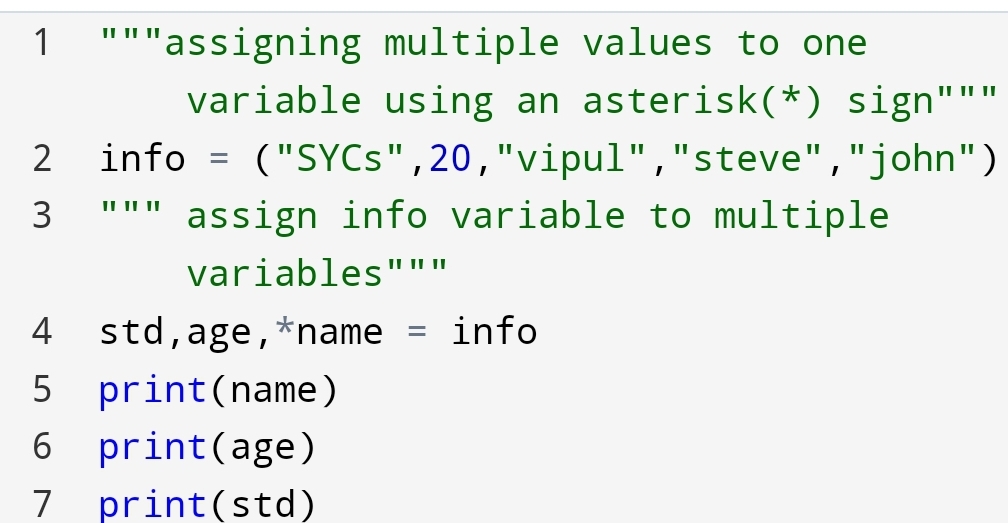
Example:-
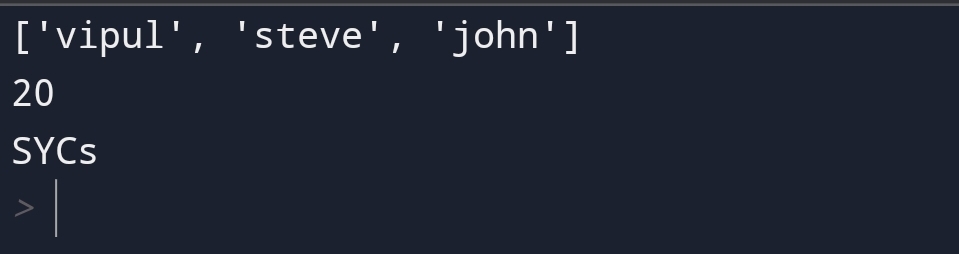
Output:-
Here, you can see the name variable has an asterisk(*) sign.
The list of the name has come.
Suppose the asterisk(*) sign is in middle then how the values are going to assign?
The first and last variable assign to the first and last values. And the middle variable going to assign the remaining variables.
Let’s see how can you do?

Example:-
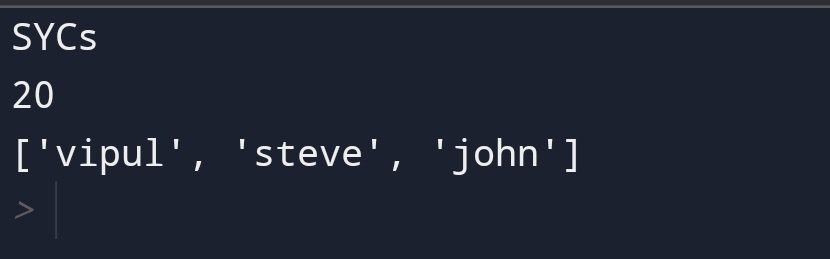
Output:-
Here, you can see how we had used an asterisk(*) sign.
Summary:-
In this blog you had seen how can you update, access and unpack the python tuple.
A tuple is useful to assign multiple variables to one line of code. You can change the items in a tuple using the list conversion.
 Mr.Python