
In the previous blog python-tuple-update-access-and-unpack/ you had seen how can we change the data without manipulation.
Suppose you have to join two tuples, finding count, index and pack the data how you are going to do?
You can do all things with methods. The methods which you are going to use join, index, count and pack the data.
In this section, you are going to learn:
∆Pack the tuple
∆Join the tuples
∆Finding count
∆Finding the index
∆Convert string into a
 tuple
∆Sum() method
∆Multiply tuple items
∆max() function
∆min() function
∆any() function
∆all() function
∆ Pack the tuple
Suppose you have to pack all the objects in your college bag with the help of tuple. How will you do it?
You have to only pack all objects into a new variable bag let’s see how can you do?
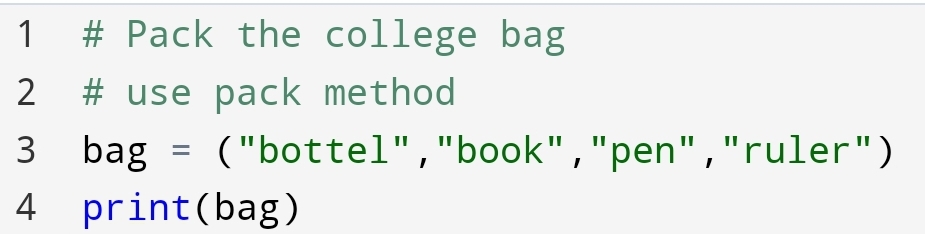

Here, you can see all the objects we have packed in a bag variable.
Packing is useful when you don’t know how many values are going to pass.
∆ Join the tuple
In recent time, I’m thinking about how to join two unchangeable data.
For example, how to create an unchangeable student class to join boys and girls name?
Then I had clicked that I can use the join method in the tuple.
You can join the two tuples with + operators.
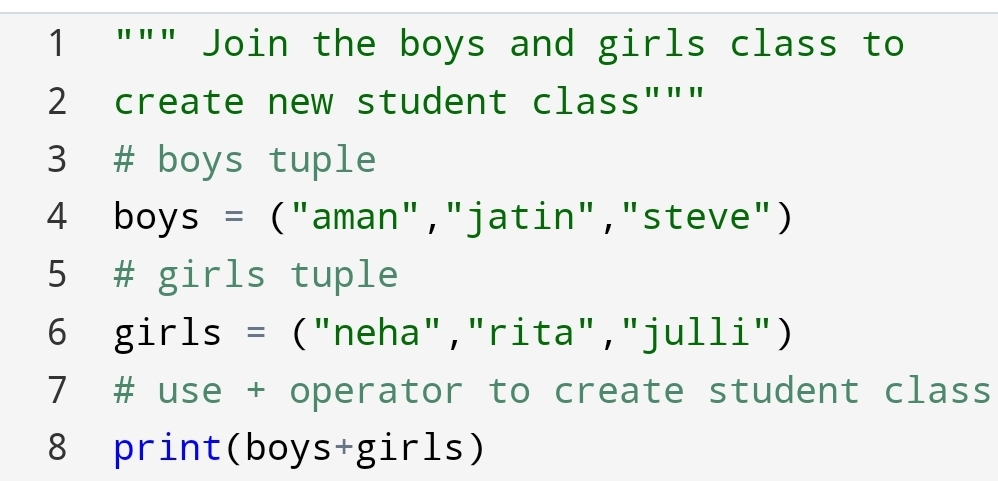

Here, you can see that we have joined the two tuples and created a new one with the help of the + operator.
∆ Finding count
Suppose, you have to find how many times a particular item or number present in a tuple of thousands and millions of item.
How will you find it?
You say I’m going to count it. But it takes a lot of time and energy.
If I say you can do it easily. It’s amazing. Let’s see how can you do?
Remember, the output will be the number of times, not the number.
For example,
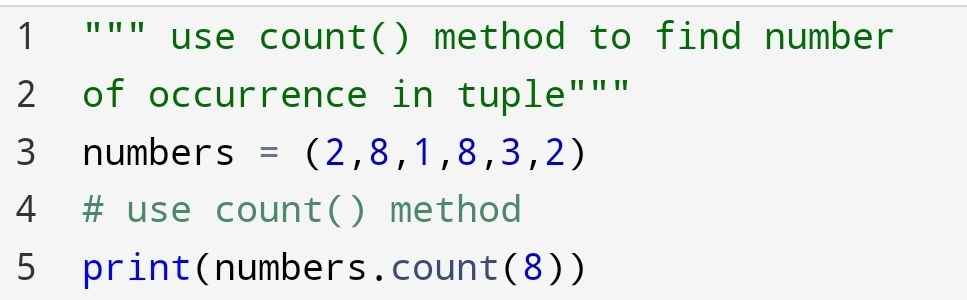

Here, you can see that number 8 in the tuple has come 2 times. So, the output is 2.
∆ Finding the index
Suppose, you have to find the position of your in a tuple.
How will you find it?
Again, the old approach is to count the position of the item.
But the easy and more flexible approach is to use an index(value).
The index() method gives the position number of an element or item.
You can do it with the following code:-
For example,
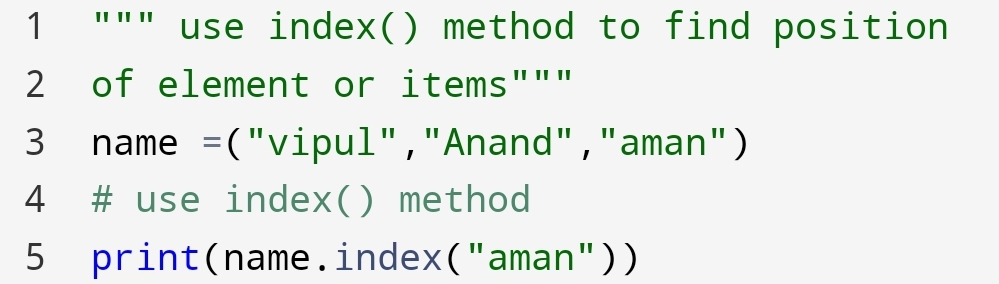

Here, you can see we had passed the “aman” value to the index() method.
The value “aman” is in the 2nd position in the tuple name.
• The index() method return the first occurrence of value.
See it with example.
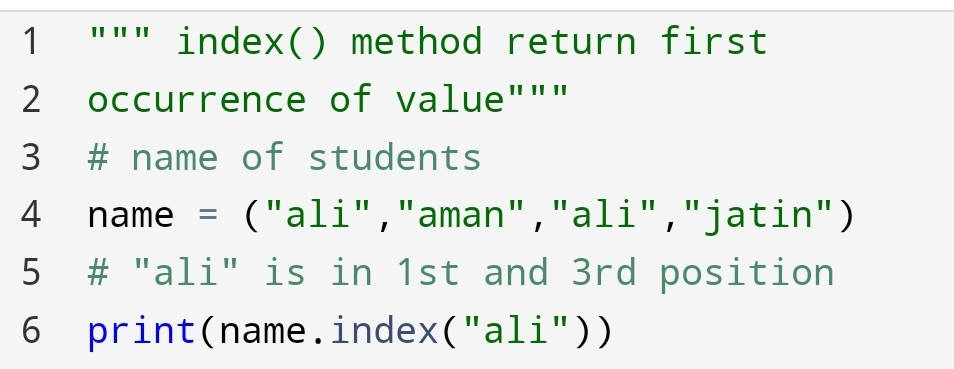

Here, you can see we had used the index method to find the position of “all”. “ali” has two position 1st and 3rd.
The output has returned the first occurrence of “ali”.
∆ Convert string to a tuple
Suppose, You have to convert a string data type to a tuple. How will you do it?
You can do it with help of the tuple() method.
For example,
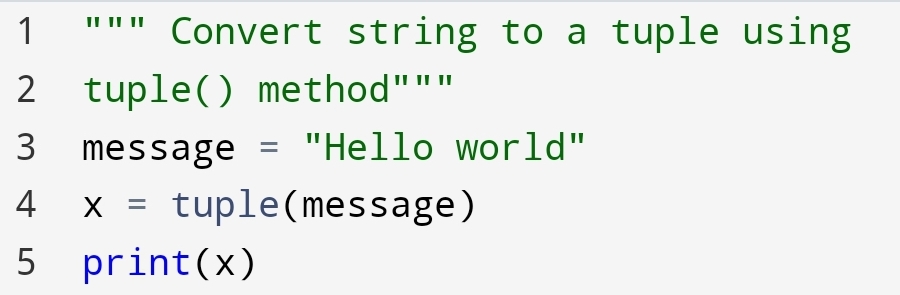

Here, you can see that how the string “Hello world” converted to a tuple using the tuple() method.
∆ sum() method
Suppose you have numbers in the tuple and you need a sum of all numbers. how will you do it?
You can do it with help of sum() method.
For example,
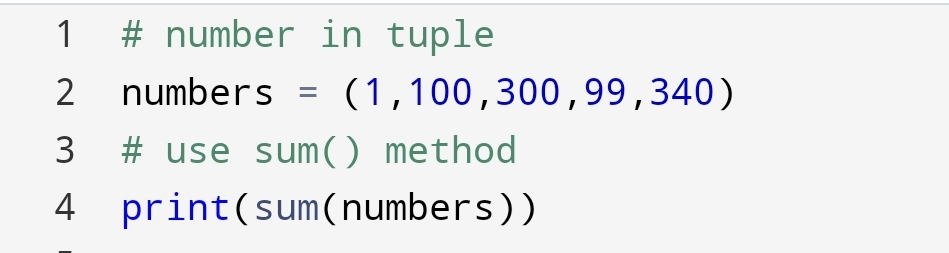

∆ Multiply tuple items
Suppose you want to multiply a tuple several times as you want. How will you do it?
You can do it with asterisk(*) sign.
For example,
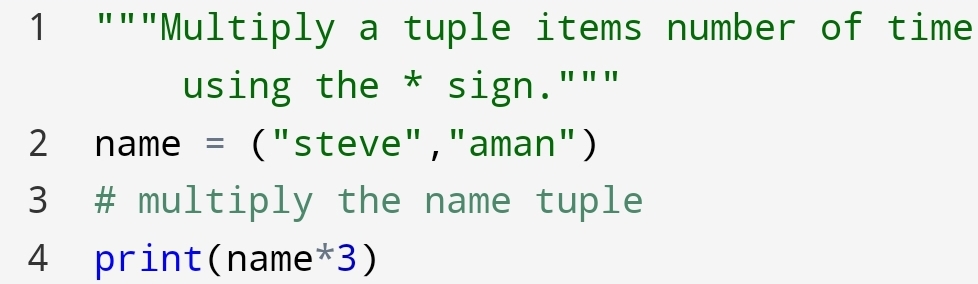

Here, you can see that we had multiplied the name tuple 3 times using an asterisk(*) sign.
∆ max() function
Suppose you have to find the maximum value in the tuple. How can you do it?
You can do it with the max() function. max() function in tuple use to find the maximum value in tuple.
For example,
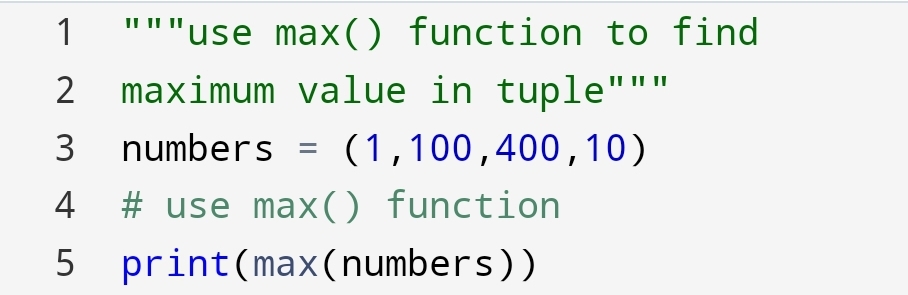

Here, you can see that the max() function give a maximum value of 400 in the tuple.
∆ min() function
For example, you had played a cricket match. You have to find the minimum score of the player.
How will you find it?
You can find it with the help of the min() function.
For example,


Here, you can see that 29 is the minimum score of the team.
∆ any() function
Suppose you have to find that any value is true or not in the tuple. How will you find it?
You can find it with the help of any() function.
any() function returns True if any value is true.
For example,
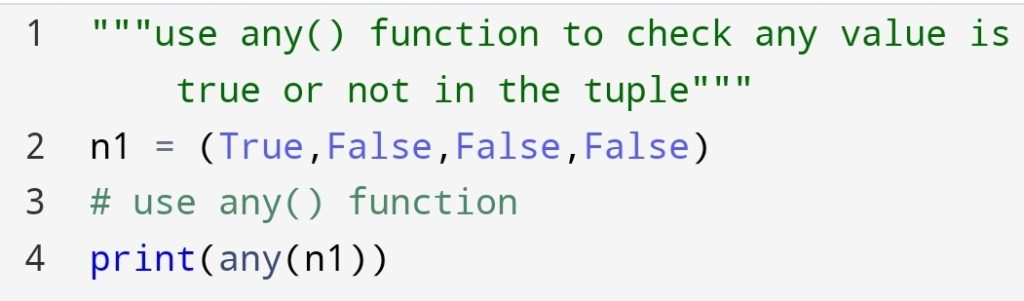

Here, you can see that n1 given truth value True. Because the first value in n1 is True.
∆ all() function
If you have to find all values in a tuple are True or not. You can find with the help of all() function.
all() function is built-in data type in python. It will return True only if all values in the tuple are True.
For example,


Here, you can see that all values in a tuple are not True. So, the truth value has come to False.
Remember, any() and all() are the same as a logical operator or and and.
The python tuples are changing the way we see data. You can perform many operations on python tuple.
Finally, we had come to a point where we had done many things on python tuple. And it gives a consistent way to store data.
Conclusion:-
In this blog, you had seen join, index, count, any, all, sum(), multiply of the tuple operations.
Python tuple giving the way to think the data as easy as we want. It gives great sense in mathematical calculation.
All features of the python tuple make it more reliable to records the data.
 Mr.Python