Python dictionary- Value of a key!

In the previous blogs, you had seen that how the data types are working. To be confirmed You can check in my previous blogs.

In this blog, you are going to see why we using a dictionary in python?

What is a dictionary? and How to use a dictionary?

Why Use Dictionary?

If you have to access data easily, store key-value pair as one element, You can use a dictionary in python.

For example, {name:student_name}.

You can access data with curly braces({}).

What is a dictionary?

A dictionary in python is key-value pair. It is ordered, changeable and doesn’t allow duplicate items in python.

Remember, till version 3.7 python dictionary was an unordered collection of data types. Because of Insertion after this version python became ordered.

How to use a dictionary?

You can use a dictionary with the help of key-value pair. You can access any value in key with the help of key.

In this blog, you are going to see:-

•How to access values?
•How to remove the     
value?
•How to add the values  
in the dictionary?
•len() method
•looping in the         
dictionary
•clear the dictionary
•To delete the          
dictionary.
•Copy the dictionary
•Nested dictionary

Python Dictionary- Access the value

You can access the value with the help of a key inside the square bracket.

For example,
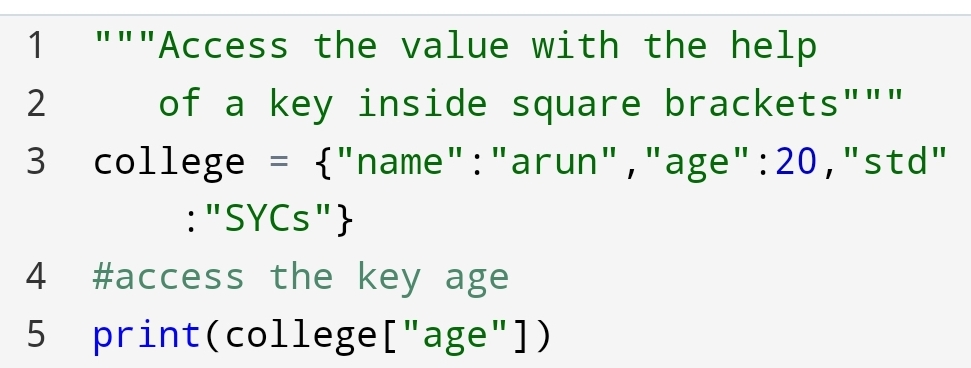
Value: 20

You can see that accessing the value with key is an easy comparison to the indexing of value.

Python- Remove the values

Suppose, you have to remove some values from your college dictionary. How will you remove it?

You can remove it with the help of pop() and popitems().

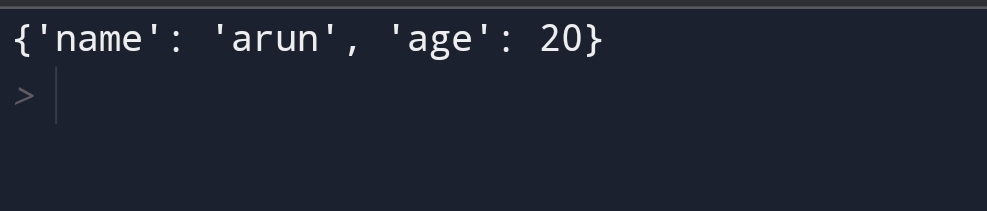
A pop() method

You can remove the specified value with the help of the pop() method.

The syntax of the pop() method is pop(key).

For example,
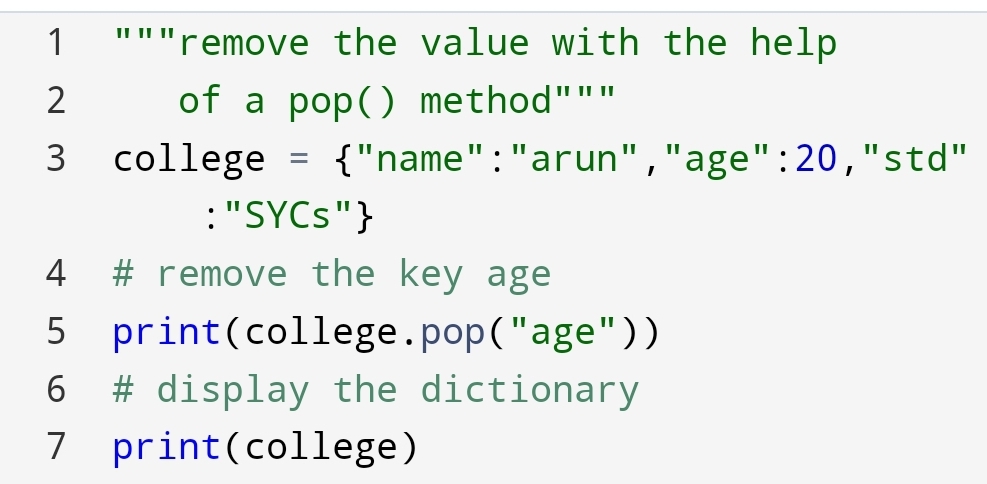
Here, you can see that first I have removed the key age and printed it.

After, it we had printed the original dictionary. You can see that in the original dictionary the key age had removed.

It doesn’t need indexing to remove value.

The second is the popitems() method you are going to try.

The popitem() method

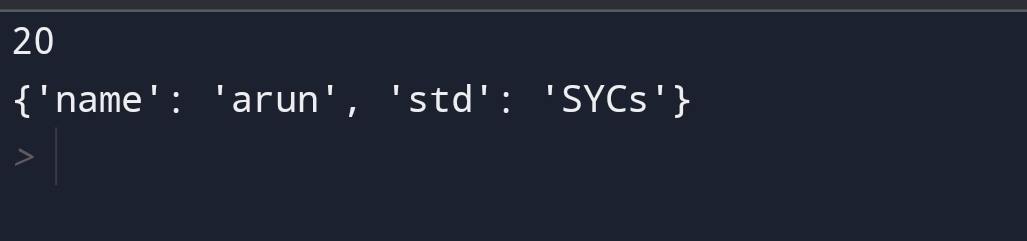
Suppose, you have to remove the last value from the college dictionary. How will you remove it?

You can remove it with the help of the popitem() method. Because it removes only the last key. so it doesn’t take any argument.

For example,

Here, you can see that the last key “std” has removed from the dictionary of college.

Python- Add the values in Dictionary

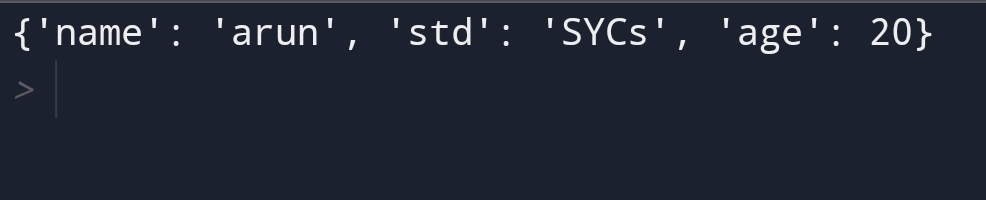
You can add the values in the dictionary with the help of assigning the new value to a new key

For example,
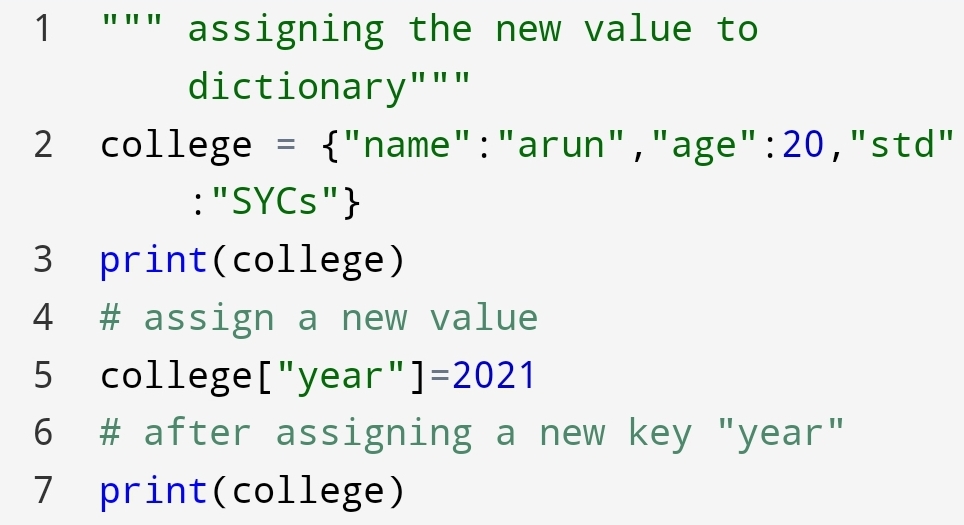
Here, In the output, you can see that before and after assigning the value, how the dictionary was.

Python- len() method

Suppose you have to find the number of key-value pairs present in the college dictionary.

For example,
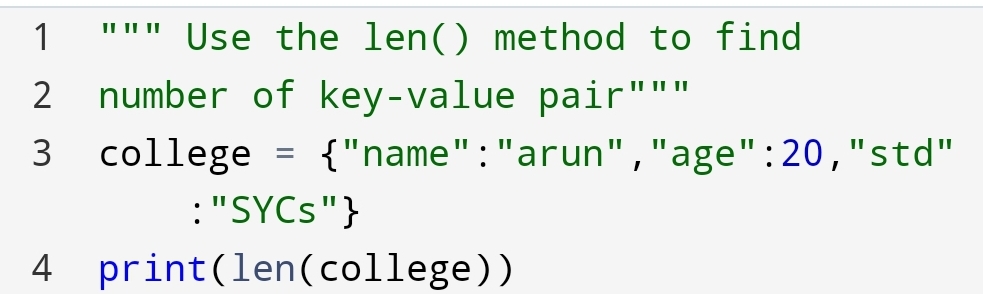
Here, you can see that 3 key-value pairs are present.

Python- Looping the dictionary!

Suppose, you want the sequence of dictionary items. So how will you do it?

You can do it with the help of for loop in dictionary.

For example,
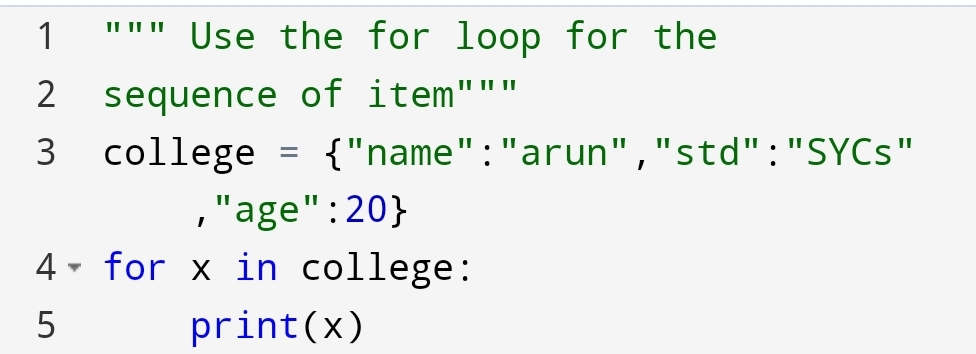
Here, you can see that the sequence has come to the keys of the dictionary.

Suppose you want the sequence of value. How can you do it?

For example,

Python Dictionary- clear() method

Suppose, you want a college dictionary empty. But the college dictionary is full of key-value pairs. How will you do it?

You can do it with clear() method.

For example,
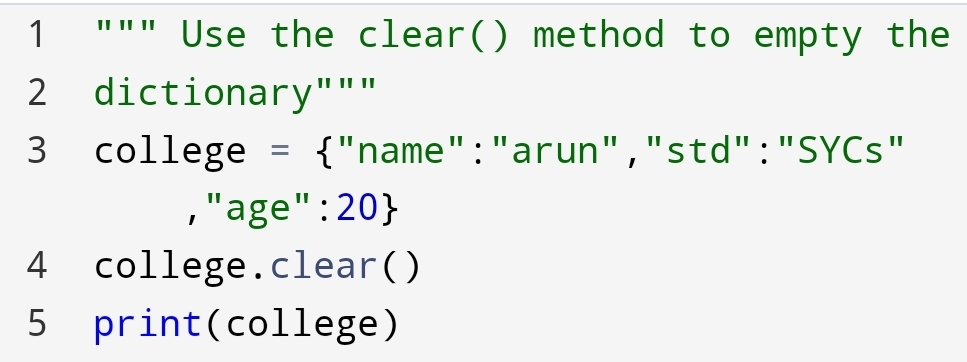
Here, you can see that an empty dictionary, with curly braces, had come.

Python dictionary- del keyword

Suppose, you not only clear the dictionary but also delete the whole dictionary. So, what you will do?

You can do it with the help of del keyword.

For example,
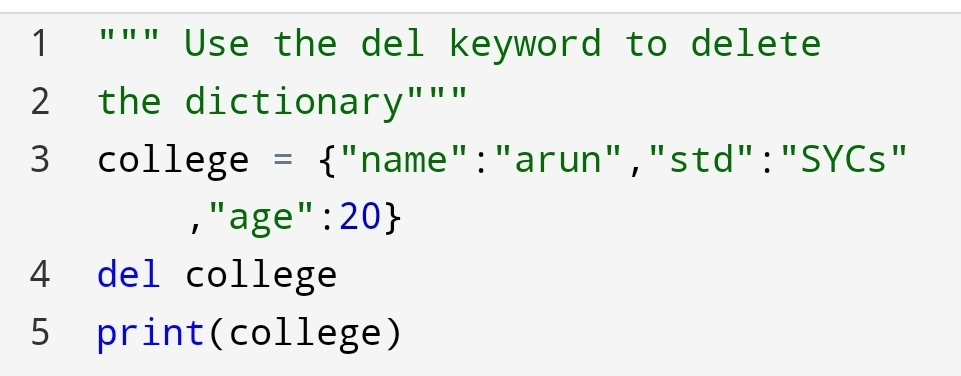
Here, you can see that NameError has come. Because we have deleted the dictionary with the help of the del keyword.

Python Dictionary- Make a copy of the dictionary

Suppose, you have to make a copy of the dictionary. how will you do it?

You can do it with the following method:-

•copy() method
•dict() method

1.copy() method

In the copy() method you copy one dictionary into another dictionary.

For example,

Dictionary: x

2. The dict() method

You can also use the dict() method to copy the dictionary.

For example,

Dictionary: x

Here, you can see that the dict() method copied the dictionary.

Python- Nested Dictionary

Why use a nested dictionary?

Nested dictionary use for storing one dictionary into another dictionary.

It stores many dictionaries within one dictionary.

How to use a nested dictionary?

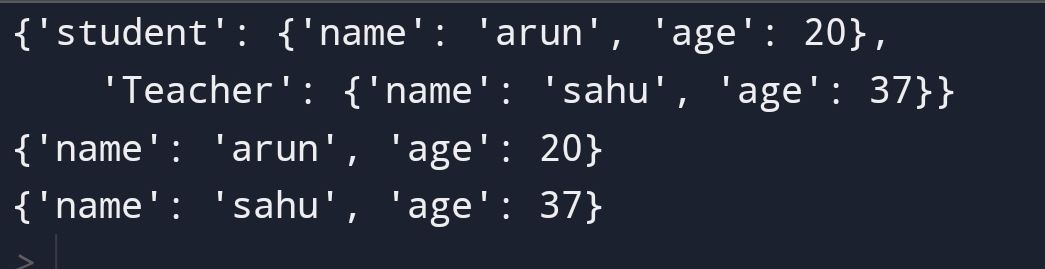
You can use a nested dictionary with the help of storing dictionaries into the key of the parent dictionary.

For example,

Here, you can see that we have stored student and teacher detail in the nested dictionary.

The benefit of the nested dictionary is that you can store multiple dictionaries in one variable.

Python- Change dictionary items

Suppose, you have to change the value of a specific key in the dictionary. What you will do?

You can do it with the help of referring new value to that key.

For example, you have to change the name of the student.

Let’s see how can you do?
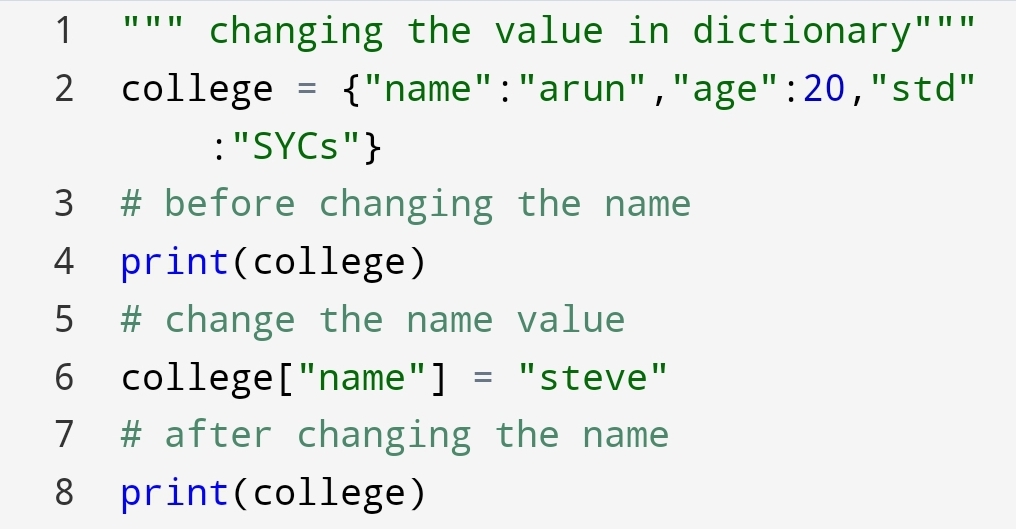
You can also use the update() method to change the value of the dictionary.

The update() method

The update() method update the dictionary value. Suppose you have to update the age of the student. You can do it with the update() method.

For example,

The output of assigning new value and update() method has same.

The keys() method

Suppose, you want all keys from a dictionary. So how will you do it?

You can do it with the keys() method.

The return value is a list of keys.

For example,
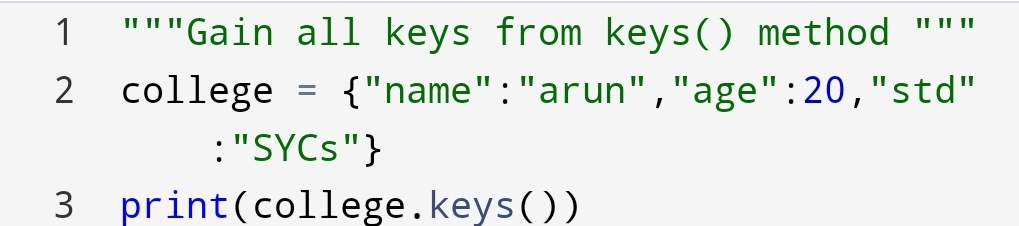
Here, you can see that all list of keys has come from the dictionary.

In this blog, you had seen many operations which you can do. Next section you will see something more interesting about python dictionaries.

Conclusion:-

Python dictionary is very useful to access data. With the help of a python dictionary, you can store the data easily.

It is ordered, unchangeable and doesn’t allow duplicate items.

It has a feature of nesting dictionary to store multiple dictionaries in the parent dictionary.

You don’t need the indexing of the dictionary to check the position of value.

You can check it with the key.

Python sets – Make a group of want and don’t want data!

Image credit: realpython.com

To move forward to know more about python sets. First, you have to know why are we using a set?

What’s the need of set to you?

Sets are used for removing the duplicates item in a group. For example, Removing duplicate registration of the same person in the set.

To know more about sets you are going to see some topics of the set. The topics are following:-

∆Access the set
∆Add the set
∆remove set
∆join the sets
∆Keep only the duplicates
∆Keep all but not the duplicates
∆issubset() method
∆isdisjoint() method

In the first section, you are going to see how can you access the set items. Let’s see how can you do?

For example,

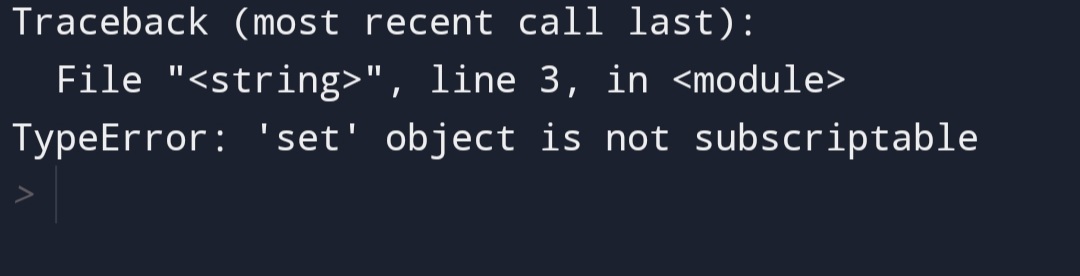
Here, you can see that set is not accessing through indexing?

But why the set does not access the item through indexing?

The reason behind this is that set is an unordered collection of data types.

Set is unordered, unchangeable and doesn’t allow duplicate items.

Set Items

Image credit: appdividend.com

Set items are unordered, unchangeable and don’t allow duplicates items in the set.

Set items – Data type

You would say what’s the data type of set?

The data type of set is ‘set’.

What’s the syntax is to find the data type of set?

You can find type of set with the help of the type() method.

type() method

For example,

Data type: set

In the first section, you had seen that you can’t access the set items because of Unordered behaviour.

∆ Add the set

You can add the set with two method update and add method.

What’s the difference between them?

The difference is an update() method add another set of items to the first set. And add() method add a single item to set.

Let’s see how both will be done?

add() method

The add() method add a particular item to the set.

For example,

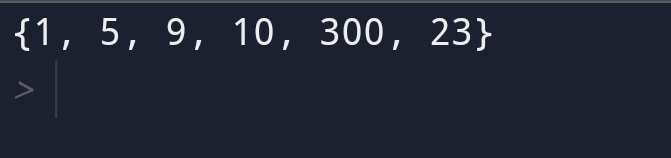
9 added

Here, you can see that 9 is added to any random position because of the unordered behaviour of a set.

update() method

The update() method adds another set item to the first set.

Let’s see how can you do?

Output

You have added 2nd set to the first one.

1. Add any iterable

If you have to add any list, dictionary or tuple to set how will you do it?

You can do it with the update() method.

Let’s see how can you do?

For example,

Created sets

Here, you can see that if any iterable add to set become set.

Python – Remove Items

Suppose you have to remove certain items from the set. How will you remove set items?

You can remove set items from following method:-

∆remove() method
∆discard() method
∆clear() method
∆pop() method

1.remove() method

Suppose you want to remove a particular item from the set. How will you remove it?

You can remove it from remove(remove value).

For example,

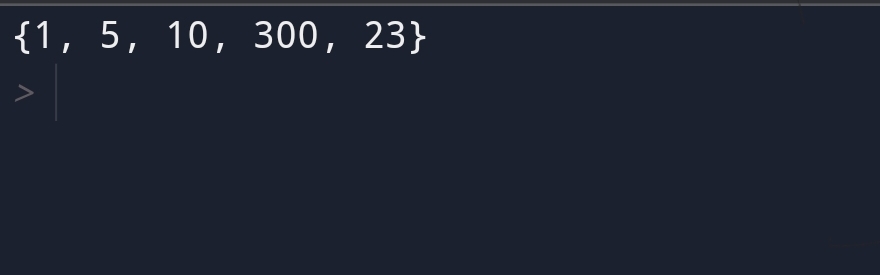
5 removed.

Here you can see that value 5 has removed.

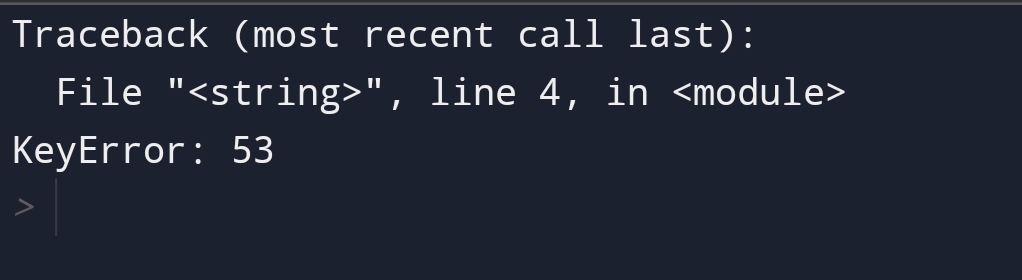
If the given value in the remove() method will not find then an error will raise.

For example,

Key error

Here, In the remove method the value 53 not found in the set. So, a key error raised.

2. discard() method

The discard() method is the same as the remove() method. It will also remove the particular item.

For example,

Same output as remove() method

The difference comes when you will pass another value then set it to the discard method not raise the error.

The discard() only come to the given set when the value not found.

For example,

Given set

Here, you can see that 56 value is not found in set1. So, it will return the given set.

3.clear() method

Suppose you want to create a set where you will add data in future but not know.

You want to clear all old groups of items. How will you do it?

You can do it with the clear() method.

The clear() method doesn’t delete the set. It makes an empty set of data.

For example,

Empty set

4.pop() method

Suppose, you want to remove any last element in set.

You can use the pop() method.

The pop() method will remove any item from the set. Because the set has an unordered collection of data types.

For example,

Last item removed

Python – Loop sets

Image credit: eduraka

Looping means come item in the sequence form.

You can loop through the set items by using a for a loop.

Here, we have a loop-through x in set.

Python- Join Two sets

Image credit: Python pool

Suppose, you have to join two sets. How will you join?

You can use the following method to join two sets:-

∆ union() method
∆ union_update() method
∆ intersection() method
∆ intersection_update()
method

1. union() method

The union() method combine the two sets and creating a new set. In the new set, the elements of both sets are present.

Here, you can see that the element of both set1 and set2 has come.

2.intersection method

The intersection() method comes only the elements which are present in both sets.

For example,

Intersection method

Here, 100 is common in both sets. So, the output is 100.

Keep Only the duplicate

Suppose, you have to remain the elements that are duplicate in both sets and remove unwanted items from the original set.

How will you do it?

You can do it with the following method:-

1.intersection_update() method

Here, you can say that intersection() and intersection_update() methods both are producing the same result.

Then why we use the intersection_update() method also?

The intersection() method creating the new set without removing unwanted items.

The intersection_update() method return a common element in both sets by removing the unwanted item from the original set.

It returns the original set, not the new set.

Keep all but Not the duplicates

Suppose, you have to find the element which is present in either set but not at the intersection of both sets.

You can find this with the symmetric_difference() method.

1.symmetric_difference() method

For example,

Here, you can see that the new set {200,1,9} created.

The common element doesn’t come.

It is useful to find uncommon elements in the set.

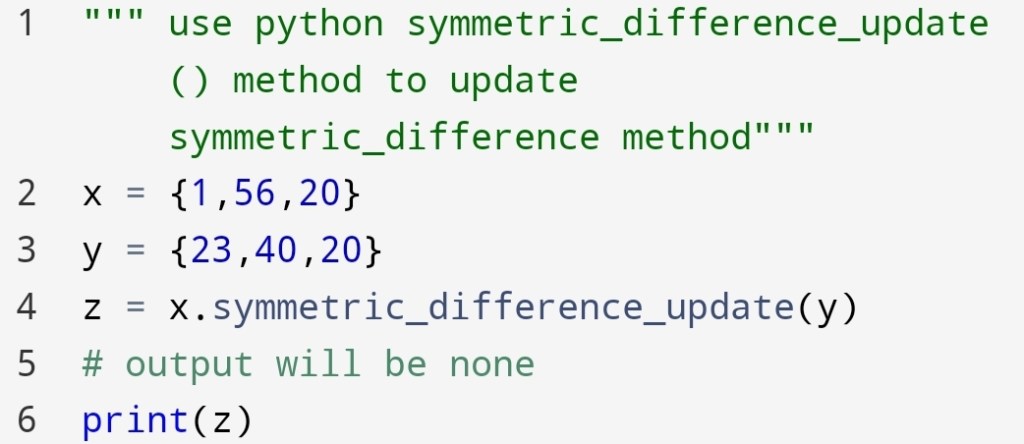
2.symmetric_difference_update() method

Suppose you want to update the symmetric_differnce method.

How will you update this set?

You can update symmetric_difference() with symmetric_differnce_update() method.

For example,

Here, you can see that the symmetric_differnce_update() method return the none value.

Python set- isdisjoint() method

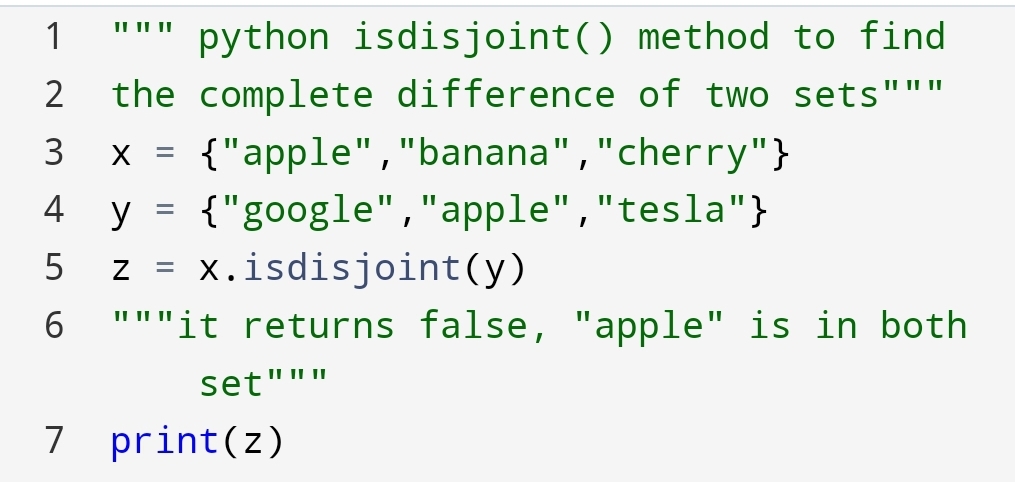
Suppose, you have to find that sets are disjoint or not. In other words two sets are completely different or not.

For example, the set of passed students and the set of failed students.

You can check the complete difference with the isdisjoint() method.

Let’s see how can you do?

If anyone item matches in both sets. It will return a False result.

For example,

Python set- issubset?

If you have to check if the set is a subset of another set. This means the element of the set is present in a specified set.

If all elements of the first set are present in a specified set,then it will return True value.

For example,

Here, you can see that all elements of x are present in y, so the result is True.

If suppose some elements of the set are not present in a specified set.

What you think will happen?

If you guessed the value will be False, you are right.

If any value of the set is not present in a specified set, then the return value will be False.

For example,

Return False value

Here, you can see that the 90 value is not present in y. So, x is not a subset of y.

The subset is that one set is part of another set.

The operations which we have performed in the set are very useful in mathematics.

Conclusion:-

Set is unordered, unchangeable and doesn’t allow for duplicate items. With help of a set, you can create a group of wanted and unwanted data.

Set can’t be accessed. Because of the unordered collection of data types.

Set has much practical application, for example, finding successful and unsuccessful students in class.

You can combine set, found common elements and create a new set.