Python lambda: express in less!

Image credit: towardsdatascience

In the previous blog, python-function you had seen how can you use the function to make your program easier and divide it into subprograms.

But functions taking more lines of code to do the things. It making program too large.

It’s hard to define one function inside another function. It’s time-consuming.

Python function remaining throughout the program.

Suppose you have to do all these things easily. How would you do? What things come to your mind?

Probably, you come to something interesting. Something like lam..

If you have not understood. It’s a python lambda!


What is the python 🐍 lambda?

Python lambda is a keyword that executes the expression in one line of code.

With the help of this, you can create a function that is going to execute in one line.

For example,

x=lambda args: expression 

Why use lambda in python🐍?

The lambda in python use for expressing functions in one line of code.

It doesn’t have a function name. It uses only the lambda keyword.

If you have to use the function temporarily. You can use lambda.

Using the lambda function you can define a function and call it immediately.

It is slightly faster than normal function. Because normal function using the def keyword which processes some extra time.


How to use the lambda function in python🐍?

The lambda function can be used in one line of code.

For example,
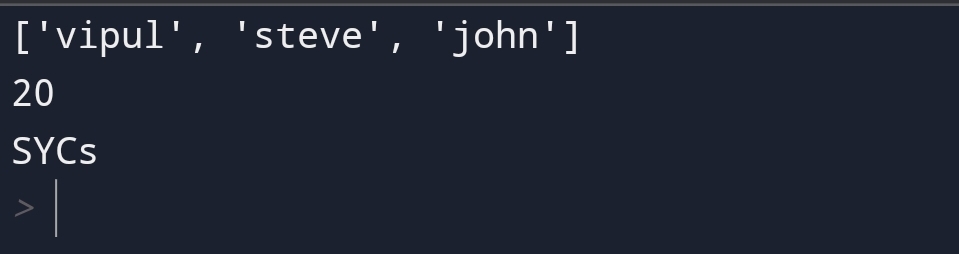
Output:-

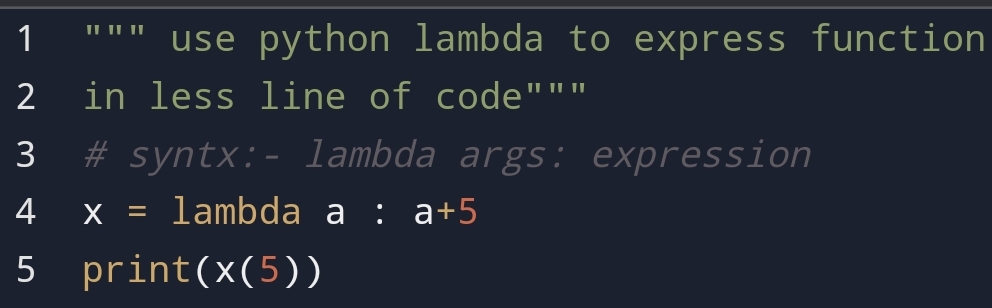
Here, you can see that defining a function name and expression you can do in one line of code.

The a is a lambda keyword for this expression.

Here, a is an argument and a+5 is an expression for this code.

When I’m passing 5 through x then 5 is assigning to the argument a. Then it giving the output for expression.

The lambda function can take any number of arguments.

For example,
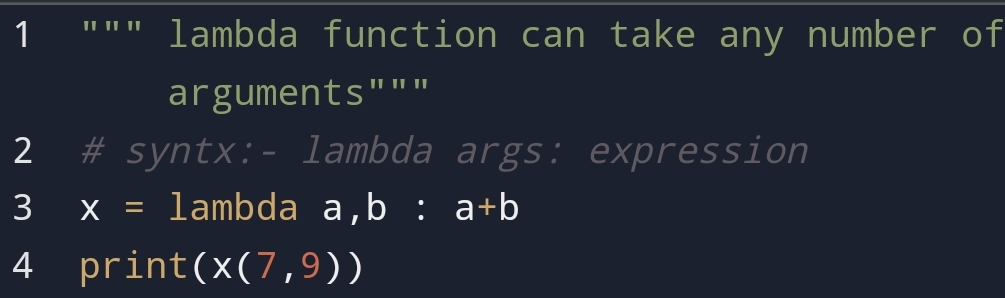
Here, you can see that I have passed 2 arguments a and b. The output is the addition of two numbers.


Remember, lambda is an anonymous function. You can do it for a temporary purpose.


Use lambda function as anonymous inside another function

The benefit of the lambda function is that you can use it anonymous inside another function.

You can assign one function to another and pass value through it.

For example,
Output:-

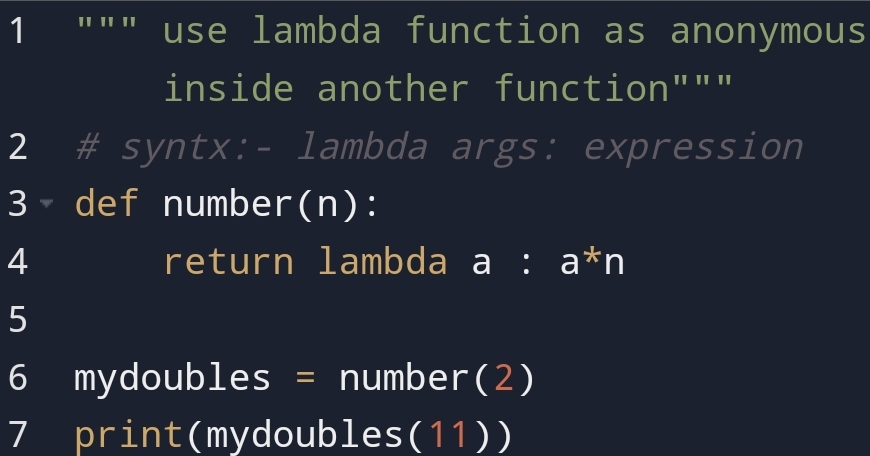
Here, you can see that the lambda function has defined inside the number function.

First, the number function has stored inside the variable my doubles which is the lambda variable.

Second, I have passed value 11 through mydoubles variable. This number 11 has assign to variable a.

The number 2 has assigned to variable n.

When it has expressed output has come 22.


Do this for triples of number.

For example,

Output:-

Here, you can see that value of n is 3 and the value of a is the same as 11.

From two programs observations, you can see that you can do doubles, triples programs with lambda as you want.


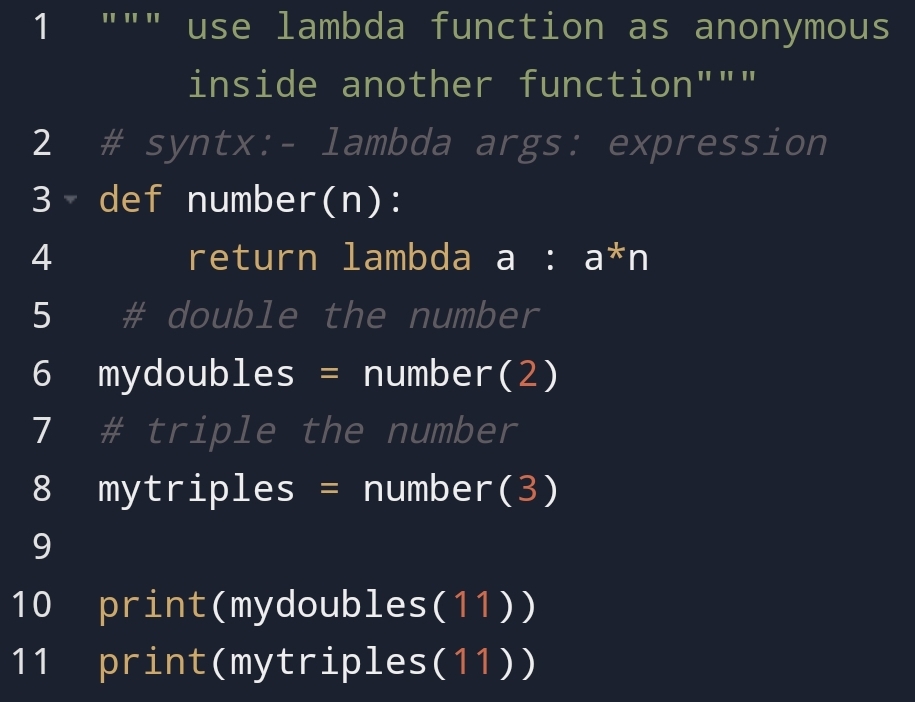
Suppose you have to do doubles and triple in one program. How will you do it?

For example,
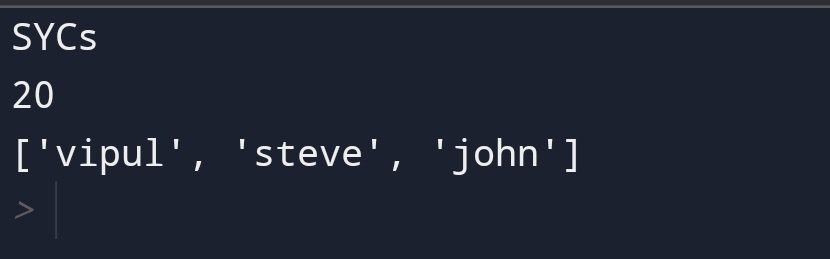
Output:-

Remember, you can use the lambda function as an anonymous function inside another.

There are many disadvantages of the lambda function also:-

• use for normal use not   
giving name function.
• lambda function can
only have one
expression.
• lambda function
doesn't have a
docstring that means
you can't explain the
code in the lambda
function.

In these all examples, you had seen python lambda function has both pros and cons how you use it depends upon you.


Conclusion:-

Many programmers don’t take the lambda function seriously. The reason behind this, you can’t explain code properly.

The second cause is that you can only express one expression in the lambda function.

Sometimes you can use list compression in place of python lambda.

Rather than its disadvantage, there are many advantages. For example,

• express in one line
• pass as many arguments
as you want.

Python lambda function has a clear purpose to the expression in one line of code.


I hope you loved this blog. If there is anything that I should do. You can tell me. I feel happy about it.


"Quality brings clarity"

Python Function- bundle the task!

Image credit: GangBoard

To start this blog, first, you have to understand why are we using function?

The function in python carry out the tasks and make a subprogram of function.

It decreases the complexity of the program. It makes large code into small code.

Ok, you had understood why we using function? And what is the use of function?

Second, thing how to use it?

You can use a function with the following method:-

• Creating a function
• Calling a function
• Arguments
• Parameters vs
arguments
• Number of arguments
• Arbitrary Arguments,
*args
• keyword arguments
• Arbitrary keyword
arguments, **kwarg
• Default parameter
value
• passing list as an
argument
• Return value
• The pass statement
• Recursion

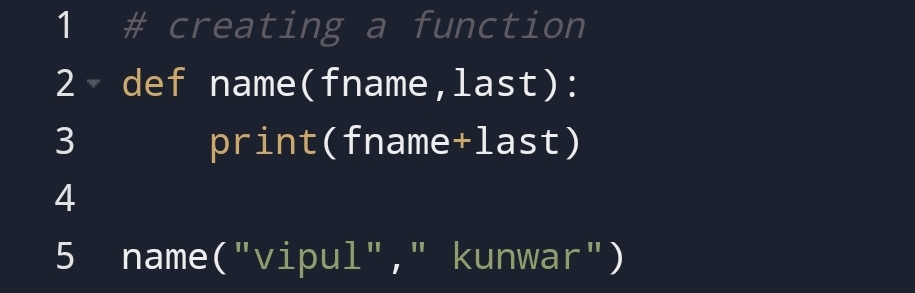
1. Creating a function

First, the question is how to create a function?

You can create a function with the help of the def keyword.

def keyword defines the function.

For example,

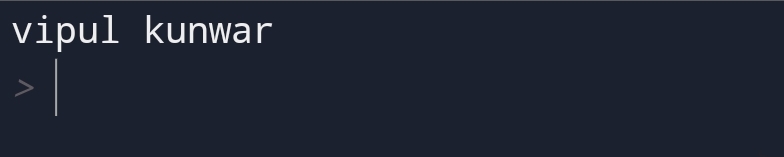
Output:-

Here, you can see that how we had created a function to do repeated tasks.


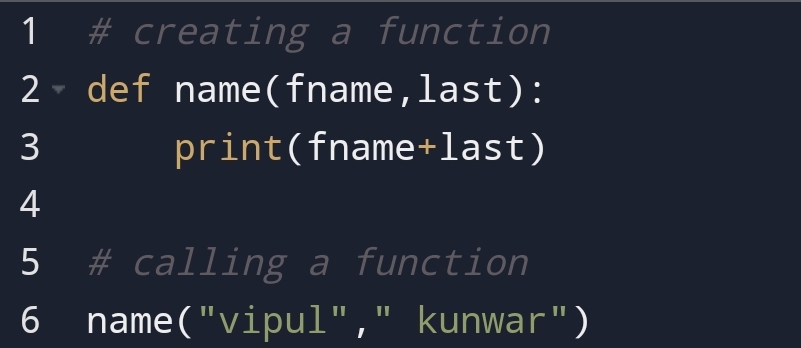
2. Calling a function

You can call the function with the function name with parenthesis().

The parenthesis passes an argument to the function.

For example,

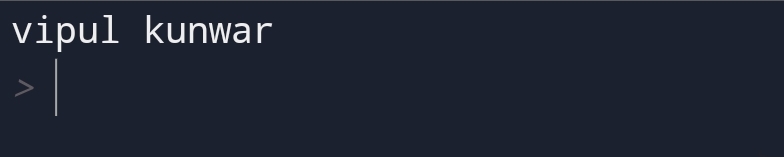
Output:-

Here, you can see that how we had called the function using parenthesis and arguments.

Here, you had observed we had passed something from parenthesis. You are next going to see it.


3. Arguments

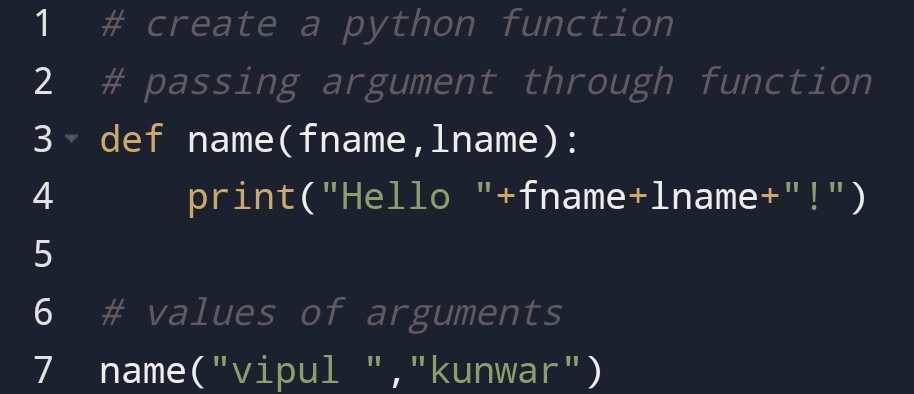
The arguments in python are variable of information which we passing through function.

This variable holds the information.

For example,

Output:-


4. Number of arguments

Suppose, you have to pass as many arguments from function. How will you pass it?

You can pass as many arguments from function using :-

1. Arbitrary arguments,     
* args
2. Keyword arguments

1) Arbitrary arguments, * args

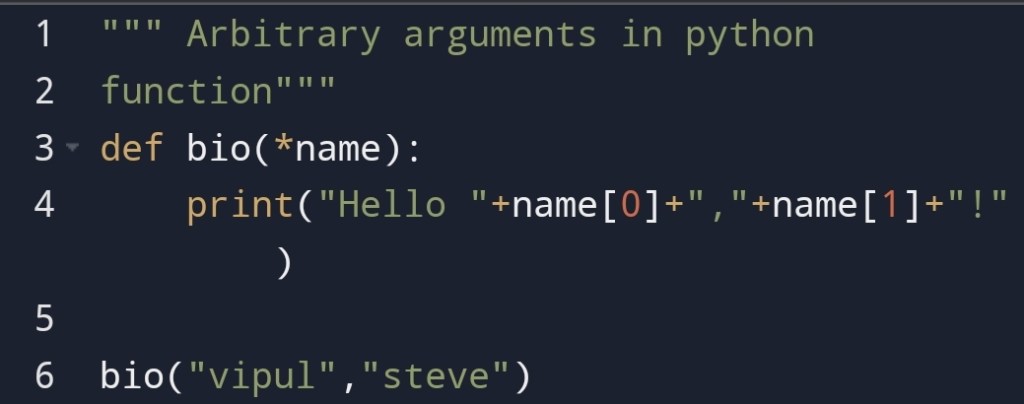
You can use arbitrary arguments in python to pass as many arguments as you want.

You can do it with an asterisk(*) sign.

The benefit of this is that it doesn’t see the order of the arguments.

For example,

Output:-

2) keyword arguments

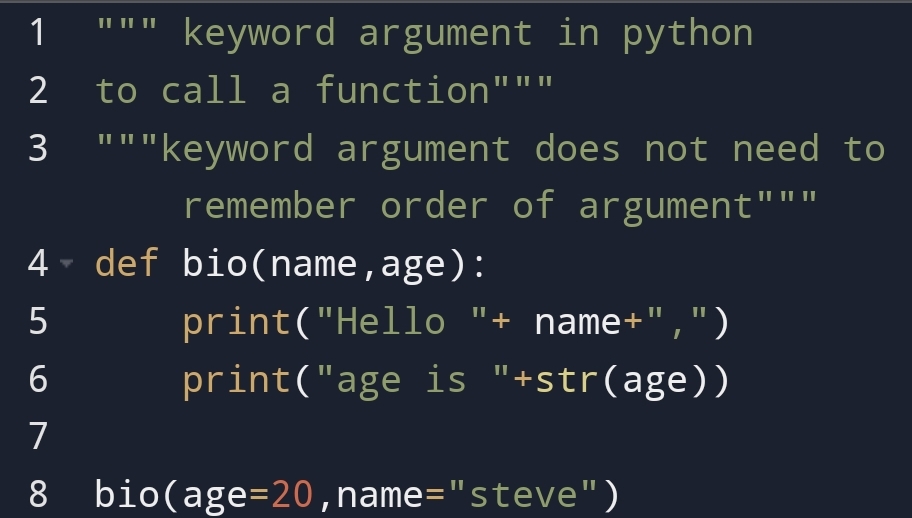
You can use keyword arguments to pass key-value as one argument.

With the help of this, you can place an order of argument.

For example,

Output:-

You had seen keyword arguments that we can assign value in any order.

But suppose you need the default value in the python function.


5.Default parameters value

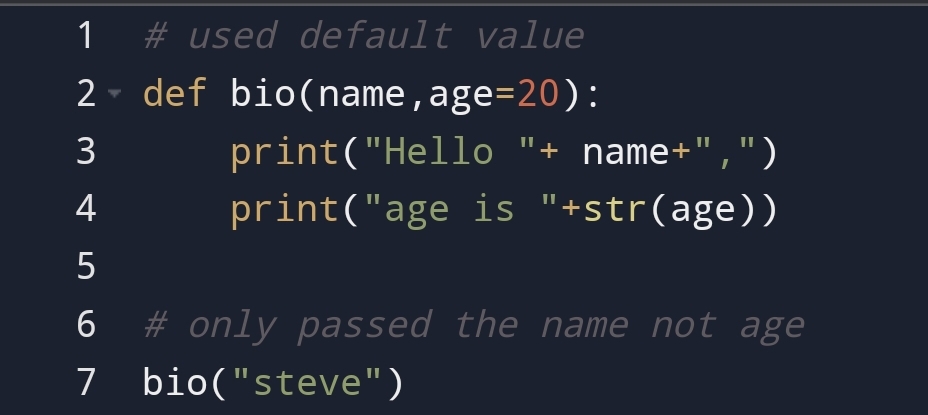
You can put the default value to some arguments and can change the default value.

In the case of the default value, you have not necessary to pass a value for that argument.

Only when you have to change the default value then you can pass the value to argument.

For example,

Output:-

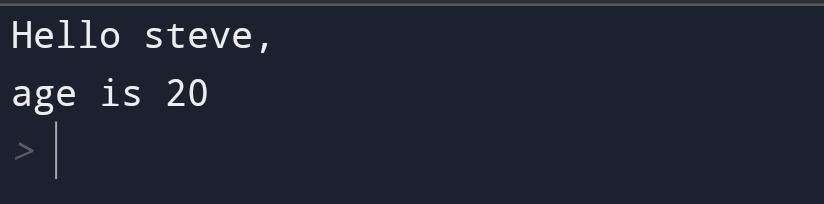
Here, you can see that we had only passed the name “steve” through the function name.

The parameter age has the default value.


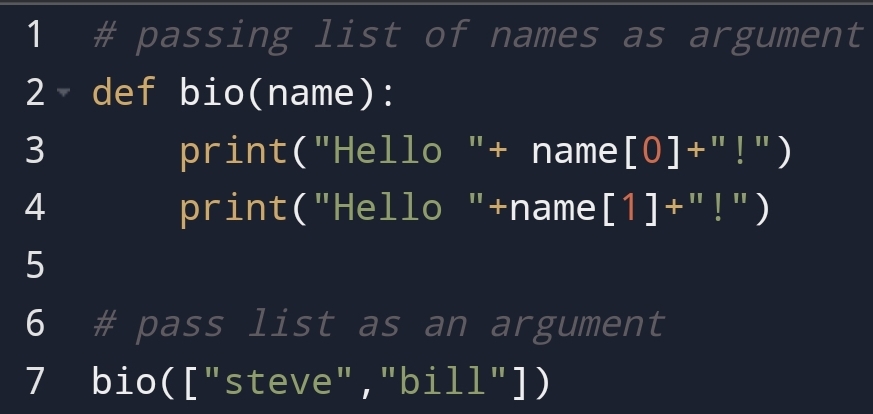
6.Passing list as an arguments

Suppose, you have to pass the list of all names. How would you do it?

You can do it with the help of the passing list as an argument.

For example,

Here, you can see that we had passed a list of names as an argument.

You can pass as many arguments making list.


7.Return value in function

The return value in the function gives the value which will return when the function is called.

It is different from the print method. the print method only displays the output.

After, return no statement executed.

The return statement ends the execution of the statement.

For example,

Output:-

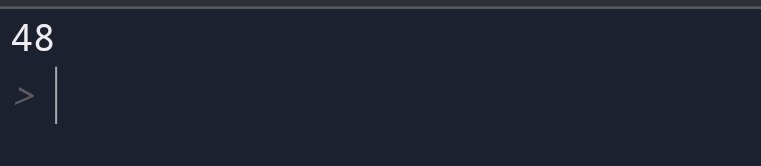
Here, you can see that how the function took two numbers and add them with the help of a return statement.


8.The pass statement

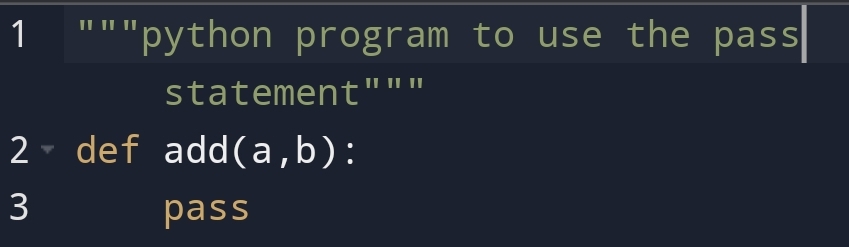
Suppose you have not executed the function this time. Maybe you have to execute in future. What will you do?

For example,

Output:-

Here, you can see that nothing has displayed on the screen. Because we had used the pass statement which prevents the execution to stop.


9.Recursion in function

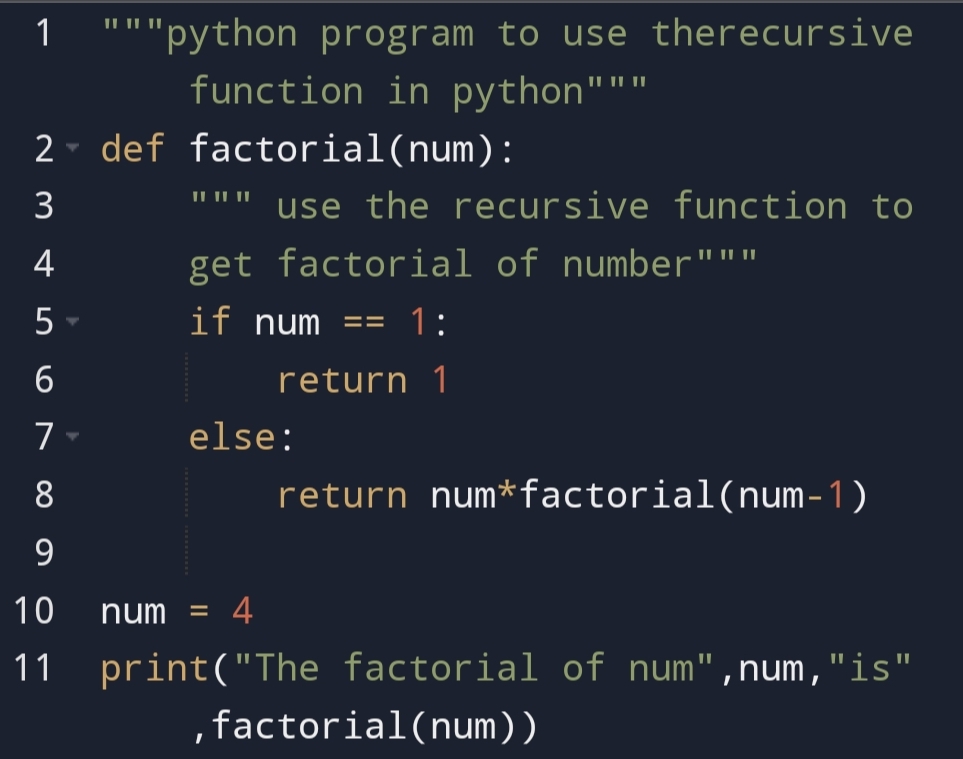
The recursive function call itself. In the python, the function calls itself again and again until the result doesn’t gain.

Recursive Function is very useful in mathematical problems to solve factorial.

You can go in-depth of solutions and problems with the help of recursion function.

For example,

Output:-

Here, you can see function returning function till the condition satisfy.

# num = 4 matches
4*factorial(3)

# num = 3 match
4*3*factorial(2)

# num = 2 match
4*3*2*factorial(1)

# num = 1 match if condition applied
4*3*2*1 = 24

Function recursion is a great way to do the things which can return.


Conclusion:-

Python function do the repeated task. The difference between function and loop is that loop doesn’t need calling. Function needs to be called.

That means the function can be control but the loop is hard to control.

You can pass as much information through the python function. Python function takes an argument as a keyword or positional argument.

Python recursion function quality return the function repeatedly until the condition satisfied.

The recursive technique is very helpful in factorial in maths to return a number until the condition satisfy.


I hope you love this blog. If there is any suggestion you want to give I’m happy to take it!

Thank you for reading this. To read more you can visit:-

python🐍-loop
python🐍 -if-else
python🐍-dict-5 method
python🐍-dict
python🐍-sets

"Quality brings clarity"

Python loop- Come to a sequence of data!

Image credit: wikipedia.com

In the computer lab, my friend and I doing a repeated task. Then we thought is there any method to do this task easily?

We found something amazing! That was a python loop.

Python loop repeating a task till condition doesn’t satisfied. It’s like the automation of tasks.

The second question is How can you use a loop? What’s the type?

You can use the loop with two methods:-

• for loop
• while loop

1. Python- for loop

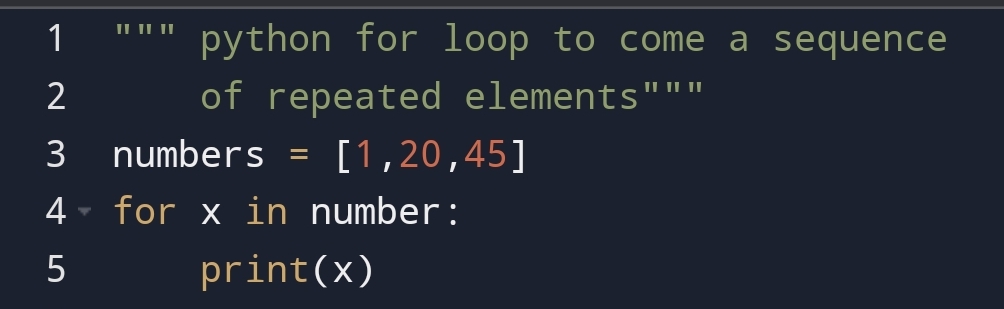
Suppose, you want a repeated sequence of elements. How will you do it?

You can do it with for loop. The for loop giving a particular sequence of elements.

The for loop can be used in list, tuple etc.

For example,

Here, you can see that the list elements have come in sequence.

Suppose you have to stop at number 20 in for loop and wants to display a message. How will you do it?

You can do it with if conditions.

For example,

Here, you can see that the first number 1 passed through for loop. It doesn’t match to if condition so it directly printed.

When 2nd number 20 passed through for loop. It catches the if condition and display the if message.

After, displaying if ‘s message, it will display the number 20.

The third time it will pass the number 45. It directly prints because it doesn’t satisfy the if condition.

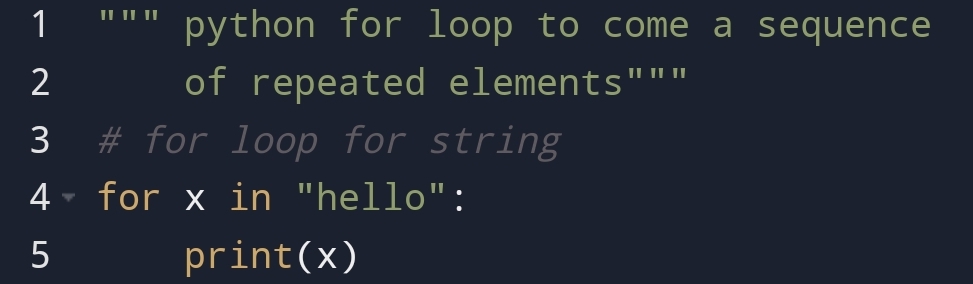
for loop for string

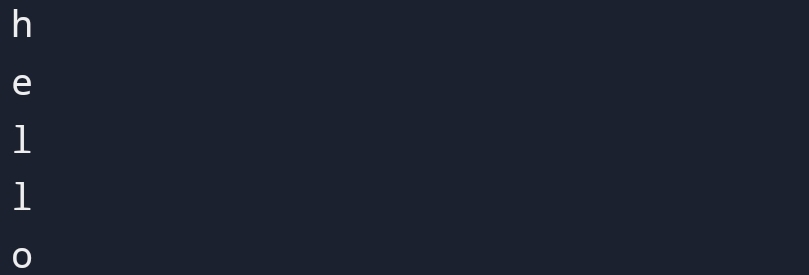
Here, you can see that string “hello” has come in sequence. The string can come in sequence.

for loop in range() method.

To know how to use the range() method in for loop. First, you have to understand how the range() method works?

For example,

Here, you can see that number has started from 0 and end at last-1 I.e. number 3. Number 4 will not be included.

Finally, you had seen how a range method works!

Next, you are going to see how to use it in for loop.

For example,

Here, you can see that all the number has come in sequence.

Number 4 is not included. Because range() method does not include 4. The last element will be a last-1 number.

else method in for loop

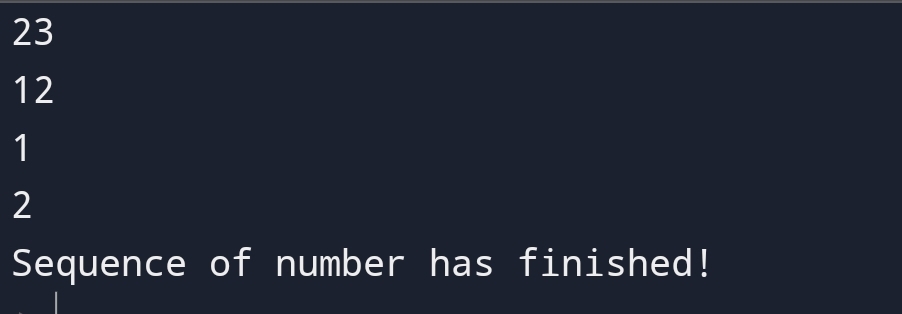
Suppose, your loop has finished and you have to display the message for finished.

For example,

Here, you can see that after completing the sequence of number message has displayed.

Nested for loop

Suppose you need one loop inside another loop. The outside loop will be a row and inside the loop will be a column.

For example,

The outer loop is a row and the inner loop is a column.

First, the sequence started with the number 0 then inner it will go to numbers 0 and 1.

2. Python- while loop

The while loop executes as soon as the condition is true.

When the condition becomes false the loop will be stopped.

For example,

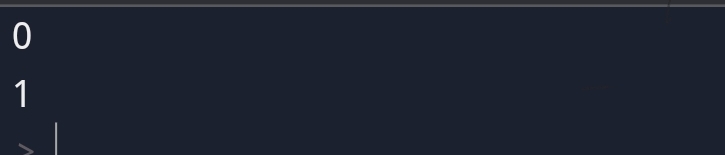
Here, you can see that number starts from 0 and end at number 2.

1. break statement in while loop

The break statement in the while loop breaks the sequence at a specific point.

Here, you can see that sequence has broken in number 2.

The sequence doesn’t reach number 3.

2. Continue statement in loop

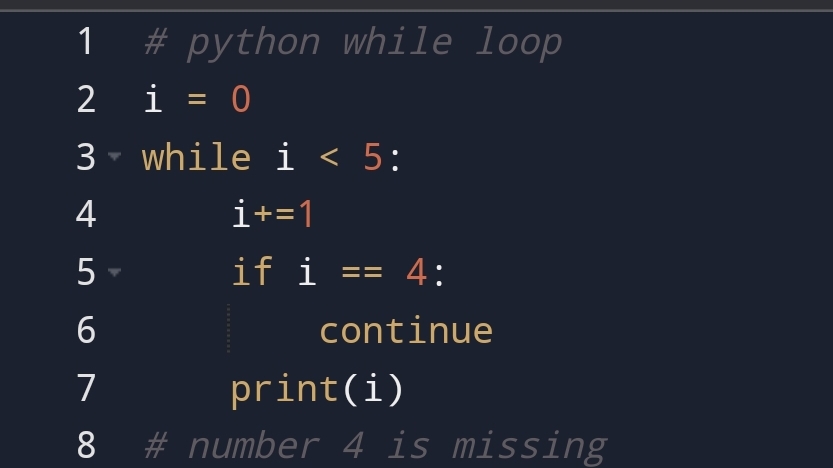
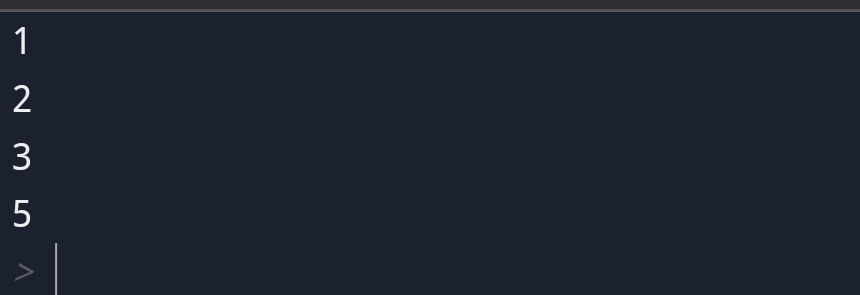
The continue statement in for loop change the sequence at a particular point.

For example,

The continue statement change the current iteration and start a new one.

3. Else statement in while loop

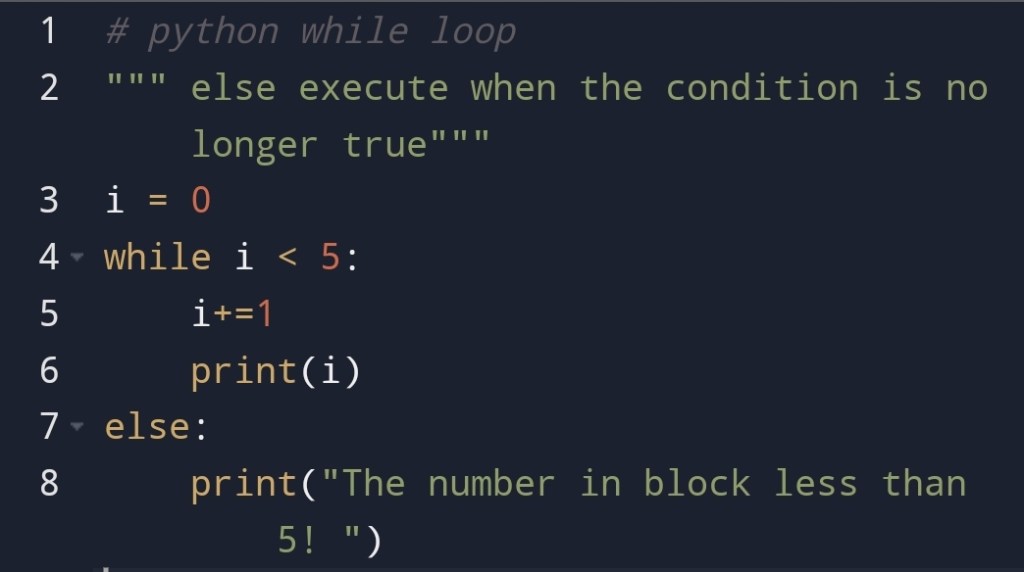
The else statement in the while loop executes when the condition is no longer true.

For example,

Basically, In this section, you had seen that while loop executes till the condition is true.


Conclusion:-

Loops are used to automate the repeated task in python.

There are two types of loops in python. The first is for loop and the second one is while loop.

The for loop uses for a repeated sequence of elements. The while loop executes till the condition is True.

There are continue and break statements in python while loop.

Break statement in python while loop breaks the sequence of the elements.

Continue statement change the current sequence and start a new sequence.


"Quality brings clarity"
Python if-else: Check the conditions of the program!

Image credit: GangBoard

In the previous blog, pythondict- 5 methods to know, you had seen that how can you access data easily.

In this blog, you are going to see python if-else conditions.

Recently, my friend group is talking about that how can we use if-else conditions? What we have learned interesting!

What we have found that we can represent a message if the conditions match or not. It’s a pretty amazing thing!

Think about it, you have come from more computer language to human language.

Python conditions are logical conditions. If something is true that is the logic behind this.

You are going to show how to use this logic in an if-else statement.

You are going to see:-

• Python conditions and 
if statement
• Else statement
• Indentation
• Elif statement
• Short Hand if
• Short Hand if-else
statement
• And keyword
• or keyword

Python conditions and if statement

There are many conditions that you can check with the help of a logical operator.

For example,

• a==b
• a>b
• a<b
• a>=b
• a<=b
• a!=b

In the practical world, we don’t use logical operators. What we use message. The simple and short message.

The message gives us a sense to the people what happened in a computer program.

So, to bring that message to cause we are going to use first if statement.

If condition

Suppose, you have to check if a certain thing will happen in a particular condition then what will happen?

To check this condition you can use python if statement.

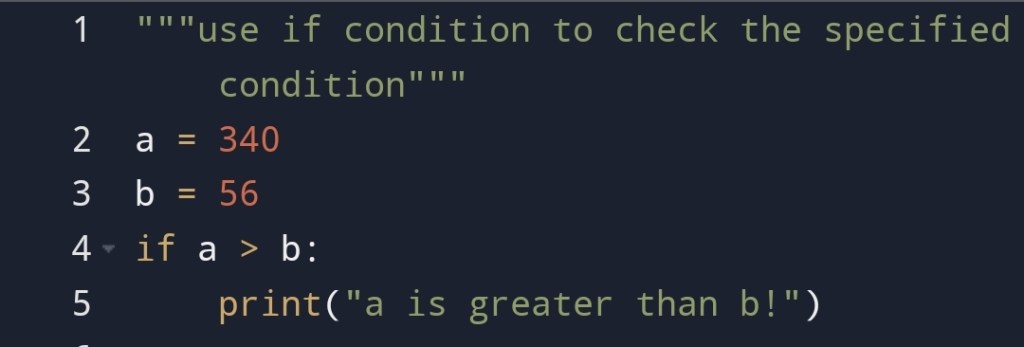
For example,

Here, you can see that if condition has matched. So, the Message has displayed.

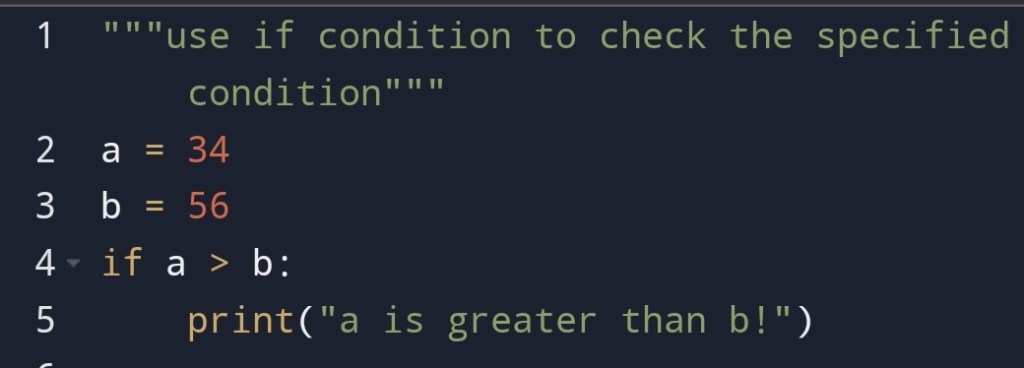
If suppose if condition is not matched then what will happen?

For example,

Here, you can see that nothing has displayed.

It doesn’t give a message to us.

So, basically what you need?

You need a condition that executes when if condition does not match.

To solve this problem you are going to see else statement.

Else statement

The else statement uses when the previous condition doesn’t satisfy the condition.

Remember, the else statement doesn’t check any condition. It only prints a message when the previous one failed to check the condition.

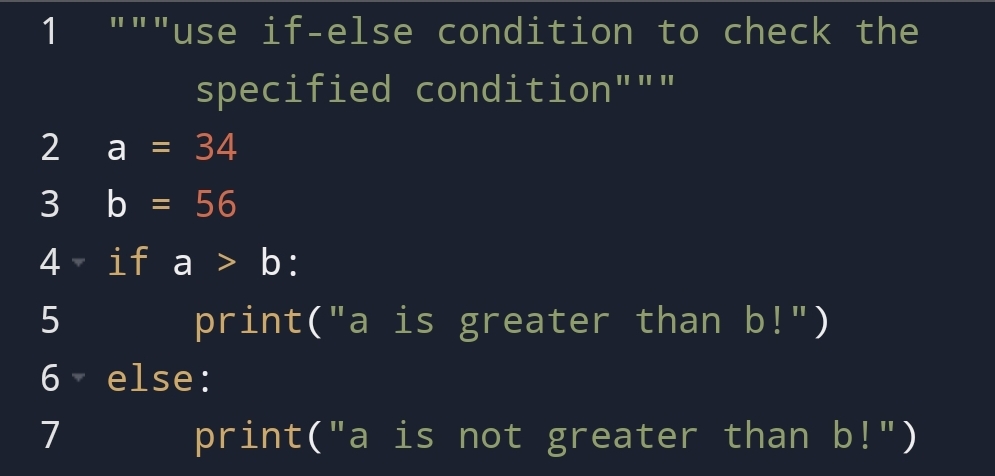
For example,

Here, you can see that if condition has not matched then else has displayed the message.

Indentation

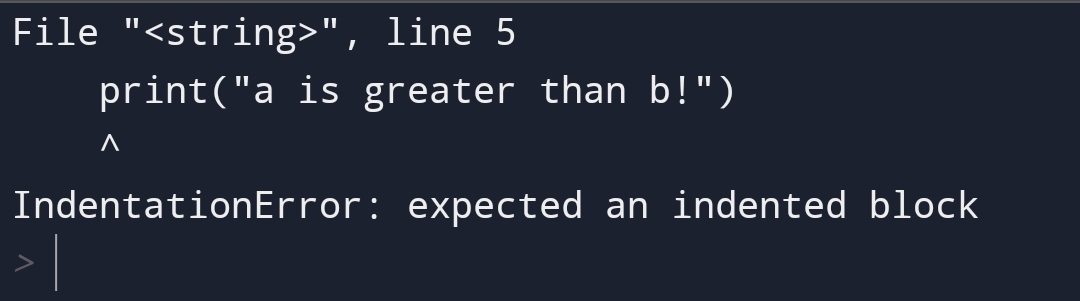
Suppose you would not give spaces in if block. then what will happen?

For example,

Here, the Indentation error has come. because I had not put spaces in if block.

So, what these spaces represent?

If there are spaces before the if statement. It represents the same block of code.

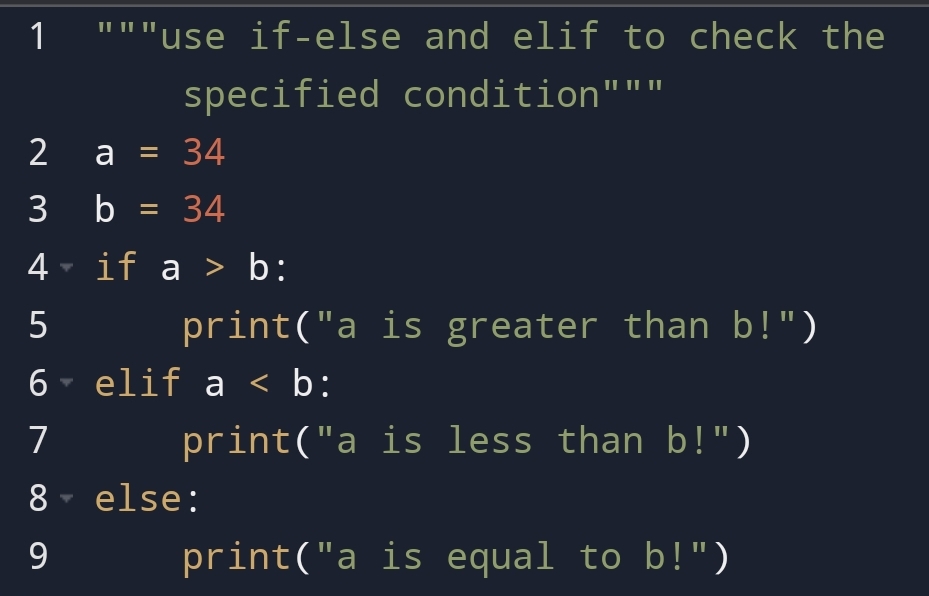
Elif statement

The elif condition uses when we have to check another condition than the if statement.

For example,

Suppose, if and elif both statements are not matching then the else condition will match.

For example,

Here, you can see that if and elif both don’t match. The else statement is matching. So, the message of else displayed.

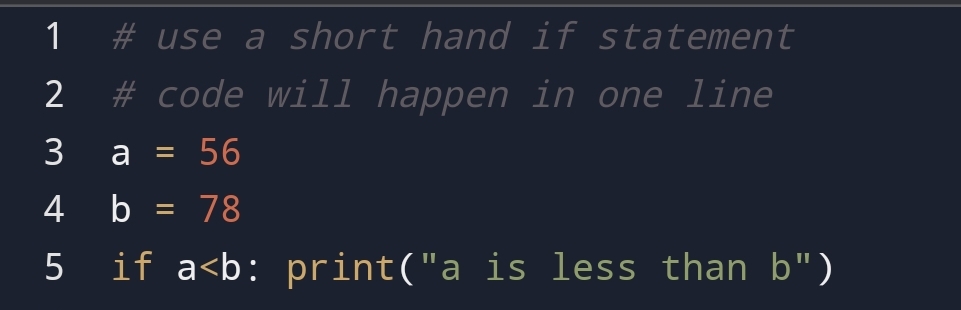
Short hand if statement

If the statements are simple and short then you can use a short hand if statement.

The short hand if statement is coming in one line.

For example,

Here, you can see that we have done code only in one line. In short, hand if statement we only need one line to do the code.

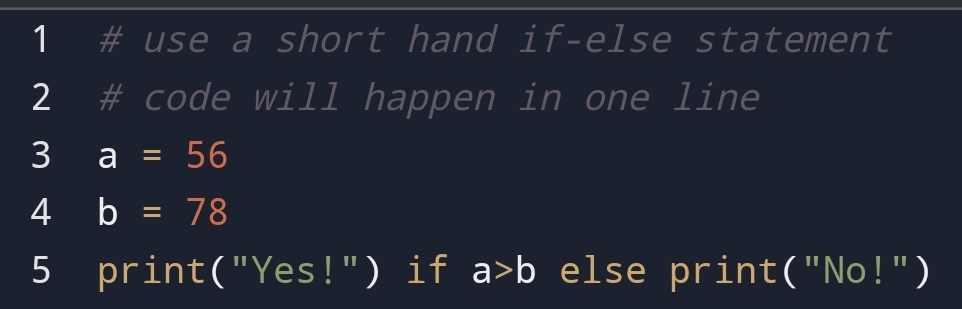
Short hand if-else statement

Suppose you have to represent a short if-else in one line. How would you represent it?

You can represent it in one line.

For example,

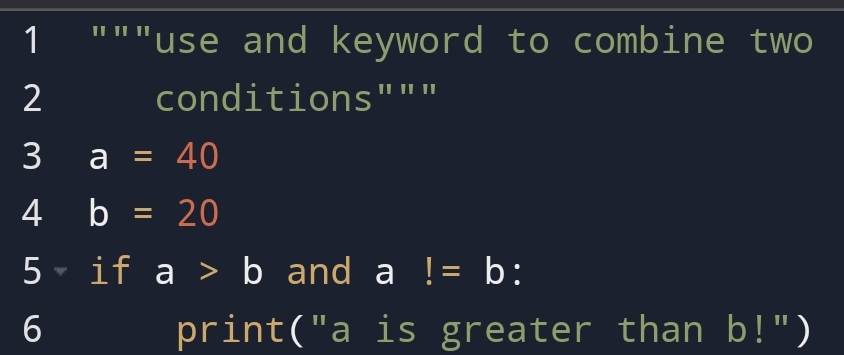
And keyword

Suppose, you have to combine two conditions. What will you do?

You can use and keyword.

For example,

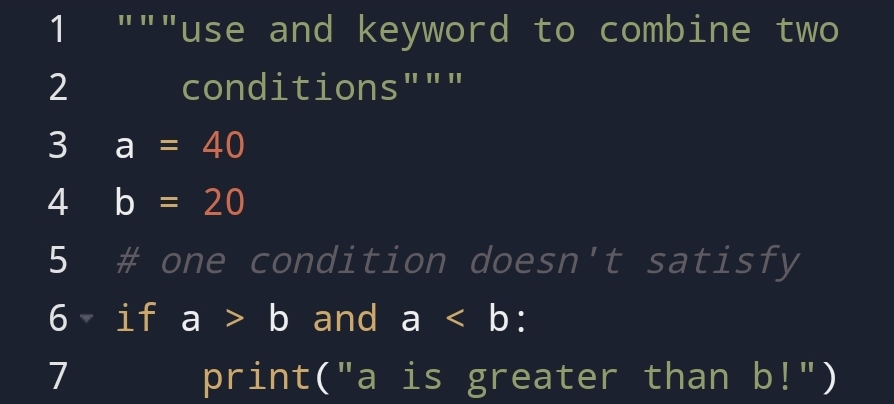
Here, you can see that two conditions have combined using and keyword.

If one condition doesn’t satisfy. What will happen in and keyword?

For example,

Here, you can see that one condition has not matched in and keyword.

Or keyword

The or keyword also combine two statements. So, why we using anything other than and keyword.

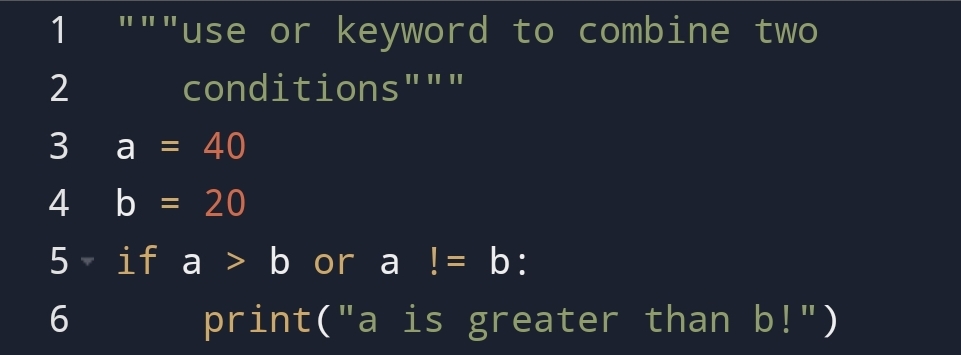
In and keyword both sides should satisfy. In or keyword you can only satisfy one condition.

For example,

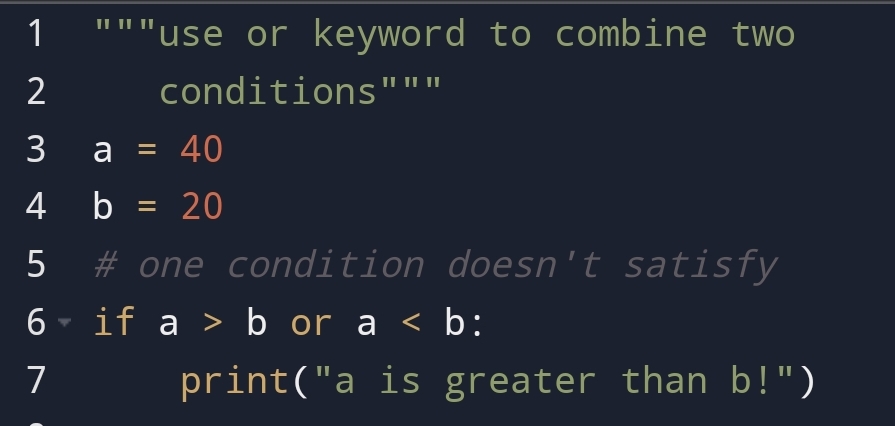
If one condition will not match in or keyword what will happen?

For example,

Here, you can see even one condition satisfied then output has displayed.

Conclusion:-

1. The if-else-elif condition are using to match the condition in python.

2. With the help of these logical operators you can put the message that what happens in the program.

3. You can also combine the conditions in python with the help of and and or keyword.

LIKE ❤️ ME

Python Dictionary- 5 Methods to Get keys or values!

In the previous blog python-dictionary, you had seen the basics of python dictionary.

You had seen why we use dictionaries? How we use it? and what is a dictionary? This all the basics things I have covered in the python-dictionary, blog.

In this blog, you are going to see the 5 methods which you will use to get keys or values in python.

These methods are useful when you want specified keys and values in the dictionary.

In this blog, you are going to see:-

•fromkeys() method
•get() method
•setdefault() method
•values()
•items() method

Dict- fromkeys() method

The fromkeys() method get specified key and specified values.

Why use it?

To get the dictionary which is the same value for all keys.

For example, the person registered in three sports at a time.

The sports in which he participates will be a dictionary and his name will be value in the dictionary.

How to use it?

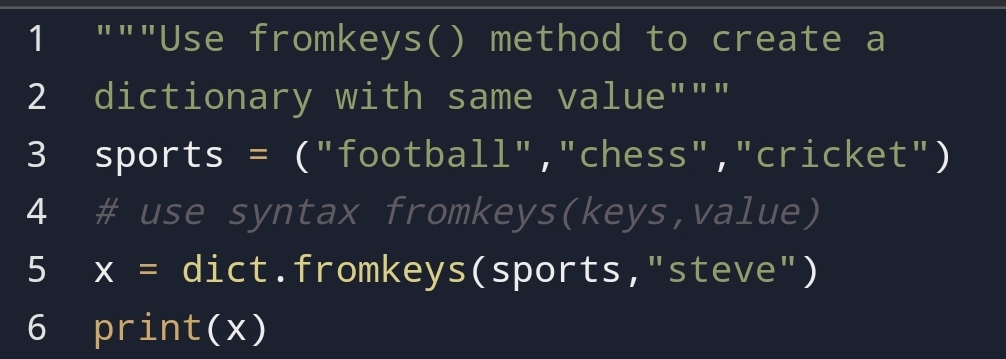
You can use the fromkeys() method from syntax fromkeys(keys, value).

The keys which you will use to create a dictionary and the value which you will use for all keys.

For example,

Here, you can see in all three sports, the person name is the same.

Suppose, there is no one taking part in sports, which means the value is nothing. Then how will the dictionary look like?

Let’s see!

Value: None

Here, you can see that the value of all sports are None.because no one took part in sports.

Dict- get() method

The get() method return the value of a key in a dictionary.

Why use it?

Suppose, you want to get the value of a key from a dictionary. To gain the value using the key you will use get() method

How to do it?

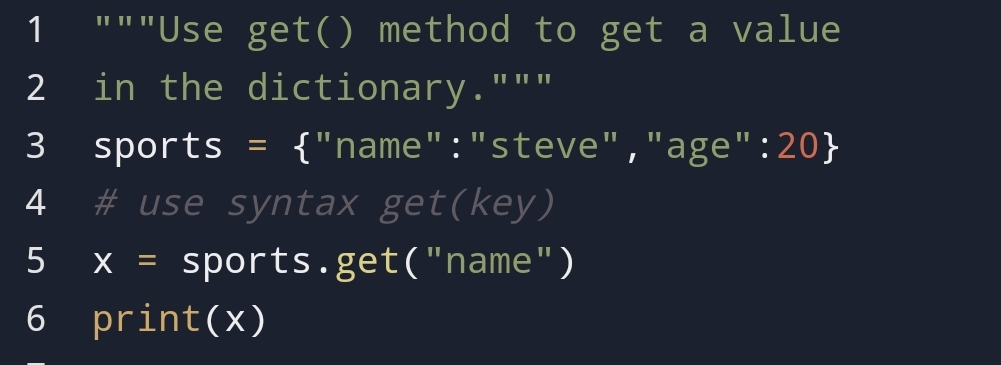
You can do it with the syntax- variable.get(key).

For example,

Here, you can see that we had gained the value:- steve with the help of key:- name.

Dict- setdefault() method

The setdefault() method give the value of the key with the default value.

Why use it?

The setdefault() method giving the value with help of a key.

If the key is not present in the dictionary it will give the default value.

How to use it?

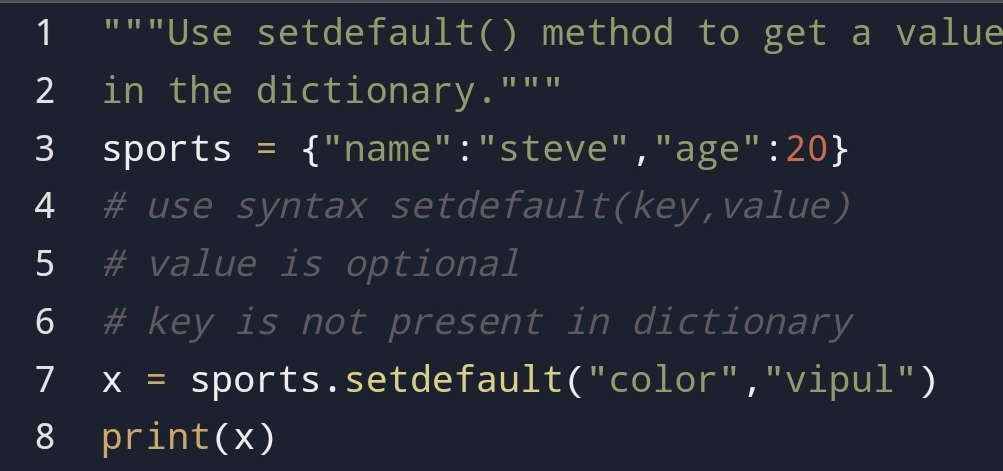
You can use setdefault() method with the syntax:- setdefault(key, default_value).

For example,

Here, you can see that the given key in the setdefault() method is present in the dictionary. So, the value came from the dictionary.

Suppose, the passed key not present in the dictionary then the default value will come.

For example,

Here, you can see that key “color” has passed. but it is not present in the dictionary. so the default value “vipul” has come.

Dict- values() method

The values() method return all the list of values from the dictionary.

Why use it?

To get the list of all values, not key. It’s helpful to change the data type of value and eliminate the key.

How to use it?

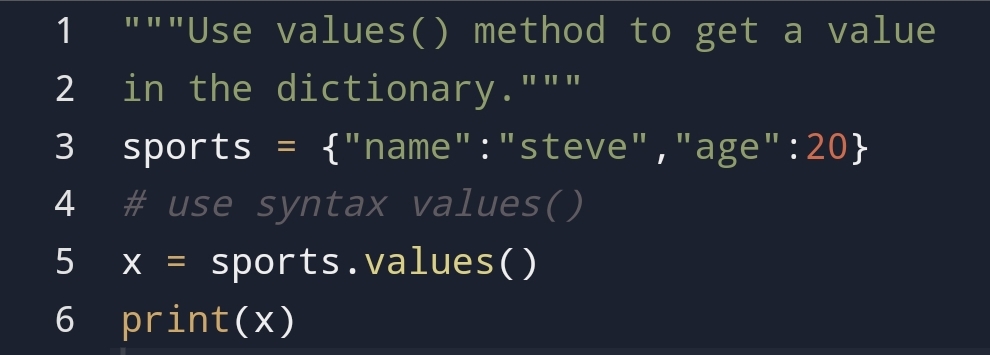
You can do it with the help of the values() method.

For example,

Here, you can see that list of all values has come.

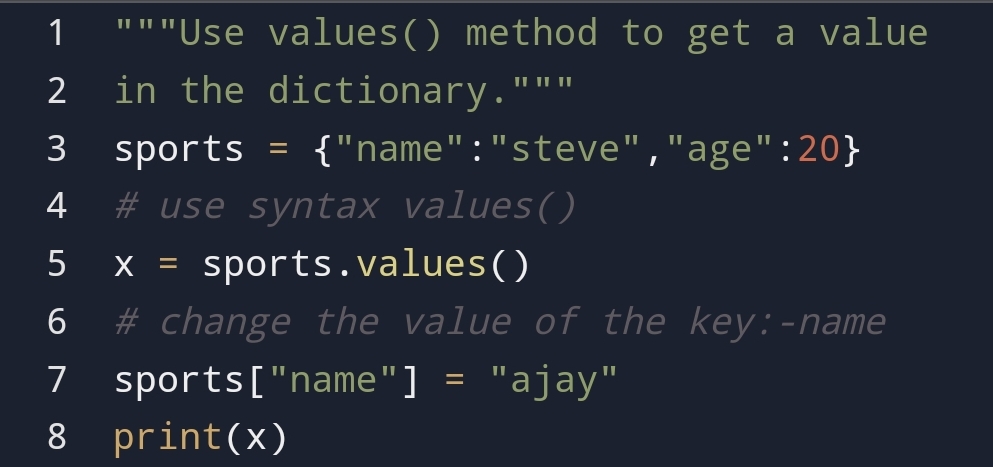
Suppose, you have changed the value in the dictionary. What the impact of this on the values() method.

For example,

Here, you can see that after changing the value of the key name. The list of all keys had changed.

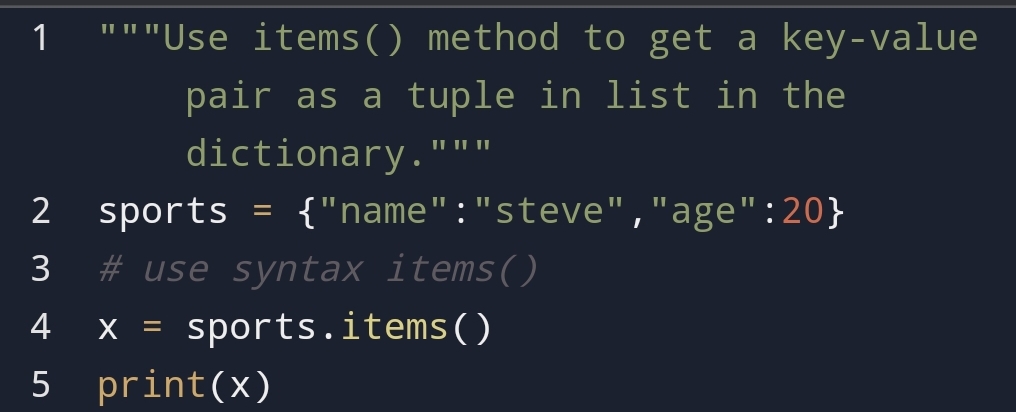
Dict- items() method

The items() method return the key-value pair as a tuple in the list.

Why use it?

To get the key-value pair in the list we using the items() method.

How to use it?

You can use it with the help of syntax- dictionary.items().

For example,

Here, you can see that the key-value pair as a tuple in a list has come.

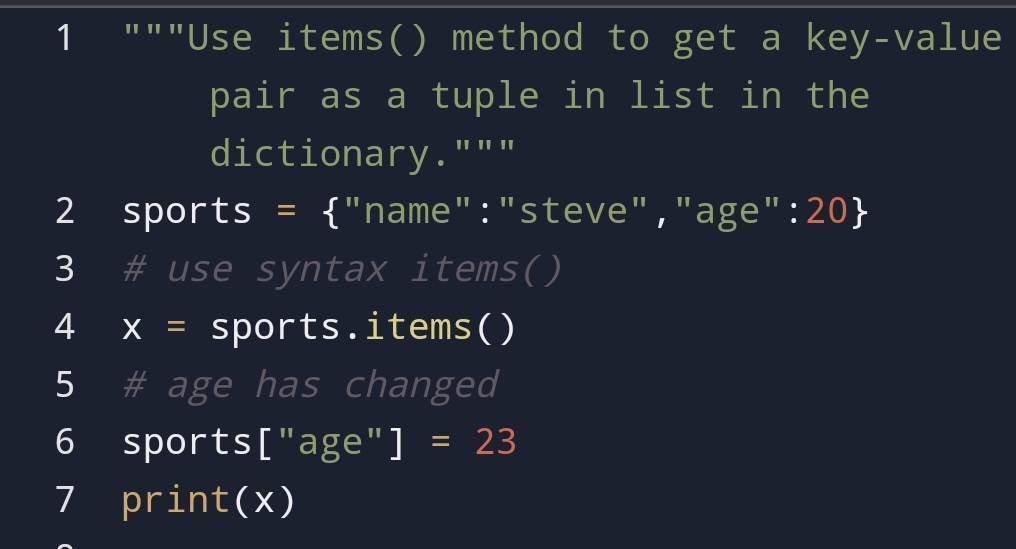
Suppose, you have made certain changes in key-value. Then what will happen?

For example,

Here, you can see that after making changes in the key-value pair it reflected in the dictionary.

The age’s key-value pair has changed.

Summary:-

In this section, you had seen that how can you gain the key or value from the dictionary.

The 5 methods to do this are fromkeys(), get(), setdefault(), values() and items() method.

This method giving insight into how the data changing.

Here, you had also seen how you can gain only a list of values and keys.

                    LIKE ME AT

Python dictionary- Value of a key!

In the previous blogs, you had seen that how the data types are working. To be confirmed You can check in my previous blogs.

In this blog, you are going to see why we using a dictionary in python?

What is a dictionary? and How to use a dictionary?

Why Use Dictionary?

If you have to access data easily, store key-value pair as one element, You can use a dictionary in python.

For example, {name:student_name}.

You can access data with curly braces({}).

What is a dictionary?

A dictionary in python is key-value pair. It is ordered, changeable and doesn’t allow duplicate items in python.

Remember, till version 3.7 python dictionary was an unordered collection of data types. Because of Insertion after this version python became ordered.

How to use a dictionary?

You can use a dictionary with the help of key-value pair. You can access any value in key with the help of key.

In this blog, you are going to see:-

•How to access values?
•How to remove the     
value?
•How to add the values  
in the dictionary?
•len() method
•looping in the         
dictionary
•clear the dictionary
•To delete the          
dictionary.
•Copy the dictionary
•Nested dictionary

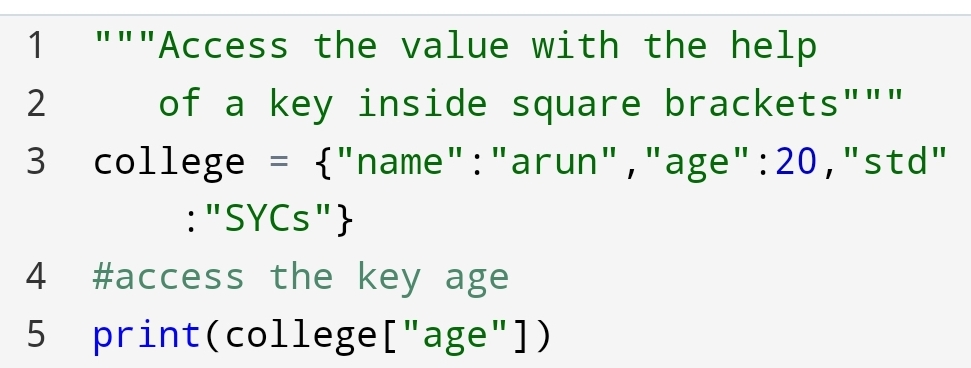
Python Dictionary- Access the value

You can access the value with the help of a key inside the square bracket.

For example,

Value: 20

You can see that accessing the value with key is an easy comparison to the indexing of value.

Python- Remove the values

Suppose, you have to remove some values from your college dictionary. How will you remove it?

You can remove it with the help of pop() and popitems().

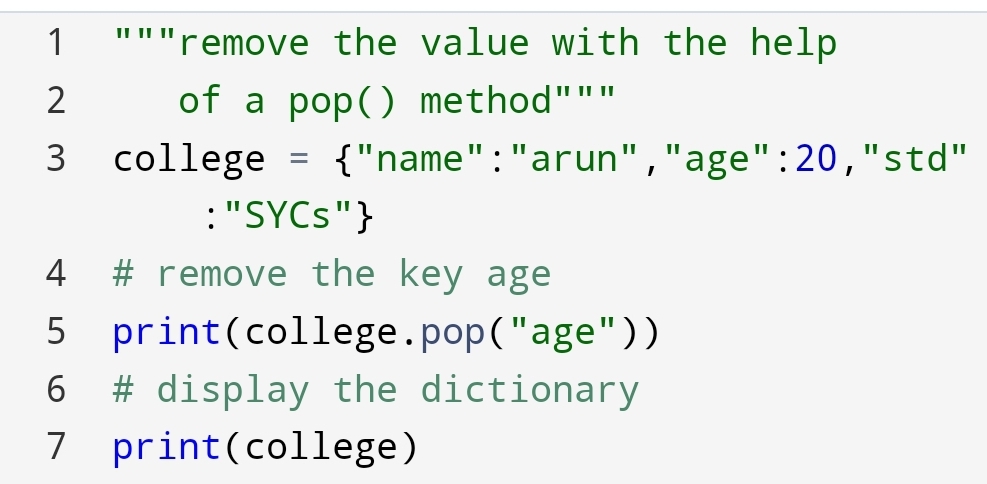
A pop() method

You can remove the specified value with the help of the pop() method.

The syntax of the pop() method is pop(key).

For example,

Here, you can see that first I have removed the key age and printed it.

After, it we had printed the original dictionary. You can see that in the original dictionary the key age had removed.

It doesn’t need indexing to remove value.

The second is the popitems() method you are going to try.

The popitem() method

Suppose, you have to remove the last value from the college dictionary. How will you remove it?

You can remove it with the help of the popitem() method. Because it removes only the last key. so it doesn’t take any argument.

For example,

Here, you can see that the last key “std” has removed from the dictionary of college.

Python- Add the values in Dictionary

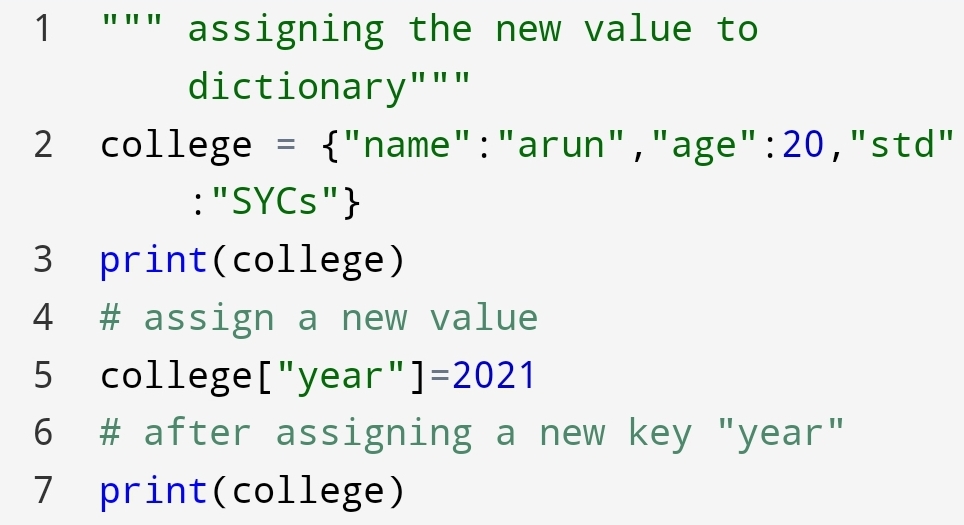
You can add the values in the dictionary with the help of assigning the new value to a new key

For example,

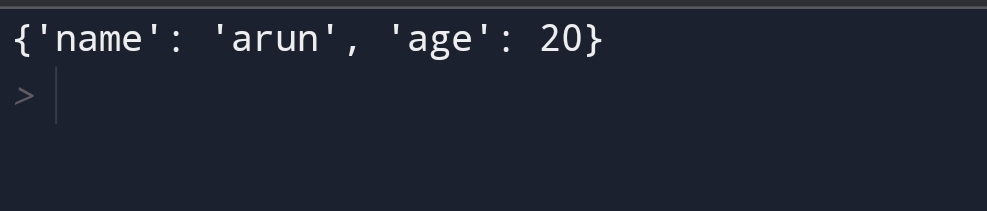
Here, In the output, you can see that before and after assigning the value, how the dictionary was.

Python- len() method

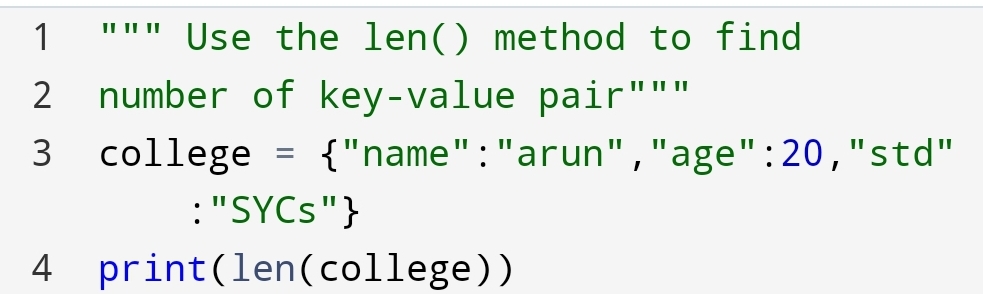
Suppose you have to find the number of key-value pairs present in the college dictionary.

For example,

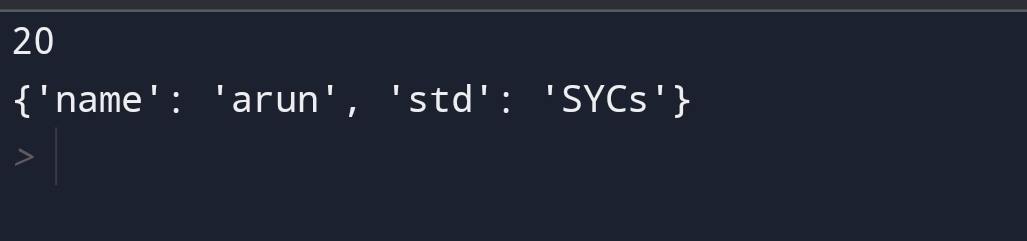
Here, you can see that 3 key-value pairs are present.

Python- Looping the dictionary!

Suppose, you want the sequence of dictionary items. So how will you do it?

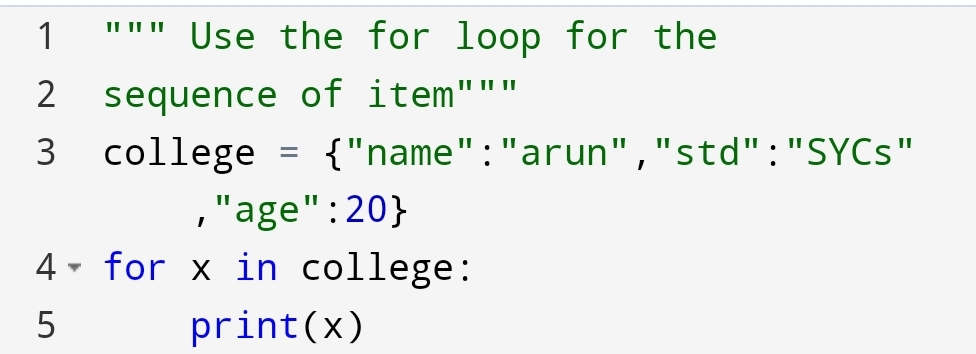
You can do it with the help of for loop in dictionary.

For example,

Here, you can see that the sequence has come to the keys of the dictionary.

Suppose you want the sequence of value. How can you do it?

For example,

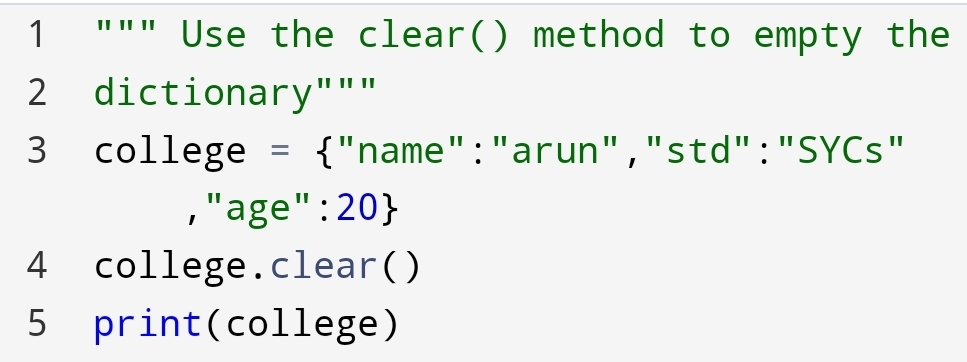
Python Dictionary- clear() method

Suppose, you want a college dictionary empty. But the college dictionary is full of key-value pairs. How will you do it?

You can do it with clear() method.

For example,

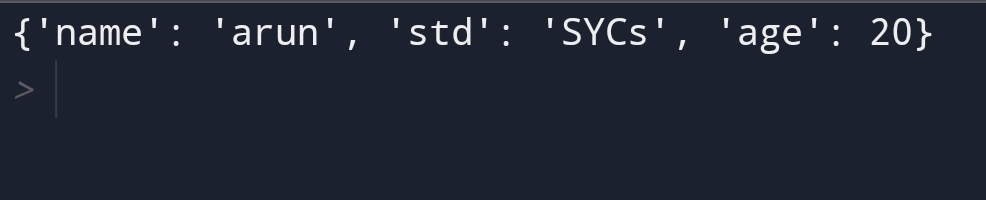
Here, you can see that an empty dictionary, with curly braces, had come.

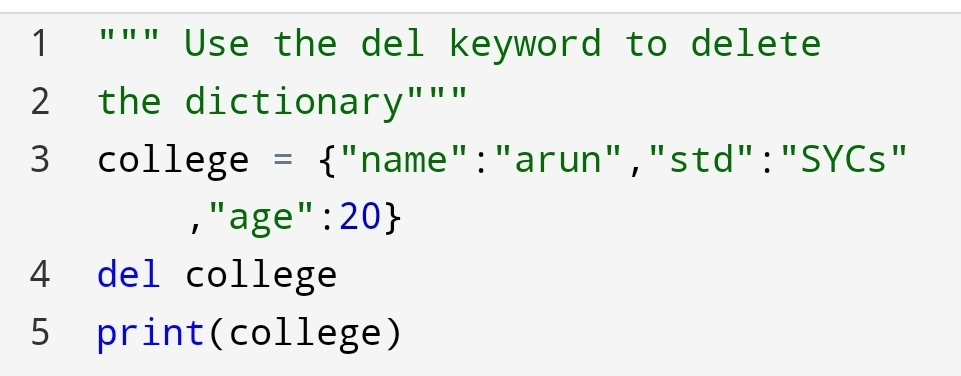
Python dictionary- del keyword

Suppose, you not only clear the dictionary but also delete the whole dictionary. So, what you will do?

You can do it with the help of del keyword.

For example,

Here, you can see that NameError has come. Because we have deleted the dictionary with the help of the del keyword.

Python Dictionary- Make a copy of the dictionary

Suppose, you have to make a copy of the dictionary. how will you do it?

You can do it with the following method:-

•copy() method
•dict() method

1.copy() method

In the copy() method you copy one dictionary into another dictionary.

For example,

Dictionary: x

2. The dict() method

You can also use the dict() method to copy the dictionary.

For example,

Dictionary: x

Here, you can see that the dict() method copied the dictionary.

Python- Nested Dictionary

Why use a nested dictionary?

Nested dictionary use for storing one dictionary into another dictionary.

It stores many dictionaries within one dictionary.

How to use a nested dictionary?

You can use a nested dictionary with the help of storing dictionaries into the key of the parent dictionary.

For example,

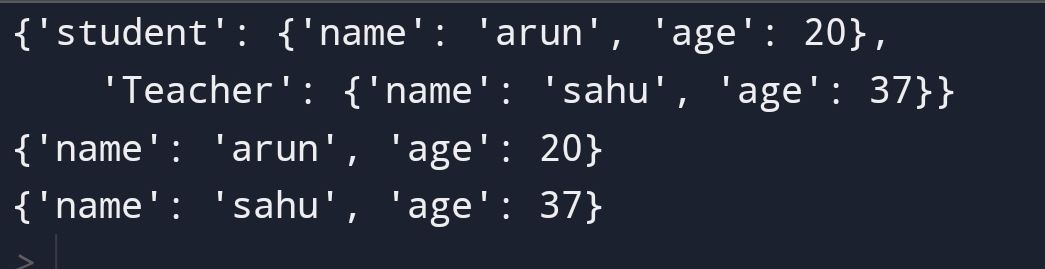
Here, you can see that we have stored student and teacher detail in the nested dictionary.

The benefit of the nested dictionary is that you can store multiple dictionaries in one variable.

Python- Change dictionary items

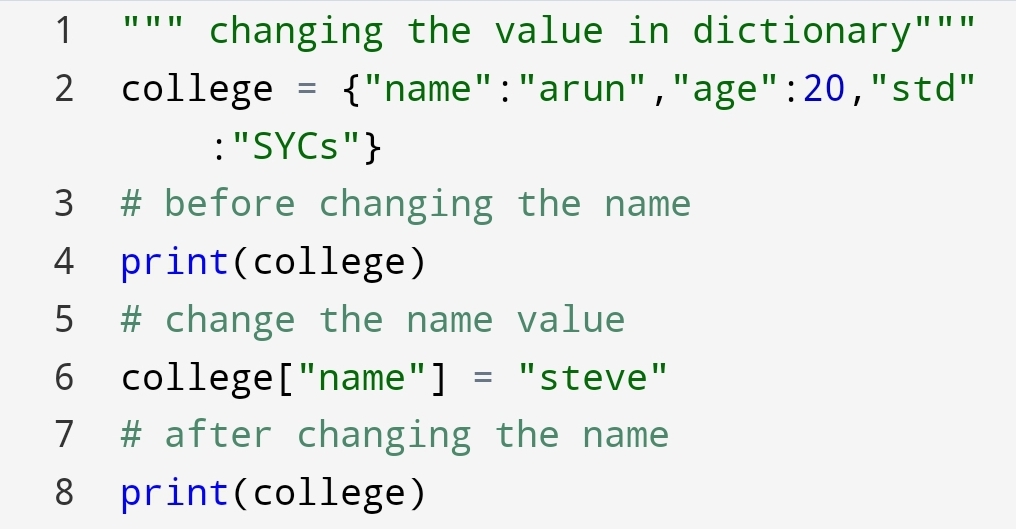
Suppose, you have to change the value of a specific key in the dictionary. What you will do?

You can do it with the help of referring new value to that key.

For example, you have to change the name of the student.

Let’s see how can you do?

You can also use the update() method to change the value of the dictionary.

The update() method

The update() method update the dictionary value. Suppose you have to update the age of the student. You can do it with the update() method.

For example,

The output of assigning new value and update() method has same.

The keys() method

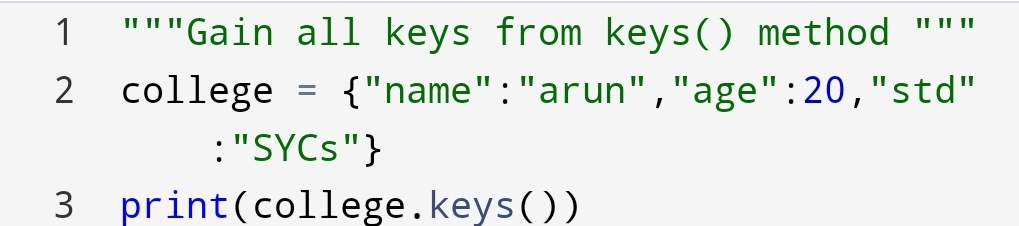
Suppose, you want all keys from a dictionary. So how will you do it?

You can do it with the keys() method.

The return value is a list of keys.

For example,

Here, you can see that all list of keys has come from the dictionary.

In this blog, you had seen many operations which you can do. Next section you will see something more interesting about python dictionaries.

Conclusion:-

Python dictionary is very useful to access data. With the help of a python dictionary, you can store the data easily.

It is ordered, unchangeable and doesn’t allow duplicate items.

It has a feature of nesting dictionary to store multiple dictionaries in the parent dictionary.

You don’t need the indexing of the dictionary to check the position of value.

You can check it with the key.

Python sets – Make a group of want and don’t want data!

Image credit: realpython.com

To move forward to know more about python sets. First, you have to know why are we using a set?

What’s the need of set to you?

Sets are used for removing the duplicates item in a group. For example, Removing duplicate registration of the same person in the set.

To know more about sets you are going to see some topics of the set. The topics are following:-

∆Access the set
∆Add the set
∆remove set
∆join the sets
∆Keep only the duplicates
∆Keep all but not the duplicates
∆issubset() method
∆isdisjoint() method

In the first section, you are going to see how can you access the set items. Let’s see how can you do?

For example,

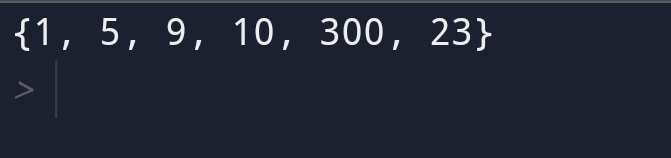
Here, you can see that set is not accessing through indexing?

But why the set does not access the item through indexing?

The reason behind this is that set is an unordered collection of data types.

Set is unordered, unchangeable and doesn’t allow duplicate items.

Set Items

Image credit: appdividend.com

Set items are unordered, unchangeable and don’t allow duplicates items in the set.

Set items – Data type

You would say what’s the data type of set?

The data type of set is ‘set’.

What’s the syntax is to find the data type of set?

You can find type of set with the help of the type() method.

type() method

For example,

Data type: set

In the first section, you had seen that you can’t access the set items because of Unordered behaviour.

∆ Add the set

You can add the set with two method update and add method.

What’s the difference between them?

The difference is an update() method add another set of items to the first set. And add() method add a single item to set.

Let’s see how both will be done?

add() method

The add() method add a particular item to the set.

For example,

9 added

Here, you can see that 9 is added to any random position because of the unordered behaviour of a set.

update() method

The update() method adds another set item to the first set.

Let’s see how can you do?

Output

You have added 2nd set to the first one.

1. Add any iterable

If you have to add any list, dictionary or tuple to set how will you do it?

You can do it with the update() method.

Let’s see how can you do?

For example,

Created sets

Here, you can see that if any iterable add to set become set.

Python – Remove Items

Suppose you have to remove certain items from the set. How will you remove set items?

You can remove set items from following method:-

∆remove() method
∆discard() method
∆clear() method
∆pop() method

1.remove() method

Suppose you want to remove a particular item from the set. How will you remove it?

You can remove it from remove(remove value).

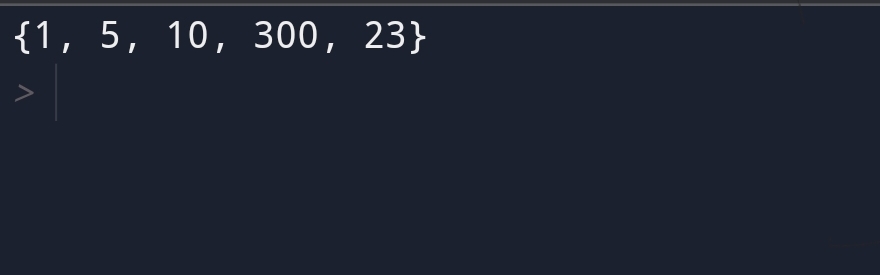
For example,

5 removed.

Here you can see that value 5 has removed.

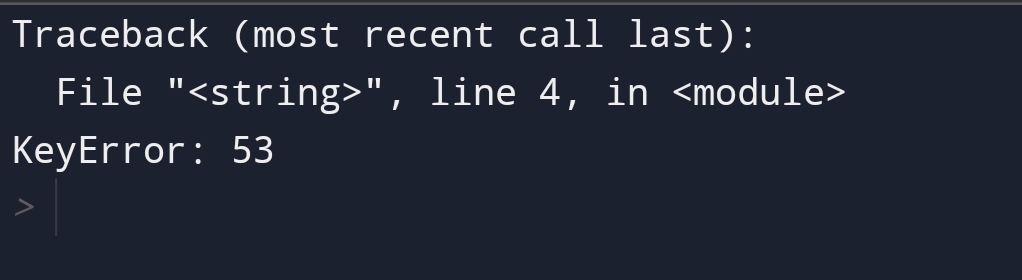
If the given value in the remove() method will not find then an error will raise.

For example,

Key error

Here, In the remove method the value 53 not found in the set. So, a key error raised.

2. discard() method

The discard() method is the same as the remove() method. It will also remove the particular item.

For example,

Same output as remove() method

The difference comes when you will pass another value then set it to the discard method not raise the error.

The discard() only come to the given set when the value not found.

For example,

Given set

Here, you can see that 56 value is not found in set1. So, it will return the given set.

3.clear() method

Suppose you want to create a set where you will add data in future but not know.

You want to clear all old groups of items. How will you do it?

You can do it with the clear() method.

The clear() method doesn’t delete the set. It makes an empty set of data.

For example,

Empty set

4.pop() method

Suppose, you want to remove any last element in set.

You can use the pop() method.

The pop() method will remove any item from the set. Because the set has an unordered collection of data types.

For example,

Last item removed

Python – Loop sets

Image credit: eduraka

Looping means come item in the sequence form.

You can loop through the set items by using a for a loop.

Here, we have a loop-through x in set.

Python- Join Two sets

Image credit: Python pool

Suppose, you have to join two sets. How will you join?

You can use the following method to join two sets:-

∆ union() method
∆ union_update() method
∆ intersection() method
∆ intersection_update()
method

1. union() method

The union() method combine the two sets and creating a new set. In the new set, the elements of both sets are present.

Here, you can see that the element of both set1 and set2 has come.

2.intersection method

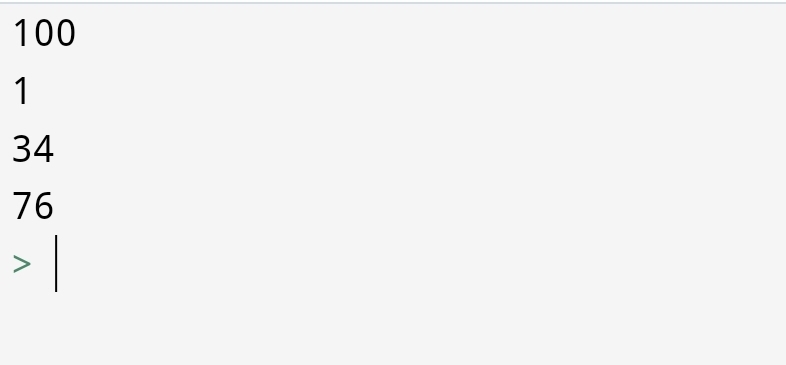
The intersection() method comes only the elements which are present in both sets.

For example,

Intersection method

Here, 100 is common in both sets. So, the output is 100.

Keep Only the duplicate

Suppose, you have to remain the elements that are duplicate in both sets and remove unwanted items from the original set.

How will you do it?

You can do it with the following method:-

1.intersection_update() method

Here, you can say that intersection() and intersection_update() methods both are producing the same result.

Then why we use the intersection_update() method also?

The intersection() method creating the new set without removing unwanted items.

The intersection_update() method return a common element in both sets by removing the unwanted item from the original set.

It returns the original set, not the new set.

Keep all but Not the duplicates

Suppose, you have to find the element which is present in either set but not at the intersection of both sets.

You can find this with the symmetric_difference() method.

1.symmetric_difference() method

For example,

Here, you can see that the new set {200,1,9} created.

The common element doesn’t come.

It is useful to find uncommon elements in the set.

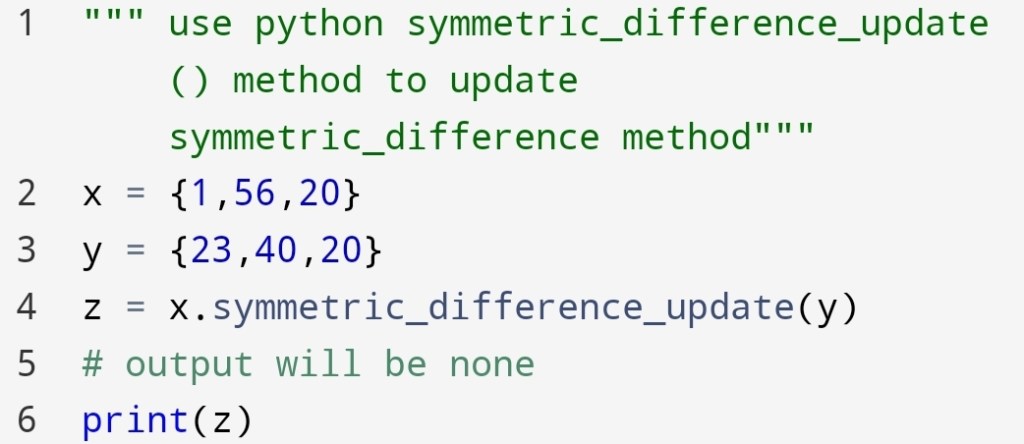
2.symmetric_difference_update() method

Suppose you want to update the symmetric_differnce method.

How will you update this set?

You can update symmetric_difference() with symmetric_differnce_update() method.

For example,

Here, you can see that the symmetric_differnce_update() method return the none value.

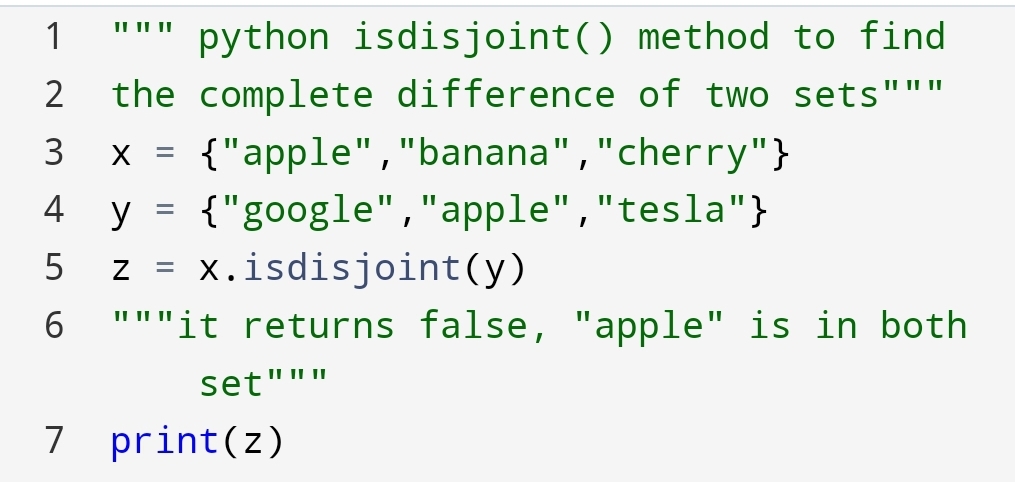
Python set- isdisjoint() method

Suppose, you have to find that sets are disjoint or not. In other words two sets are completely different or not.

For example, the set of passed students and the set of failed students.

You can check the complete difference with the isdisjoint() method.

Let’s see how can you do?

If anyone item matches in both sets. It will return a False result.

For example,

Python set- issubset?

If you have to check if the set is a subset of another set. This means the element of the set is present in a specified set.

If all elements of the first set are present in a specified set,then it will return True value.

For example,

Here, you can see that all elements of x are present in y, so the result is True.

If suppose some elements of the set are not present in a specified set.

What you think will happen?

If you guessed the value will be False, you are right.

If any value of the set is not present in a specified set, then the return value will be False.

For example,

Return False value

Here, you can see that the 90 value is not present in y. So, x is not a subset of y.

The subset is that one set is part of another set.

The operations which we have performed in the set are very useful in mathematics.

Conclusion:-

Set is unordered, unchangeable and doesn’t allow for duplicate items. With help of a set, you can create a group of wanted and unwanted data.

Set can’t be accessed. Because of the unordered collection of data types.

Set has much practical application, for example, finding successful and unsuccessful students in class.

You can combine set, found common elements and create a new set.

Python tuple- 11 Things You Should Know About Python Tuple!

In the previous blog python-tuple-update-access-and-unpack/ you had seen how can we change the data without manipulation.

Suppose you have to join two tuples, finding count, index and pack the data how you are going to do?

You can do all things with methods. The methods which you are going to use join, index, count and pack the data.

In this section, you are going to learn:

∆Pack the tuple
∆Join the tuples
∆Finding count
∆Finding the index
∆Convert string into a
tuple
∆Sum() method
∆Multiply tuple items
∆max() function
∆min() function
∆any() function
∆all() function

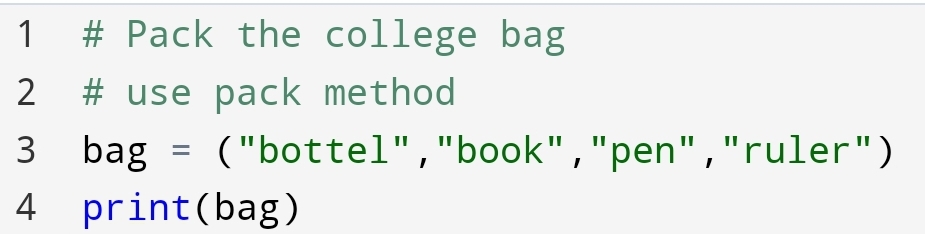
∆ Pack the tuple

Suppose you have to pack all the objects in your college bag with the help of tuple. How will you do it?

You have to only pack all objects into a new variable bag let’s see how can you do?

Packing of data.

Here, you can see all the objects we have packed in a bag variable.

Packing is useful when you don’t know how many values are going to pass.

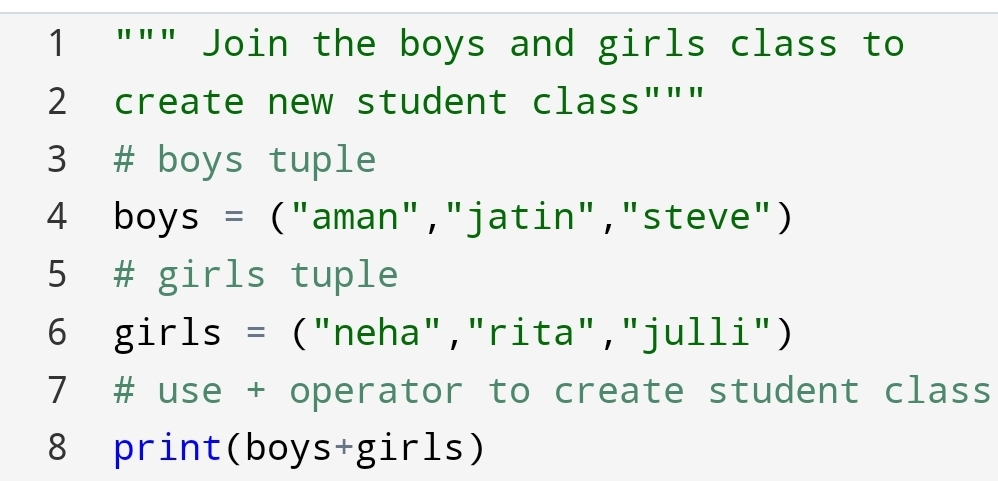
∆ Join the tuple

In recent time, I’m thinking about how to join two unchangeable data.

For example, how to create an unchangeable student class to join boys and girls name?

Then I had clicked that I can use the join method in the tuple.

You can join the two tuples with + operators.

Used + operator
New tuple created

Here, you can see that we have joined the two tuples and created a new one with the help of the + operator.

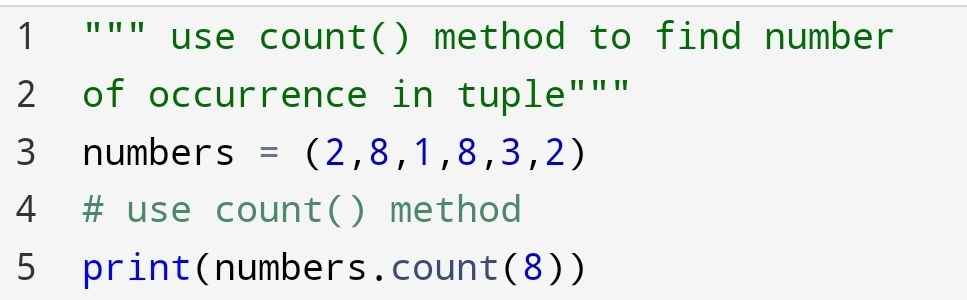
∆ Finding count

Suppose, you have to find how many times a particular item or number present in a tuple of thousands and millions of item.

How will you find it?

You say I’m going to count it. But it takes a lot of time and energy.

If I say you can do it easily. It’s amazing. Let’s see how can you do?

Remember, the output will be the number of times, not the number.

For example,

Output: 2 times

Here, you can see that number 8 in the tuple has come 2 times. So, the output is 2.

∆ Finding the index

Suppose, you have to find the position of your in a tuple.

How will you find it?

Again, the old approach is to count the position of the item.

But the easy and more flexible approach is to use an index(value).

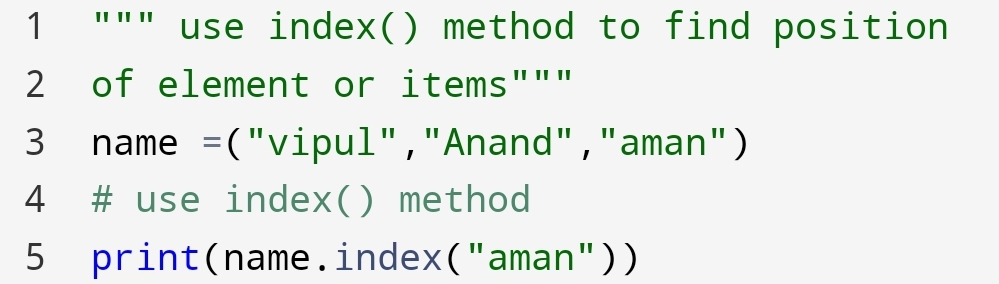
The index() method gives the position number of an element or item.

You can do it with the following code:-

For example,

index() method
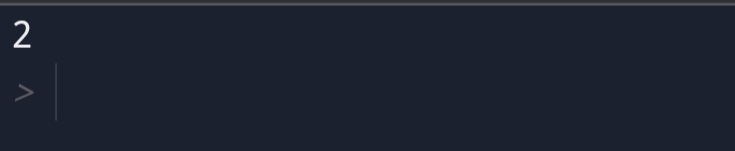
“aman” is in 2nd position

Here, you can see we had passed the “aman” value to the index() method.

The value “aman” is in the 2nd position in the tuple name.

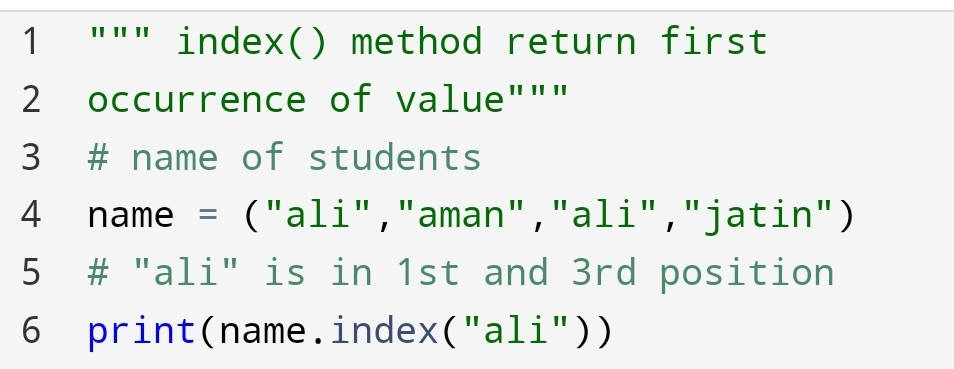
• The index() method return the first occurrence of value.

See it with example.

The first position of “ali” has come.

Here, you can see we had used the index method to find the position of “all”. “ali” has two position 1st and 3rd.

The output has returned the first occurrence of “ali”.

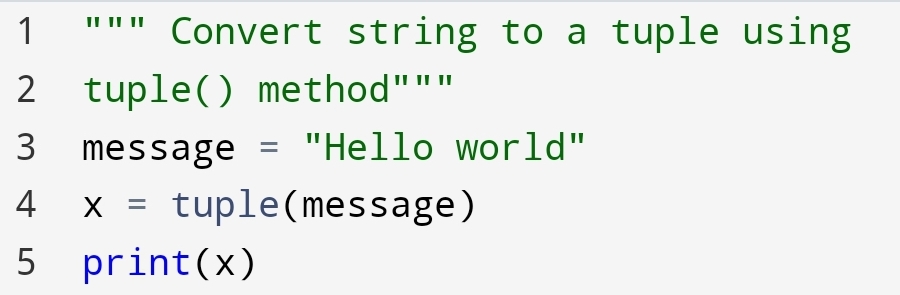
∆ Convert string to a tuple

Suppose, You have to convert a string data type to a tuple. How will you do it?

You can do it with help of the tuple() method.

For example,

Converted to tuple

Here, you can see that how the string “Hello world” converted to a tuple using the tuple() method.

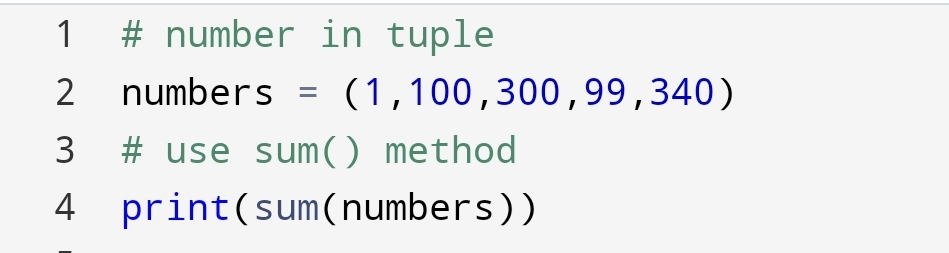
∆ sum() method

Suppose you have numbers in the tuple and you need a sum of all numbers. how will you do it?

You can do it with help of sum() method.

For example,

Sum of all numbers

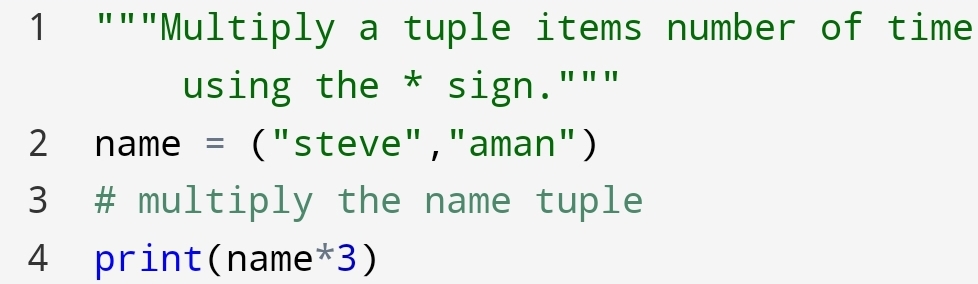
∆ Multiply tuple items

Suppose you want to multiply a tuple several times as you want. How will you do it?

You can do it with asterisk(*) sign.

For example,

Here, you can see that we had multiplied the name tuple 3 times using an asterisk(*) sign.

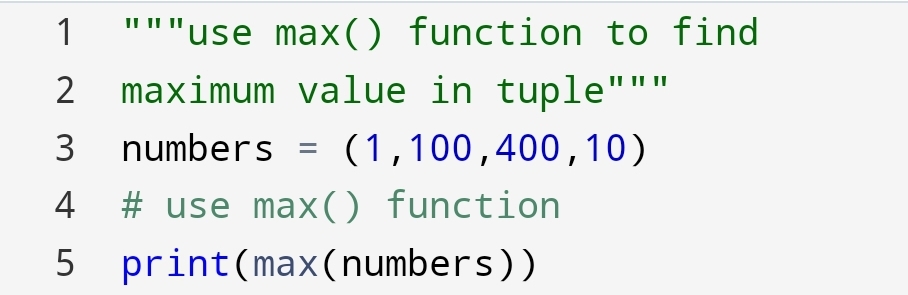
∆ max() function

Suppose you have to find the maximum value in the tuple. How can you do it?

You can do it with the max() function. max() function in tuple use to find the maximum value in tuple.

For example,

Maximum value has come

Here, you can see that the max() function give a maximum value of 400 in the tuple.

∆ min() function

For example, you had played a cricket match. You have to find the minimum score of the player.

How will you find it?

You can find it with the help of the min() function.

For example,

29 minimum score

Here, you can see that 29 is the minimum score of the team.

∆ any() function

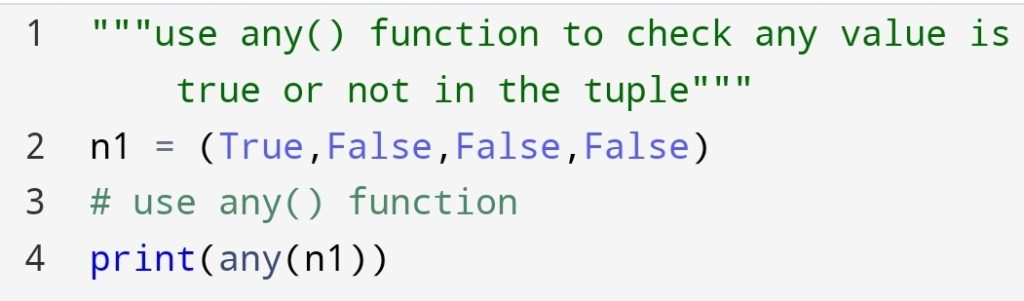
Suppose you have to find that any value is true or not in the tuple. How will you find it?

You can find it with the help of any() function.

any() function returns True if any value is true.

For example,

Truth value: True

Here, you can see that n1 given truth value True. Because the first value in n1 is True.

∆ all() function

If you have to find all values in a tuple are True or not. You can find with the help of all() function.

all() function is built-in data type in python. It will return True only if all values in the tuple are True.

For example,

Return: False

Here, you can see that all values in a tuple are not True. So, the truth value has come to False.

Remember, any() and all() are the same as a logical operator or and and.

The python tuples are changing the way we see data. You can perform many operations on python tuple.

Finally, we had come to a point where we had done many things on python tuple. And it gives a consistent way to store data.

Conclusion:-

In this blog, you had seen join, index, count, any, all, sum(), multiply of the tuple operations.

Python tuple giving the way to think the data as easy as we want. It gives great sense in mathematical calculation.

All features of the python tuple make it more reliable to records the data.

Python Tuple 2: Access, Update and Unpack the secure Data

Part 1: python tuple

In the previous section python-tuple, you had seen what is a tuple? why are we using tuple?

In this section, you are going to see how can you access, update and unpack the secure data with help of a tuple item.

Although, you can’t manipulate the data in the tuple. but you can change the data by converting tuple to list and again list to a tuple.

There are three-part of this blog:-

∆ Python-Access Tuple      
Items
∆ Python-Update Tuples
∆ Python-Unpack Tuples

∆ Python – Access Tuple Items

Access tuple item
Image credit: afb.org

In this section, you are going to see how you can access items in the tuple?

The benefit of accessing tuple items are you can get some part of the tuple easily accessible without manipulating tuple.

The points which you will cover:-

• Access tuple items
• Indexing
• Negative Indexing
• Range of Indexes
• Range of Negative
Indexes
• Check if the item
exists

1. Access tuple items

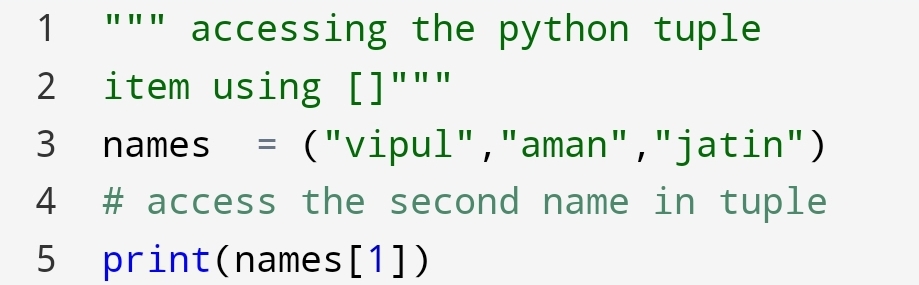
You have come to a question how can you access the tuple item?

You can access the tuple item with [](square brackets).

Here, see how can you do?

Example:-

Second name

2.Negative Indexing

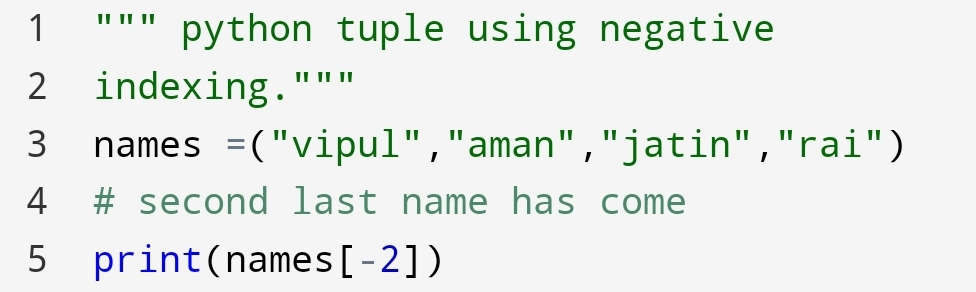
Suppose there are thousands of names in the tuple. You want a name from the last of the tuple.

How will you do?

You can do it with indexing. but you have to find which position. And the position is in last of the tuple.

So, it will take a lot of time to count the position.

Instead, you can do negative indexing.

Let’s see how can you do!

Example:-

Second last name

You can see that output is the second last name in the tuple.

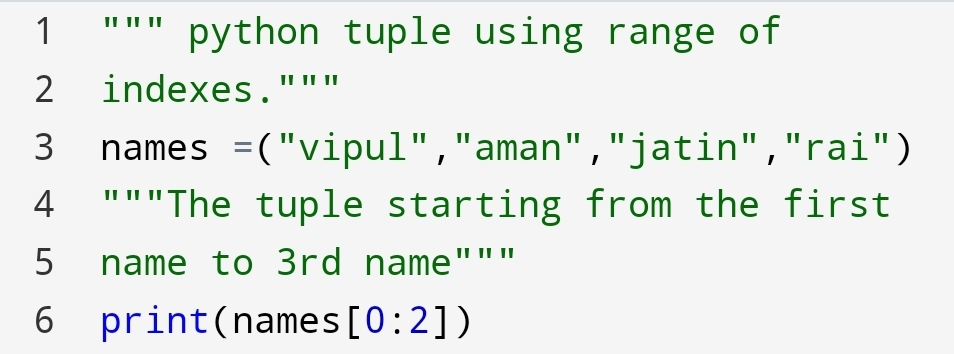
3.Range of Indexes

In a tuple suppose you want an item of a particular range. So, how will you do?

You can use the syntax [start:last].

Remember, the last item will be last-1. The last item not included.

Finally, see it!

Example:-

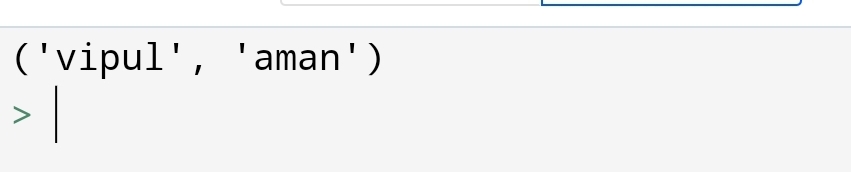
Two names have come.

The output is two names of a tuple in python. The last number 2 is not included.

The name of 0 and 1 position name have come.

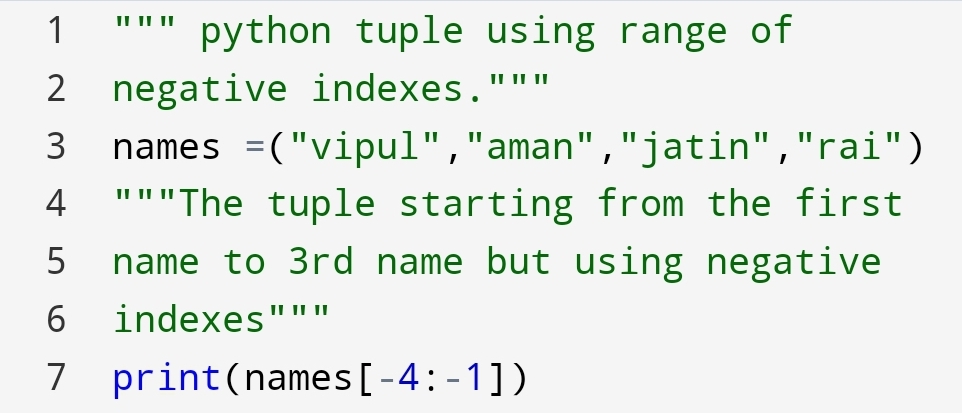
4. Range of negative indexes

It’s similar to a range of indexes. Here, you will use negative numbers to get the items.

You can code it as:-

Example:-

You got 3 names

° The next and last of this section is to check if the item exists!

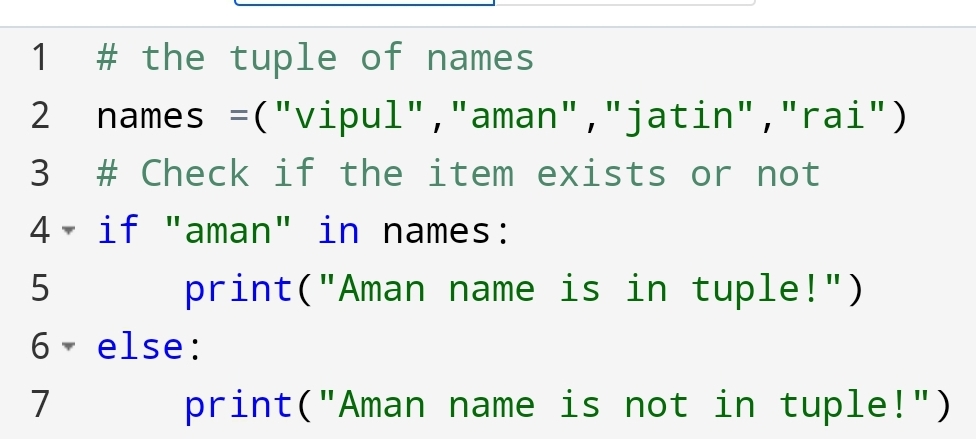
4. Check if the item exists

Instantly you have to check your friend name on the list. So the old approach is to check every name in the tuple.

But if there are thousands of names in the tuple. How will you check your friend name?

You can do it with the following code:-

Example:-

Output:-

In this section, you have seen how can we access tuple items.

The next section is about how to update the python tuple!

∆ Python – Update tuples

Update the tuple
Image credit:deviantart.com

In the previous blog python-tuple, you had seen that you can’t add, remove and change the value in tuple.

But suppose you have to do this method. then what you will do?

You have created the tuple data. You have to do these operations what’s the way?

Don’t worry there are some ways you can do it!

Let’s see how can you do?

In this section, you are going to see:-

1)Change Tuple Values
2)Add items
3)Remove items

1) Change Tuple Values

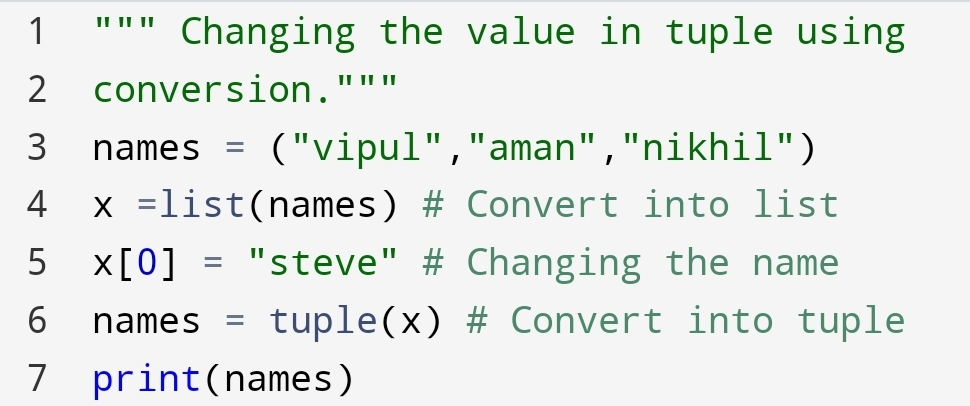
Although, you can’t change the value in tuple. There are some ways you can do it. It’s the conversion.

First, you will convert tuple into list. then do work on them. Thereafter, convert into a tuple again.

Let’s see how can you do?

Example:-

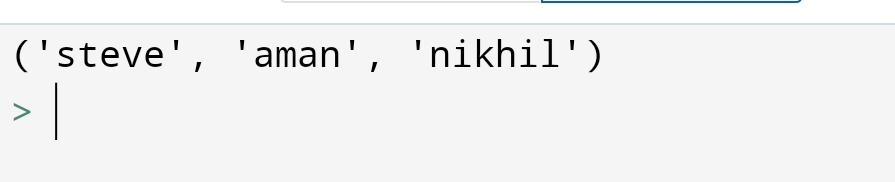
Output:-

Second, you are going to see how to add the items in a tuple!

2. Add items

Normally, there are no method for add the items in tuple. But again you can do it with two method.

•Convert into the list
•Add tuple to tuple

• Convert into the list

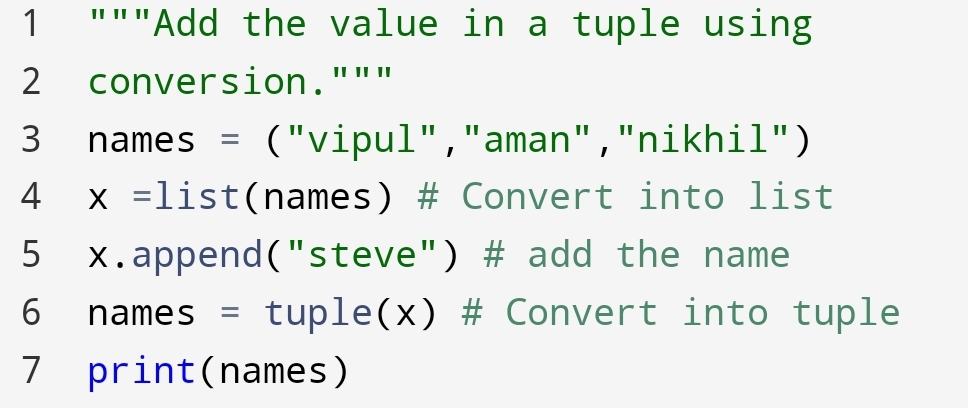
You can add the item in the tuple converting tuple to list and again into tuple.

Let’s see how can you do?

Example:-

Output:-

In the output, you can see that “Steve” has added to the names tuple.

Add tuple to tuple

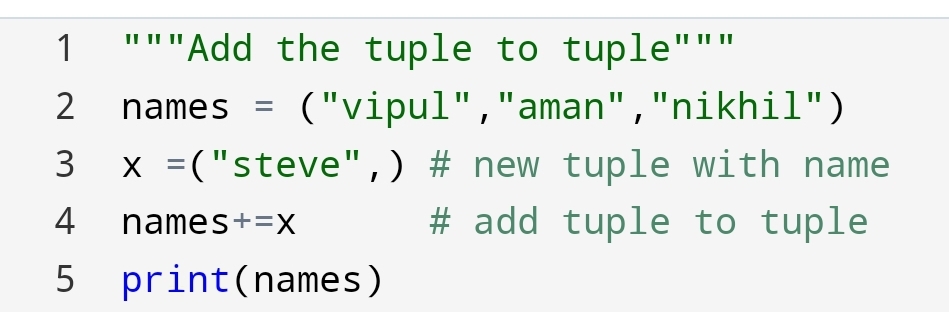
The second approach to add a tuple to the tuple. let’s see how can you do?

Example:-

Output:-

Here, you had seen how we had added the two tuples to create a new one.

Lastly, In updating a tuple you are going to see, ‘How to remove items in a tuple?’

3. Remove items

You can remove items from again same as convert to list, changes then again convert into a tuple.

Here’s the code for removing item in tuple:-

Example:-

Output:-

Here, we had removed the name “aman”.

∆ Python – Unpack Tuples

Unpack the tuple
Image credit: letsunpackthatpod.podbean.com/

Suppose you have to display the individual item without indexing how can you display it?

You can display it with the help of unpacking a tuple.

1.Unpacking a tuple

In this part, you will see how to split the values into a single variable.

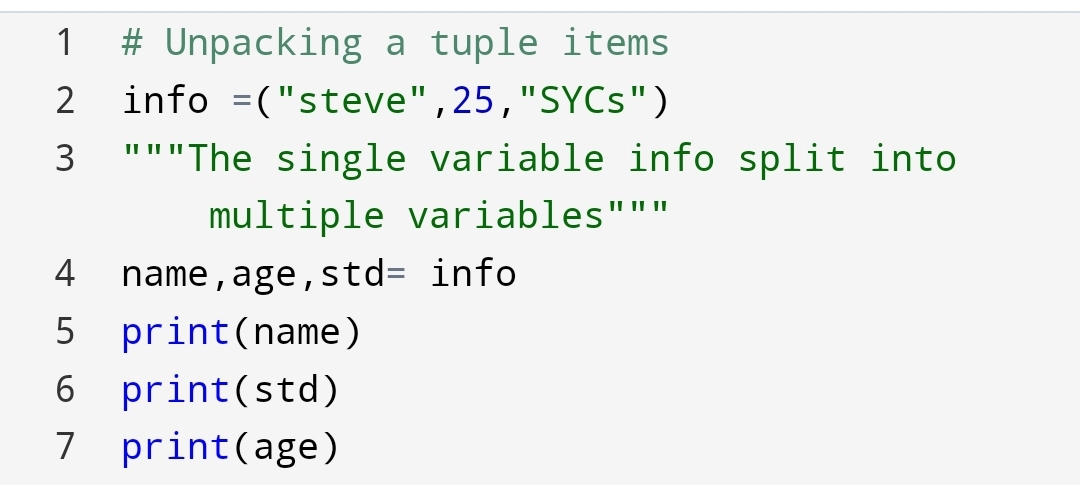
Unpacking of python tuple means assign left-hand side variables to the right-hand side single variable.

Let’s see how can you do!

Example:-

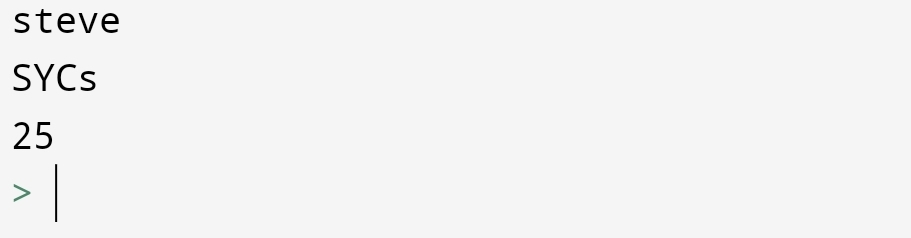
Output:-

Q. Why are we using unpacking in python tuple?

Ans:- Unpacking giving the ability to assign multiple variables at one line. You don’t need to assign multiple variables separately.

2. Using an asterisk (*) sign

Why we use an asterisk sign in unpacking?

Suppose there are multiple values to assign to one variable.

For example, the information of student: the age and std are same but the name is different.

How will you show it?

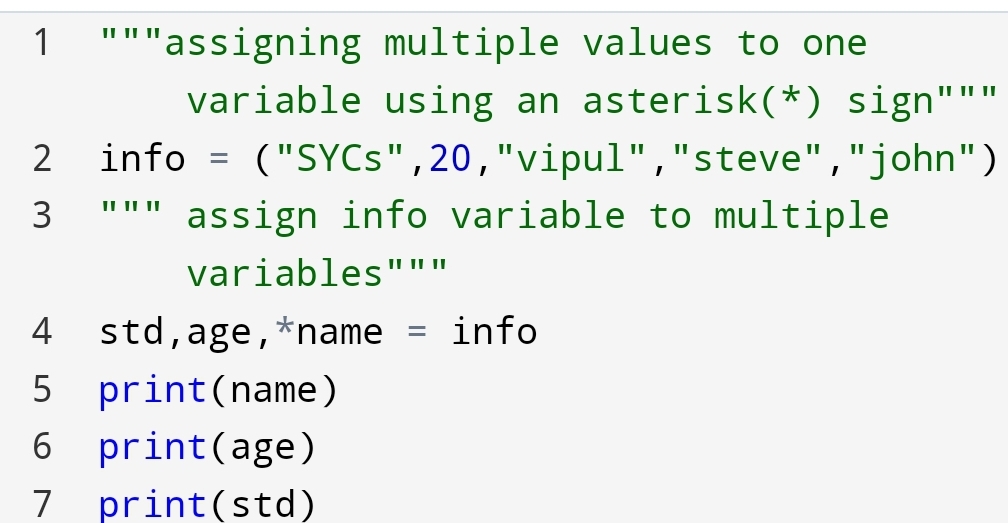
You can show it with the help of an asterisk(*) sign.

Let’s do it!

Example:-

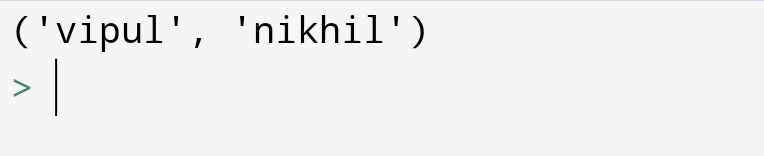
Output:-

Here, you can see the name variable has an asterisk(*) sign.

The list of the name has come.

Suppose the asterisk(*) sign is in middle then how the values are going to assign?

The first and last variable assign to the first and last values. And the middle variable going to assign the remaining variables.

Let’s see how can you do?

Example:-

Output:-

Here, you can see how we had used an asterisk(*) sign.

Summary:-

In this blog you had seen how can you update, access and unpack the python tuple.

A tuple is useful to assign multiple variables to one line of code. You can change the items in a tuple using the list conversion.

Python tuple – Share with care of data!

Image credit: trytoprogram.com

Recently, I have to share data with someone. But I have a fear of a manipulation of data.

So, I’m thinking about what should I do?

Finally, after some research, I have found that I can share with the care of my data using python tuple.

You can protect your data with python tuple.

Your next question is “what is a tuple in python?”

Let’s see what it is?

Python tuple

1.Tuple

A tuple is an ordered and unchangeable data type in python.

It is used to store the unchangeable data items in python.

2.How to create a tuple?

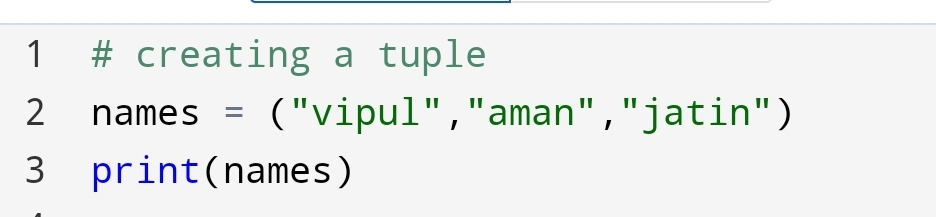
You can create a tuple with the help of (). The items are going to store inside the ().

Let’s see how can you do?

tuple of names

3.Tuple elements

In this section, you are going to learn:-

•Ordered
•Unchangable
•Allow duplicates
•Tuple with one item
•Tuple length
•Data type of tuple item

1) Ordered

Image credit:booster.io

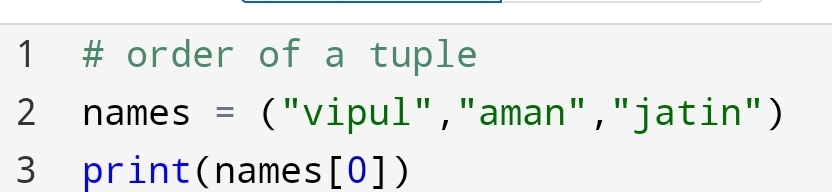
When it comes to ordering. What do you understand by the order of python tuple?

In the case of a tuple, it’s the same as a list. Order means indexing of tuple items. The position of the tuple item.

The indexing of tuple item denoted by []. Let’s see how can you see it!

names are in order

The first name shows the order

2) Unchangeable (Immutable)

Immutable tuple
Image credit:radar.oreilly.com

What do you understand by unchanged tuple?

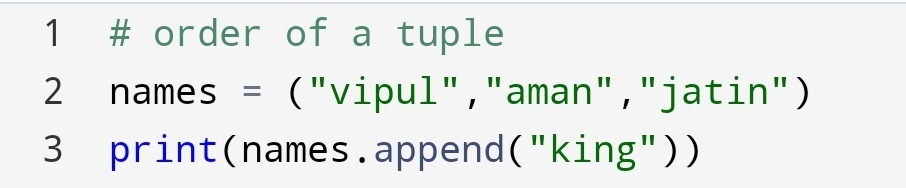
It means you can’t remove, add or change the size of the tuple. Tuple has a fixed size.

Try the append method

The output shows the fixed size of the tuple.

The same thing will happen for the remove method. That shows tuple is unchangeable.

Q. Why tuple is immutable?

Ans:- 1) Tuples are following the same sequential operation as a string. 2) Tuples are used for the order of data that’s why the tuple is immutable.

3) Tuple – Allow duplicates

Duplicate item
image credit:istockphoto.com

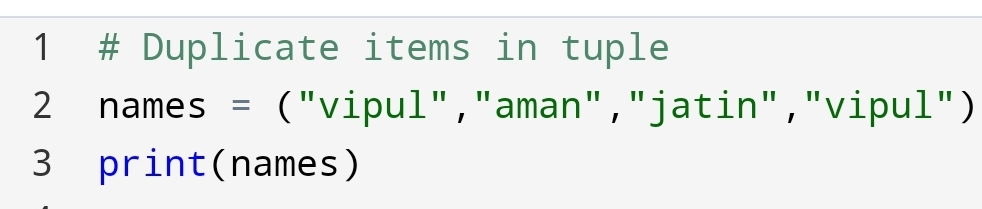
Suppose you need a duplicates item in a tuple. So, what you will do?

You will simply put the duplicate items. Let’s see how can you put duplicate items in a tuple?

Created duplicate items

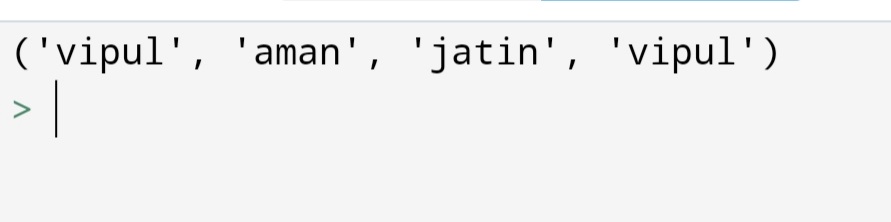
“vipul” has come two times

4) Tuple items – Data type

Data type: tuple

In python programming, everything is an object. Suppose, you have to find the data type of tuple items. What you will do?

You can use the type() method.

type() method:-

With help of type(), you can find the data type of tuple items.

Let’s see how can you do!

type() method

type ‘tuple’

5) tuple() Constructor

tuple constructor
Image credit: codespeedy.com

Suppose you have stored your data as a list and you want to change it as a tuple. How will you do it?

You will use tuple() constructor. Let’s see how can you do!

Example:-

tuple created

6) Tuple length

len() method
Image credit: master programming.com

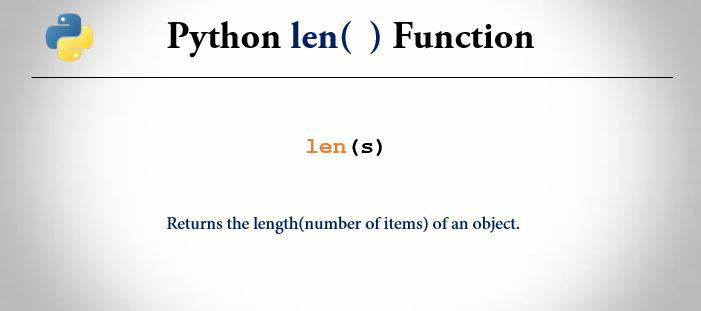
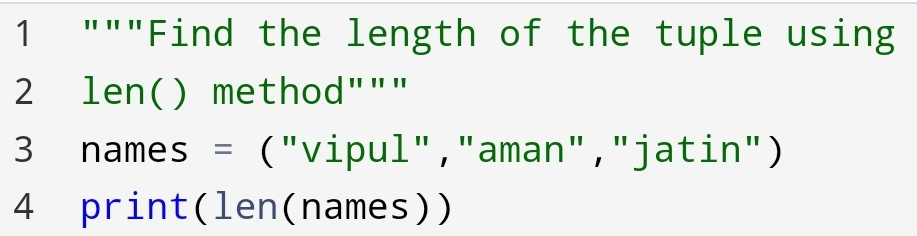
Suppose you have to find the length of the tuple or items present in the tuple. You will use the len() method in the tuple.

Let’s see how can you do!

Example:-

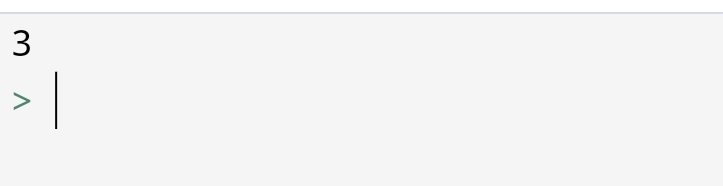
Number of items

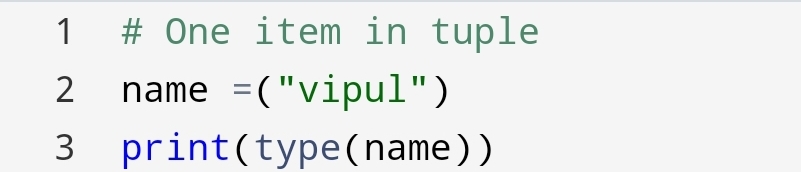
7) Tuple with one item

Suppose you have one item in a tuple.

How will you represent one item in a tuple?

If you only represent with (“vipul”) then the data type of it’s become string.

Let’s see how it’s going to see!

Example:-

Data type ‘str’

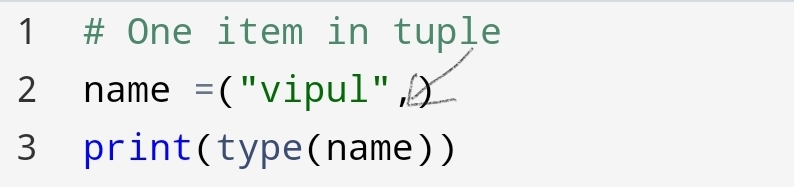
The right approach to do this is using a comma after first item(“vipul”,). You will see the data type has changed to ‘tuple’.

You Can code:-

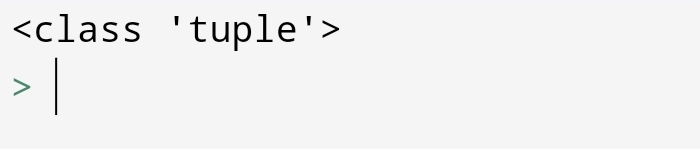
Example:-

Type ‘tuple’

In this part, you have seen how comma(,) is changing the data type.

A comma at the end of the item shows the data type ‘tuple’.

You have seen ordered, unchangeable, duplicates, length and type of tuple.

Also, shown why we used a tuple!

Tuple has interesting behaviour of privacy of data.

You can use a tuple to make the data as secure as you want!

Conclusion:-

Tuple and list have many similarities. But some differences make a tuple faster than a list.

Because of fixed size tuple taking less memory than a list.

Tuple’s unchangeable behaviour makes tuple use in sharing data.