We can start to build out the Learning Log project. We’ll create two pages that display data: a page that lists all topics and a page that shows all the entries for a particular topic.
We’ll create a base template that all templates can inherit from it. For each of these pages we’ll create url,view and template .
Template Inheritance
There are some elements which come in every page. So,we have to write every time .To overcome this repetition in every page we’ll use base.html when child page need elements it can Inheritance from base. html .
The Parent Template
We’ll start with base.html template. This parent template will store the element which is common to all page. The child template Inheritance from this parent block. Here,the common element is title at every page,which will display on all child page .
At ➊ In this example, the template tag {% url ‘learning_logs:index’ %} generates a URL matching the URL pattern defined in learning_logs/urls.py with the name ‘index’.
At ➋ we insert a pair of block tags. This block, named content, is a placeholder; the child template will define the kind of information that goes in the content block.
A child template doesn’t have to define every block from its parent, so you can reserve space in parent templates for as many blocks as you like, and the child template uses only as many as it requires.
NOTE:- In Python code, we almost always indent four spaces. Template files tend to have more levels of nesting than Python files, so it’s common to use only two spaces for each indentation level.
The Child Template
Now we need to rewrite index.html to inherit from base.html. Here’s index.html: index.html ➊ {% extends “learning_logs/base.html” %}
➋ {% block content %}
<p>Learning Log helps you keep track of your learning, for any topic you’re learning about.</p> ➌ {% endblock content %}
we’ve replaced the Learning Log title with the code for inheriting from a parent template ➊. A child template must have an {% extends %} tag on the first line to tell Django which parent template to inherit from. This line pulls everything from base.html and child template to reserve in content block.
We define the content block at ➋ by inserting a {% block %} tag with the name content. Everything that we aren’t inheriting from the parent template goes inside a content block. Here, that’s the paragraph describing the Learning Log project.
The Topics Page
We have to display two pages : the general topics page and the page displays entries for single topic page. The topics page will show all topics that users have created, and it’s the first page that will involve working with data.
The Topics URL Pattern
First, we define the URL for the topics page . It’s common to choose a simple URL fragment that reflects the kind of information presented on the page. We’ll use the word topics, so the URL http://localhost:8000/topics/ will return this page. Here’s how we modify learning_logs/urls.py:
urls.py “””Defines URL patterns for learning_logs.””” –snip– urlpatterns = [ # Home page path(”, views.index, name=’index’),
# show all topics
➊ path(‘topics/’, views.topics, name=’topics’), ]
We’ve simply added topics/ into the regular expression argument used for the home page URL ➊. When Django examines a requested URL, this pattern will match any URL that has the base URL followed by topics.
There can’t be anything else after the word topics, or the pattern won’t match. Any request with a URL that matches this pattern will then be passed to the function topics() in views.py .
The Topics View
The topics() function needs to get some data from the database and send it to the template. Here’s what we need to add to views.py:
We first import the model associated with the data we need ➊.The topics() function needs one parameter: the request object Django received from the server ➋.At ➌ we query the database by asking for the Topic objects, sorted by the date_added attribute. We store the resulting queryset in topics.
At ➍ we define a context that we’ll send to the template. A context is a dictionary in which the keys are names we’ll use in the template to access the data and the values are the data we need to send to the template. In this case, there’s one key-value pair, which contains the set of topics we’ll display on the page.
When building a page that uses data, we pass the context variable to render() as well as the request object and the path to the template ➎.
  ● Adding Topics
  ● Defining the entry
      Model.
  ● Registering Entry
     with the Admin Site
  ● The Django Shell
● Adding Topics
In this section we will workout the page which we have created previously.
Topic included in admin site
Click on Topics, you will see empty box , because you have not included any topic. We will click Add you will see the new topic page. Write which topic name you want, we will write Chess on first box ,then click on Save. You’ll be sent back to the Topics admin page, and you’ll see the topic you just created.
Let’s create a second topic so we’ll have more data to work with. Click Add again, and create a second topic, Rock Climbing. When you click Save, you’ll be sent back to the main Topics page again, and you’ll see both Chess and Rock Climbing listed.
● Defining the Entry
   Model
Here we create a class Entry and feed it with variables.
models.py from django.db import models
class Topic(models.Model): –snip–
➊ class Entry(models.Model): “””Something specific learned about a topic””” ➋ topic = models.ForeignKey(Topic) ➌ text = models.TextField() date_added = models.DateTimeField(auto_now_add=True)
➍ class Meta: verbose_name_plural = ‘entries’
def str(self): “””Return a string representation of the model.””” ➎ return self.text[:50] + “…”
● Migrating the Entry
   Model
We need to make database for the model which we have registered to Entry.
>>>python manage.py makemigrations learning_logs
The output will show like this :
Migrations for ‘learning_logs’: ➊ 0002_entry.py: – Create model Entry
>>>python manage.py migrate
Operations to perform: –snip– ➋ Applying learning_logs.0002_entry… OK
At ➊ 0002_entry.py tells django to how to create database for model Entry.
When we issue the migrate command, we see that Django applied this migration, and everything was okay ➋.
🔘 Click the Add link for Entries, or click Entries, and then choose Add entry. You should see a drop-down list to select the topic you’re creating an entry for and a text box for adding an entry. Select Chess from the drop-down list, and add an entry. Here’s the first entry I made:
The opening is the first part of the game, roughly the first ten moves or so.
When you click Save, you’ll be brought back to the main admin page for entries. Here you’ll see the benefit of using text[:50] as the string representation for each entry; it’s much easier to work with multiple entries in the admin interface if you see only the first part of an entry rather than the entire text of each entry.
Make a second entry for Chess and one entry for Rock Climbing so we have some initial data.
● The Django Shell
In shell we have to check the data is correctly arranged or not. So we will use Django Shell to check . Open Shell using command:
>>>python manage.py shell
➊>>> from learning_logs.models import Topic >>> Topic.objects.all()
[<Topic:Chess>,<Topic:Rock Climbing>]
Here we import the model Topic from the learning_logs.models module ➊
We can loop over a queryset just as we’d loop over a list. Here’s how you can see the ID that’s been assigned to each topic object:
topics = Topic.objects.all() for topic in topics:
… print(topic.id, topic)
… 1 Chess 2 Rock Climbing
Chess has an ID of 1, and Rock Climbing has an ID of 2.
If you know the ID of a particular object, you can get that object and examine any attribute the object has. Let’s look at the text and date_added values for Chess:
Django can use this connection to get every entry related to a certain topic, like this: ➊ >>> t.entry_set.all() [, <Entry: In the opening phase of the game, it’s important t…>]
To get data through a foreign key relationship, you use the lowercase name of the related model followed by an underscore and the word set ➊.
___________________________________
NOTE: Each time you modify your models, you’ll need to restart the shell to see the effects of those changes. To exit a shell session, enter CTRL-D; on Windows enter CTRL-Z and then press ENTER.
We have seen the server of learning_log project. In this project we are going to start a new app which will connect to learning_log project. The reason of doing this one project created by small groups of folder. The name of app is learning_logs. In this app we will create a admin page.
To start we will use following command:-
1) First you have to check virtual environment is active or not ?
■How you will check ?
.venv mention in your path
.venv\User\learning_log >
■ if not mentioned ?
Activate – >>>.venv\Scripts\activate
2) >>>django-admin.py startapp learning_logs
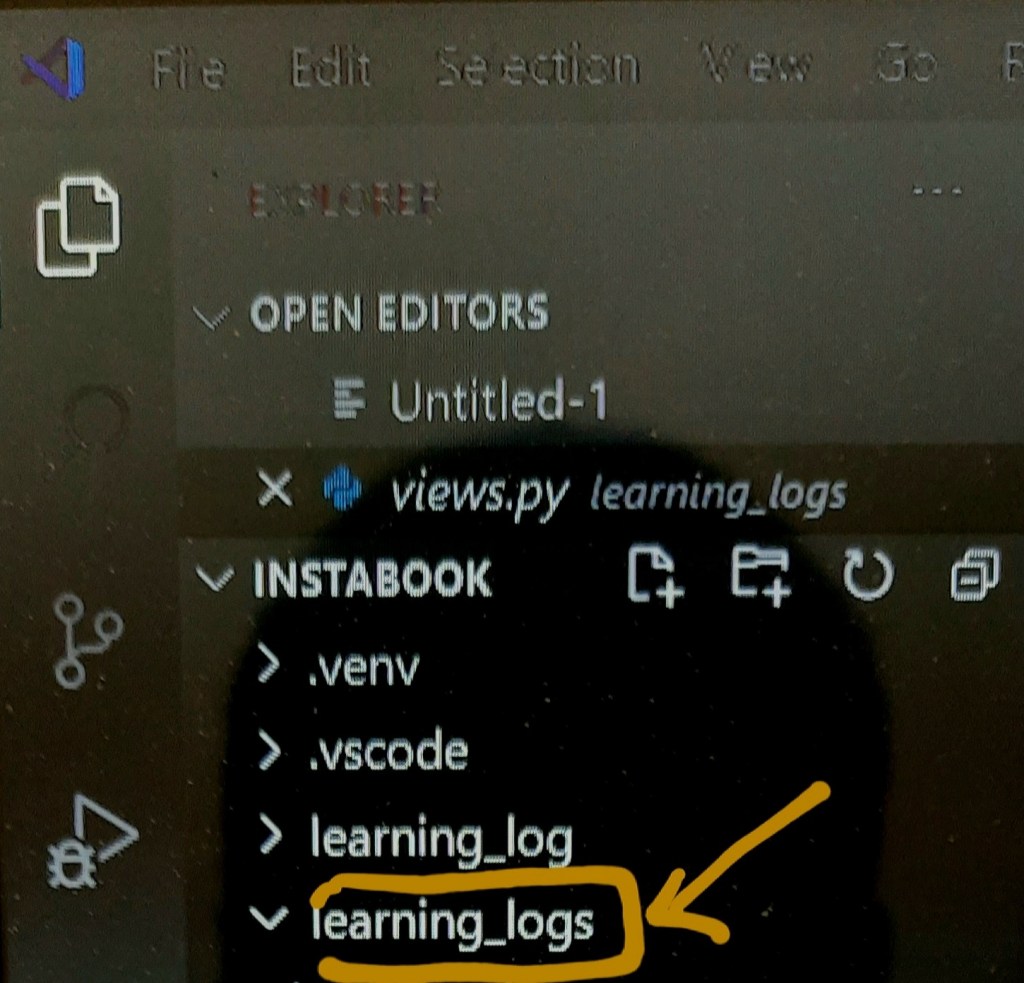
Giving this command the new folder created with name learning_logs.
learning_log
3) Make models
models tell django how to work with data that will store in app.Code-wise, a model is just a class; it has attributes and methods, just like every class we’ve discussed.
So,first we have import the models. first open learning_logs/models.py .When you will open this file you will see something like this —
models.py

 from django.db import models
 # Create your models
    here.
Here the models for topics user will store
from django.db import models

class Topic(models.Model):
    """A topic the user
    is learning about"""

   ➊    text = models.CharField(max_length=200)
   ➋     date_added = models.DateTimeField(auto_now_add=True)
   ➌   def str(self):
        """Return a
         string
         representation
         of the model.
         """
       return self.text
We’ve created a class called Topic, which inherits from Model—a parent class included in Django that defines the basic functionality of a model. Only two attributes are in the Topic class: text and date_added.
At ➊ you use CharField when you want to store a small amount of text, such as a name, a title, or a city.
When we define a CharField attribute, we have to tell Django how much space it should reserve in the database. Here we have given max length 200.
At ➋ have created timestamp to see the date – time of topics for order in entry.
At ➌ Django calls a str() method to display a simple representation of a model. Here we’ve written a str() method that returns the string stored in the text attribute ➌.
4) Connect learning_logs app to project learning_log.
1) Go to settings.py
2) In setting see the section Installed_apps.
3) Include ‘learning_logs’ app in this section.
5) Create a database
Creating a database is necessary to store the data in app. We will make migrations to make a space. Then we will migrate the data.
>>>python manage.py makemigrations
>>>python manage.py migrate
Whenever we want to modify the data that Learning Log manages, we’ll follow these three steps: modify models.py, call makemigrations on learning_logs, and tell Django to migrate the project.
Many times we are doing mistakes in everything. This is also true for coding. Coding is game of play not a boring stuff. In which we are struggling. We have to see it clearly that what we are doing ? We are just filling the mind and tired with the stuff. Or actually we are attach with the question trying to understand what is question .
Why we are doing code . Just to learn . What will happen from this learning ? There is some emotional thing in which we can grow ourselves . Coding is not about just writing code. It’s about how we are representing anything , how we are solving problem. Teachers and student making it’s hard and boring process. Because there is no connection to real world problem . Connectivity is less in learning . We are unable to go to the end of subject. Semesters are changing programming languages are changing. It became the process of pass the examination and go to the company. Is we are learning in real manner and just filling the seats of company ?
We can do Django project in Three environment–virtual environment , anaconda environment and through normal downloading process.
We will use vscode for virtual environment.
1.Virtual environment
■ Why we using virtual environment ?
Virtual environment taking file separately without impacting other file. So,developer mostly prefer virtual environment .
Vscode in python
■ How to install Virtual environment in vscode?
1. First we will create a virtual environment using command
>>>python -m venv .venv
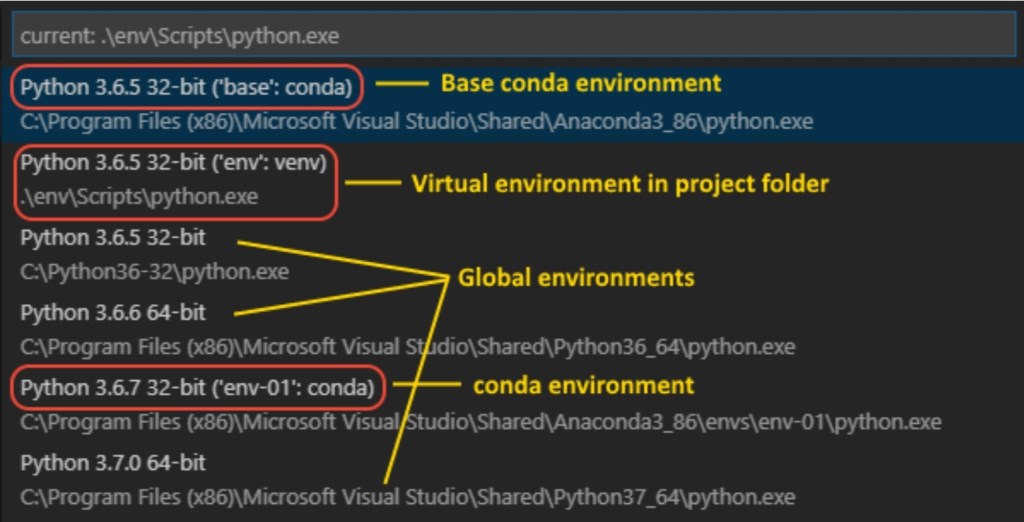
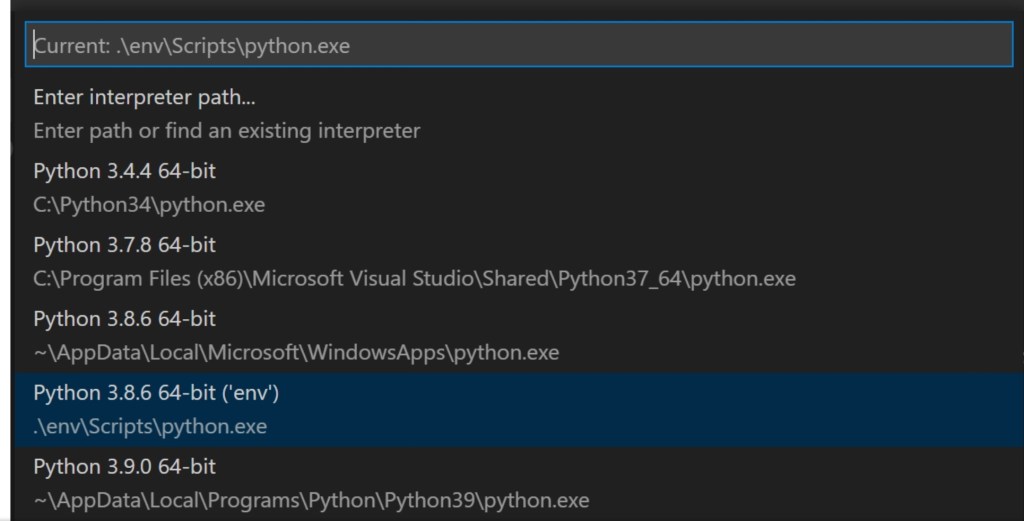
2. We will select the python environment using ctrl+shift+p
There will option come >python select interpreter .
(ctrl+shift+p)Different interpreter after (ctrl+shift+p)
3. We will activate the virtual environment in vscode. Open terminal of vscode and type the following command .
>>>.\.venv\Scripts\activate
The virtual environment has activated we can check in path of terminal , where .venv will present.
2.Install django
We have to install Django in vscode. Using Command
>>>python install django
● we have to upgrade the pip packages.
>>>python -m pip install –upgrade pip
3. Creating a project
1. To create a project we will use following command
>>>django-admin.py start project learning_log .
This command will create a separate folder of learning_log.
Note : The . is compulsory in project because it the project will run on server .
2. Check the information about learning_log we will use following command.
>>>dir
This command will give following term :——
● manage.py : managing the django packages,database for startproject.
● A sub folder named learning_log which creating following files:
■__init__.py:- An empty
              file which tells python that it is python package.

■ asgi.py:- an entry
            point for  https://asgi.readthedocs.io/en/latest/
web server to serve your  project.

■ settings.py :-

settings  for django project which you modifying in course of development of web app.

■ urls.py

Contains the table of contents for django project which we will
Modify course of development.

■ wsgi.py: an entry
           point for WSGI-compatible web servers to serve your project. You typically leave this file as-is as it provides the hooks for production web servers.
3. Django need the database to store the information. So, we will use following command :–
>>>python manage.py migrate
When we will use dir command ,the dbsqlite file created .
We have to view the the learning_log page. We will use following command :
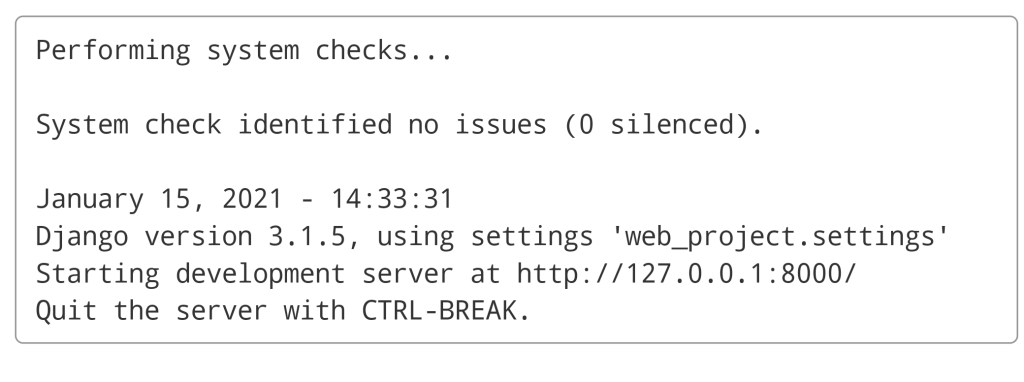
>>>python manage.py runserver
Configuration of server
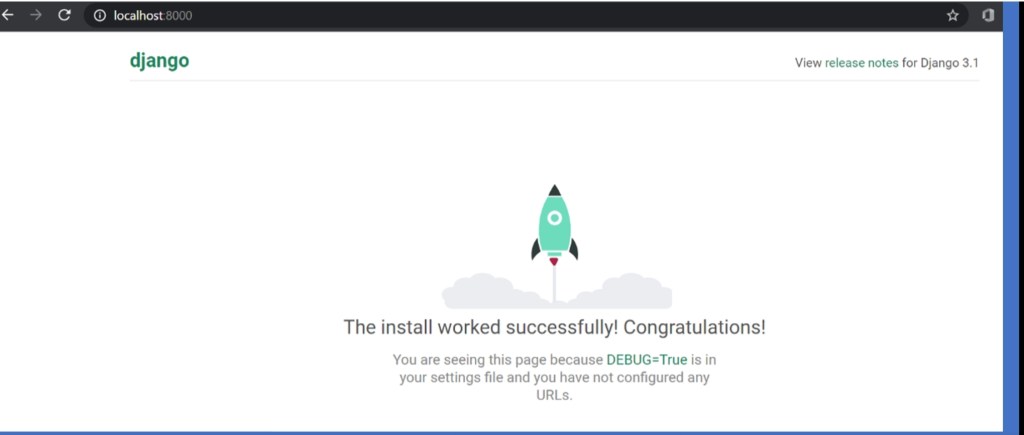
Ctrl+click the http://127.0.0.1:8000/ URL in the terminal output window to open your default browser to that address. If Django is installed correctly and the project is valid, you see the default page shown below. The VS Code terminal output window also shows the server log.
Django server page
You have created the base of project that is django server. We can create many things from it.
When we learn appropriate basic of programming language , we have to test ourselves that how much we know ,what are our weakness,how can we grow. Today, we will talk about some projects which can enhance us . There are some projects are :-
1.Alien game
If you love games and want to game developer you can try this project out. This is a game in which we have to make a game of alien shoot . It has many parts score,highscore,data etc. We can create this game on pygame.
Pygame is a cross-platform set of python modules designed for writing video games. It includes computer graphics and sound libraries to be used with python programming language .
2.Data visualization
Data visualization is the graphical representation of information and data. By using visual elements like chart,graphs and maps,data visualization provide an accessible way to see understand trends,outliers and data.
To get some overview of data visualization we see some libraries.
1.Matplotlib
Matplotlib library
It is low level library. provides lots of freedom. Matplotlib is specifically good for creating basic graph,bar charts,histogram and many more.
2.Pandas visualization
Panda library
Panda is high performanc e and open source library. providing data structure such as data frames and data analysis tool like visualization tool.
3.Seaborn
Seaborn library
Seaborn is a python data visualization library based on Matplotlib. It
Provides high level interface for creating
graphs. You can create
graph on one line that would take you multiple  tens  of  line  in matplotlib.
3.Django project
Make a app
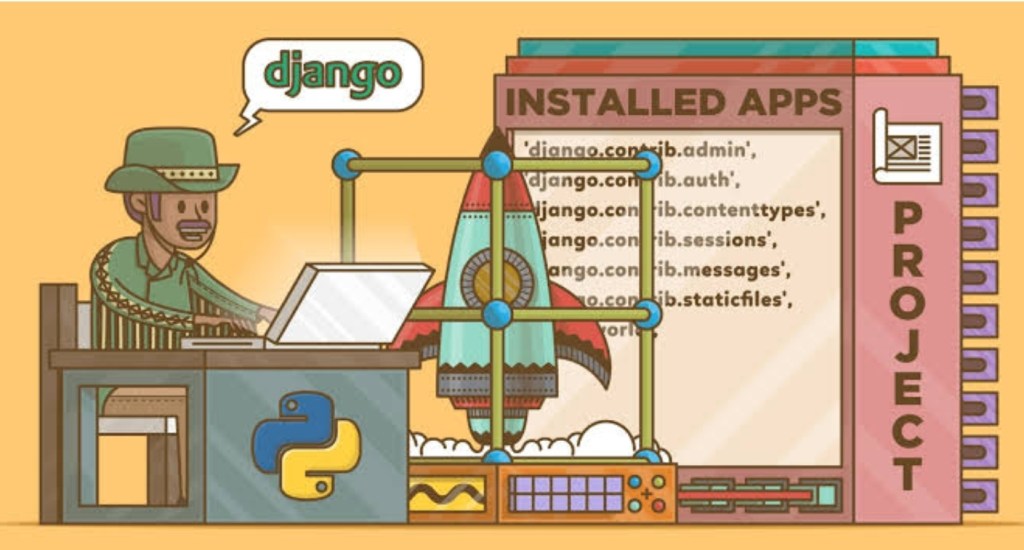
Django is a high level python web framework which encourages rapid development and clean pragmatic design . Built by experienced developers, it take care of much of hassle of Web development. So,you can focus on writing your app without reinventing the process. It’s open source. Ridiculous fast.
● Django Used sites ●
Some well known sites which uses Django include PBS Instagram , Washington Times and Mozilla .
PBSInstagramWashington times Mozilla Firefox
●●● Documentation is necessary in project to understand the process of making integrated app.
This all are some projects which we can done to learn about programming and web applications clearly . I hope this block in some manner will help you to grow in prosper manner.
If you have any query or suggestion you can type in comment box.
 There are many Big
 Companies which using
 Python in theirs
 Product/services.
 some of these are:--->

  ● NASA
  ● Google
  ● IBM
  ● Facebook
  ● Netflix
  ● yahoo
  ● Reddit
Python in NASA
Python in Google
Python in IBM
Use in API
Python is Basic
Search and web
News article
4.The zen of python
ZEN OF PYTHON
5.Easy syntax
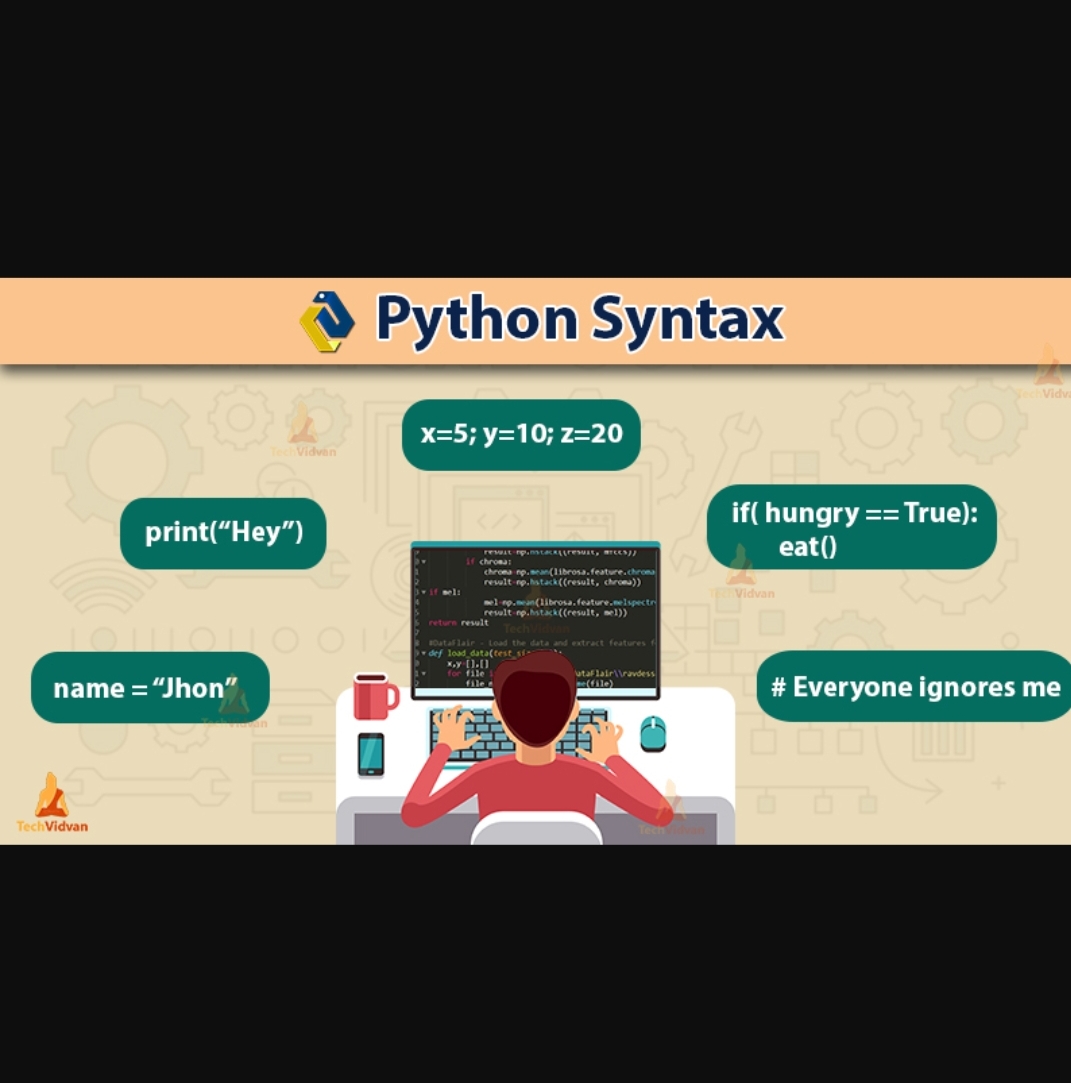
The python has easy syntax comparison to C,C++and other programming language. In python we have not to declare the variable we can easily assign the value to variable.
Syntax in python
6.can return multiple values
# python can return multiple values.

def func():
    return 1,2,3,4

one,two,three,four =
    func()

print(one,two,three,four)


Output:  (1,2,3,4)
7.python doesn't support pointer
In python the value are calling through reference not pointer. The python has simplicity concept and pointers are complex,which calling value.
8.Function argument unpacking.
Function unpacking is another awesome feature of python. To unpack list and dictionary python uses * or ** operator.
We all are doing programming.but actually we don’t know, we are learning some valuable thing or not ?
Many times we just writing the code and we understand that we learnt about coding. It’s not that my friends. Anyone can copy the code from book and write down. So we’ll see what is the mistakes we are doing ?
1. What’s the true coding ?
Ans: I had experienced that only writing code from book not giving learning of code. It’s not useful in terms of developing something. We have to understand the code and think about practical application of code.
2. What’s the myth about programmer ?
Ans : The people think that programmers are doing every time coding . It’s not true,most of the time programmer try to understand how the code is going to work in projects. What the part we have to add,remove sorted etc.
3.What the top mistakes that I have made in python programming ?
Ans : The greatest mistake I have made to rush for large content in python at once.The second mistake not to known about why I ‘m using this code instead of another code ?
4. What approach we can take in programming?
Ans : To solve the problem in efficient way. Learn from previous mistake. The questioning approach we can take.
5. Is programmer alone person or something else ?
Ans : Many times we think that programmers are people who are doing coding in pack room,but it’s not that. You can see that Great project like,Open source,Free software all were happened in community. So,we tend to join programmer community.
6. Is programming all about solve the problem ?
Ans : Solving the problem is one aspects of programming. With help of programming we can make machines fast and efficient. We can automate the process.
7.To learn multiple Programming language at once is good ?
Ans : If you are learning coding or multitasking from childhood,you can learn. But if you are new in programming I suggest you to start from one language . After some time,You can start second programming language. It’s beneficial to learn one after another.
So,we have seen that what’s the mistake we are making. If you have something to tell about mistakes we are making you can tell in comments.
If you have something new related to programming you can tell me.
























 Mr.Python