

We can do Django project in Three environment–virtual environment , anaconda environment and through normal downloading process.
We will use vscode for virtual environment.
1.Virtual environment
■ Why we using virtual environment ?
Virtual environment taking file separately without impacting other file. So,developer mostly prefer virtual environment .
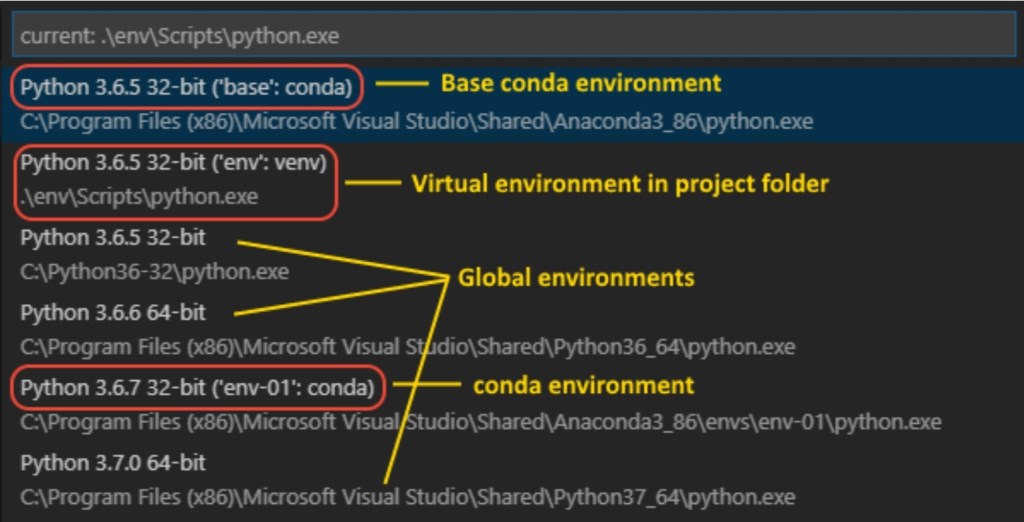
■ How to install Virtual environment in vscode?
1. First we will create a virtual environment using command
>>>python -m venv .venv
2. We will select the python environment using ctrl+shift+p
There will option come >python select interpreter .

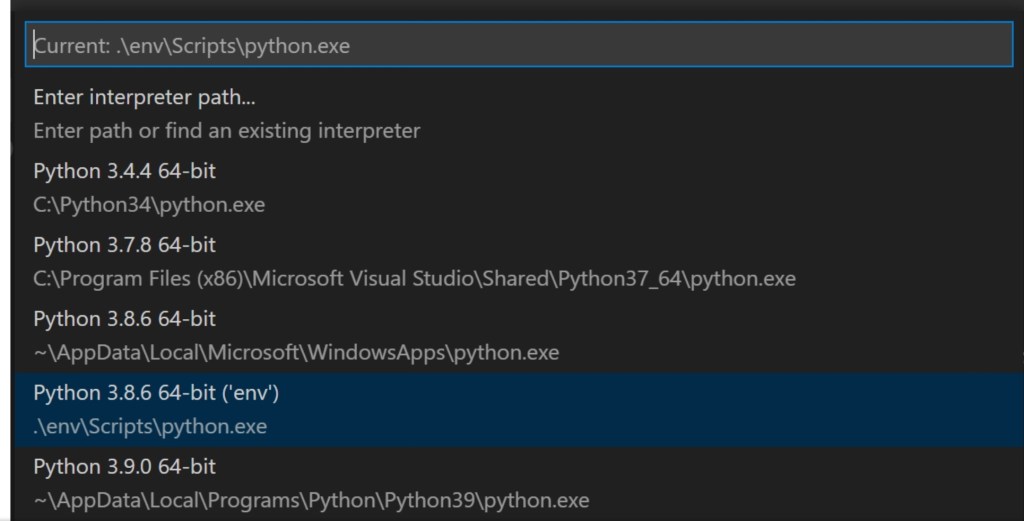
3. We will activate the virtual environment in vscode. Open terminal of vscode and type the following command .
>>>.\.venv\Scripts\activate
The virtual environment has activated we can check in path of terminal , where .venv will present.
2.Install django
We have to install Django in vscode. Using Command
>>> python install django
● we have to upgrade the pip packages.
>>>python -m pip install –upgrade pip
3. Creating a project
1. To create a project we will use following command
>>>django-admin.py start project learning_log .
This command will create a separate folder of learning_log.
Note : The . is compulsory in project because it the project will run on server .
2. Check the information about learning_log we will use following command.
>>>dir
This command will give following term :——
● manage.py : managing the django packages,database for startproject.
● A sub folder named learning_log which creating following files:
■__init__.py:- An empty
file which tells python that it is python package.
■ asgi.py:- an entry
point for https://asgi.readthedocs.io/en/latest/
web server to serve your project.
■ settings.py :-
settings for django project which you modifying in course of development of web app.
■ urls.py
Contains the table of contents for django project which we will
Modify course of development.
■wsgi.py: an entry
point for WSGI-compatible web servers to serve your project. You typically leave this file as-is as it provides the hooks for production web servers.
3. Django need the database to store the information. So, we will use following command :–
>>>python manage.py migrate
When we will use dir command ,the dbsqlite file created .
We have to view the the learning_log page. We will use following command :
>>>python manage.py runserver
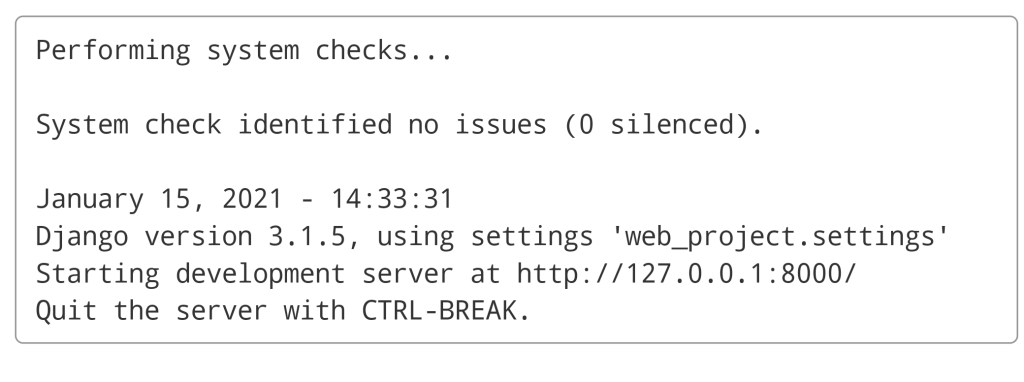
Ctrl+click the http://127.0.0.1:8000/ URL in the terminal output window to open your default browser to that address. If Django is installed correctly and the project is valid, you see the default page shown below. The VS Code terminal output window also shows the server log.
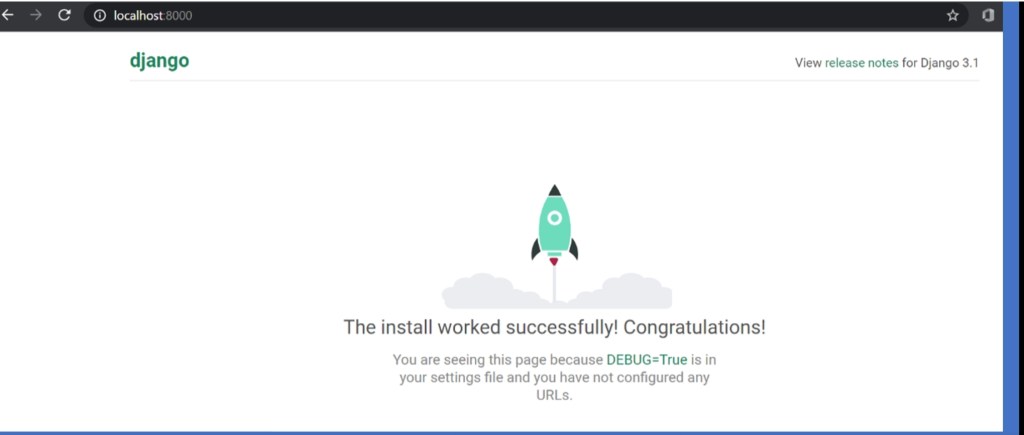
You have created the base of project that is django server. We can create many things from it.
Best Regards,
 Mr.Python
Very clever of you. I know nothing about programming.
LikeLike